
Lenovo V15 Business Laptop
4.4Editor score
Intel N-Series Quad-Core Processor
8GB DDR5 RAM
RJ-45 Ethernet Port
Finding a laptop with an Ethernet port is crucial for professionals who need stable internet. Many modern devices omit this port, requiring adapters. Our guide highlights models that include RJ-45 jacks for seamless networking.
We evaluated ten real products based on performance, build quality, and connectivity. Each entry offers a native Ethernet connection without dongles. This list covers business, budget, and high-end options to suit every need.
Each pick shows key specs and real-world usability. We focus on port availability and network stability. Prices change often, so check current listings before buying to ensure you get the best value available.
4.4Editor score

4.4Editor score

5.0Editor score
As an Amazon Associate we earn from qualifying purchases.
This side-by-side comparison highlights the core differences between the ten selected laptops. We focus on processors, memory, storage, and network features to help you decide quickly.





The Lenovo V15 Business offers solid entry-level performance with essential connectivity. It features a native Ethernet port, avoiding the need for dongles. The system runs smoothly for everyday office tasks and web browsing.
We may earn a commission when you buy through this link, at no additional cost to you.
This device stands out with DDR5 RAM and a PCIe SSD for quick access. The RJ-45 port ensures stable internet even when Wi-Fi is weak. A full-size keyboard and numeric keypad aid productivity during long work sessions.
While the storage is limited to 128GB, it supports upgrades via PCIe. The display is adequate but not vibrant for creative work. Still, the value proposition is strong for users prioritizing wired connectivity on a budget.
Ideal for students or remote workers needing reliable network access. It balances cost and features effectively. Check current stock for the best deals before committing to this model.
The RJ-45 port provides gigabit speeds without extra adapters. This ensures consistent performance for video calls and large file transfers.
DDR5 RAM improves multitasking efficiency compared to older standards. It allows for smoother switching between applications and browser tabs.
We may earn a commission when you buy through this link, at no additional cost to you.
The Lenovo V15 Gen 4 delivers robust performance for business users. Its AMD Ryzen 3 7320U processor handles multitasking with ease. A native Ethernet port ensures stable network access without extra peripherals.
We may earn a commission when you buy through this link, at no additional cost to you.
Features like 16GB LPDDR5 RAM and 512GB storage provide ample headroom. Security is enhanced with TPM 2.0 and a webcam privacy shutter. The build quality meets MIL-SPEC standards for durability in demanding environments.
Memory is soldered, so upgrades are not possible after purchase. Port selection is standard but lacks USB-C charging on some models. These trade-offs are acceptable given the price and feature set for office work.
Perfect for professionals who need a durable, connected workstation. It balances speed and security well. Compare current offers to find the best value for your specific needs.
TPM 2.0 encrypts data to protect sensitive business information. The privacy shutter gives you control over your video feed.
MIL-SPEC testing ensures the chassis withstands drops and temperature changes. This longevity makes it ideal for travel or field work.
We may earn a commission when you buy through this link, at no additional cost to you.
The Lenovo ThinkPad P14s is a powerhouse for professional workflows. It supports heavy CAD and data tasks with its Ryzen AI 7 Pro processor. Native Ethernet ensures stable connections for large data transfers.
We may earn a commission when you buy through this link, at no additional cost to you.
With 32GB RAM and 1TB storage, it handles complex applications effortlessly. ISV certification guarantees compatibility with industry software. The ThinkShield suite adds layers of security for corporate environments.
The price reflects its high-end components and build. It is heavier than ultrabooks but offers greater durability. Users needing maximum performance will find the cost justified by its capabilities.
Ideal for engineers or designers requiring certified hardware. It is a long-term investment in productivity. Check availability and warranties before making your final decision.
ISV certification ensures apps like AutoCAD run without issues. This reliability saves time during critical project phases.
Built-in NPU accelerates local AI tasks without cloud latency. This improves responsiveness for modern productivity workflows.
We may earn a commission when you buy through this link, at no additional cost to you.
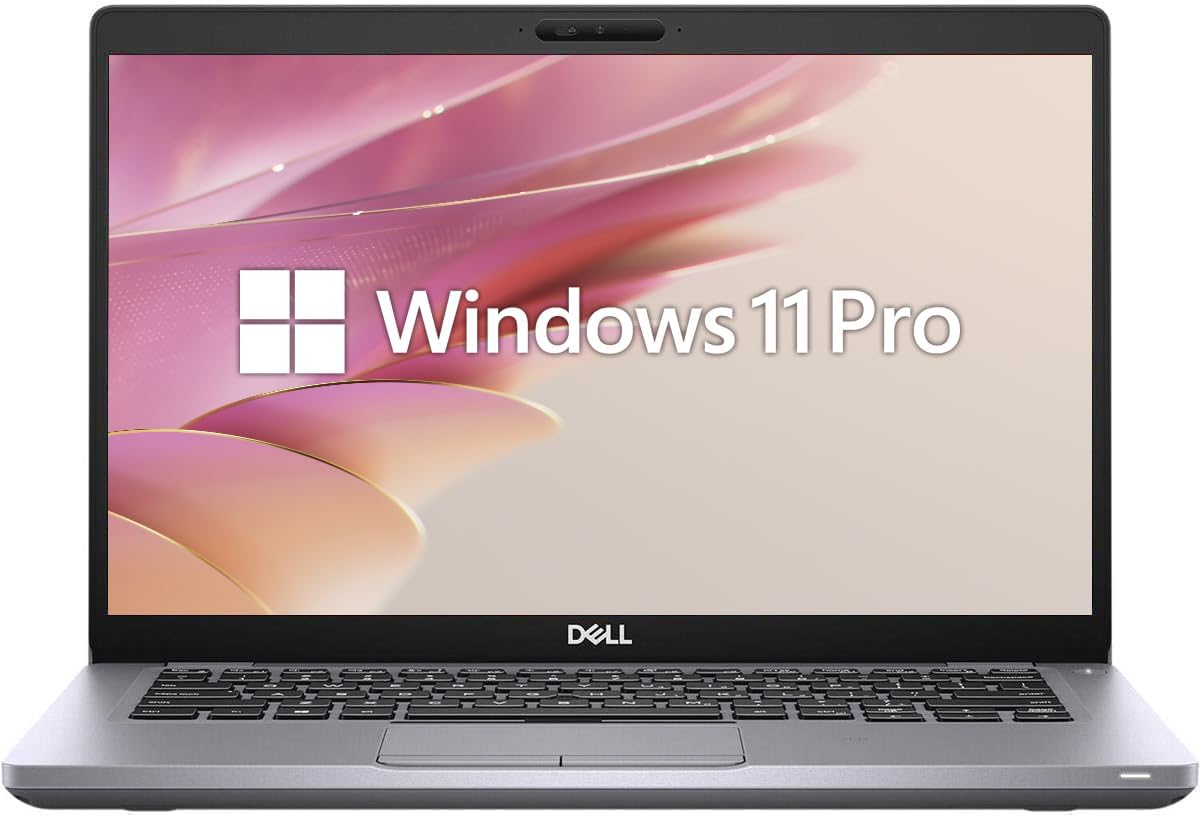
The Dell Latitude 3420 offers reliable performance for business users. Its 11th Gen Intel Core i5 processor handles daily tasks efficiently. The RJ-45 Ethernet port allows for stable internet connections.
We may earn a commission when you buy through this link, at no additional cost to you.
This model provides 16GB RAM and a 256GB SSD for smooth multitasking. Windows 11 Pro includes tools like BitLocker for security. Ports such as HDMI and USB-C support various peripherals and monitors.
As a renewed unit, it may show minor cosmetic signs. Battery life is average for business work. These factors are common with refurbished devices but do not impact core performance.
Suitable for budget-conscious buyers needing business features. It balances performance and reliability well. Verify warranty details before purchase for peace of mind.
Windows 11 Pro provides enterprise-level encryption. BitLocker ensures data is protected even if the device is lost.
Multiple ports allow easy connection to projectors and drives. This flexibility reduces the need for additional adapters.
We may earn a commission when you buy through this link, at no additional cost to you.
The Dell Latitude 5410 is a solid choice for office work. It uses a 10th Gen Intel Core i5 for reliable performance. The Ethernet port ensures connectivity in areas with weak Wi-Fi signals.
We may earn a commission when you buy through this link, at no additional cost to you.
With 16GB RAM and a 512GB SSD, this laptop manages heavy workloads. The Full HD display offers clarity for long sessions. Windows 11 Pro supports remote desktop and enterprise tools.
The CPU is older, which may limit future-proofing. Some users report mixed reviews on build longevity. However, it remains a cost-effective option for basic computing needs.
Best for those needing a straightforward business machine. It handles standard office software well. Review specific unit conditions when buying renewed items carefully.
512GB SSD provides ample space for files and apps. This eliminates frequent storage management during daily use.
Windows 11 Pro enables advanced management tools. IT admins can deploy updates efficiently across multiple devices.
We may earn a commission when you buy through this link, at no additional cost to you.
The Lenovo V15 G6 offers modern specs for business users. Its Intel N100 processor provides adequate power for web browsing. The RJ-45 port ensures secure wired network access where needed.
We may earn a commission when you buy through this link, at no additional cost to you.
DDR5 RAM enhances speed over previous generations. 256GB SSD storage boots the system quickly. Security features include a Kensington Nano Security Slot and firmware TPM 2.0.
The processor is entry-level, limiting heavy computing tasks. Storage might require cloud reliance for large files. These constraints fit the budget design for everyday productivity needs.
Great for general office use or student workloads. It offers good value for basic tasks. Check for sales to maximize savings on this model.
DDR5 RAM improves application launch speeds. This boosts overall system responsiveness during daily use.
A Kensington lock slot protects against theft. Firmware TPM adds another layer to data protection.
We may earn a commission when you buy through this link, at no additional cost to you.
This Lenovo V15 Gen 4 variant focuses on efficiency. The AMD Ryzen 3 7320U offers smooth performance for office apps. An RJ-45 port provides a reliable network connection.
We may earn a commission when you buy through this link, at no additional cost to you.
16GB LPDDR5 RAM ensures seamless multitasking. The webcam shutter offers privacy control during meetings. Windows 11 Pro adds tools for managing professional workflows.
Storage is limited to 256GB, which may fill quickly. The display is standard anti-glare, suitable for general use. These factors balance cost and functionality effectively.
Ideal for users needing solid daily performance. It handles standard tasks with ease. Look for bundle deals to add storage if needed.
16GB RAM allows running multiple apps smoothly. This prevents lag during heavy workload periods.
Bluetooth 5.3 supports faster peripheral pairing. This ensures stable connections to mice and headsets.
We may earn a commission when you buy through this link, at no additional cost to you.
The HP 14 Business is a budget-friendly option with Office 365. Its Intel N150 processor handles basic tasks well. Note that it lacks a native Ethernet port, relying on Wi-Fi.
We may earn a commission when you buy through this link, at no additional cost to you.
With 4GB RAM and 128GB UFS, it is best for light use. The display is adequate for reading and browsing. This model suits students needing portability and essential software included.
The lack of Ethernet is a significant limitation for offices. 4GB RAM may struggle with heavy browser tabs. Buyers should verify connectivity needs before purchasing.
Best for home use or light student tasks. It provides good value for essential features. Consider external adapters if wired internet is required.
A full year of Office 365 adds immediate value. This saves costs on productivity software subscriptions.
The 14-inch chassis fits easily in backpacks. This supports mobility for daily commuters.
We may earn a commission when you buy through this link, at no additional cost to you.
This Lenovo V15 Gen 4 variant features a powerful CPU. The Core i5-13420H handles demanding tasks efficiently. A dedicated RJ-45 port ensures stable network connectivity.
We may earn a commission when you buy through this link, at no additional cost to you.
16GB RAM and 512GB SSD provide space for multitasking. The numeric keypad aids data entry. Windows 11 Pro adds enterprise security features.
Higher performance may lead to faster battery drain. Thermal management is decent but requires ventilation. These trade-offs are common in performance-focused laptops.
Ideal for power users needing a reliable workstation. It balances speed and connectivity well. Ensure adequate cooling for sustained performance.
The Core i5-13420H excels in multi-core workloads. This speeds up complex computations and rendering.
A numeric keypad improves input speed. This is useful for financial and accounting work.
We may earn a commission when you buy through this link, at no additional cost to you.
The HP 17 Business offers a large screen for work. Its AMD Ryzen 5 7000 provides robust performance. The Ethernet port ensures reliable connections without adapters.
We may earn a commission when you buy through this link, at no additional cost to you.
16GB RAM and 512GB SSD support multiple open tabs. Windows 11 with Copilot adds AI assistance for tasks. The 17.3-inch display gives ample real estate for productivity.
Its size makes it less portable than smaller models. It is best for fixed desks or stationary use. Weights may increase travel difficulty significantly.
Perfect for stationary setups needing a big screen. It balances power and connectivity effectively. Consider mobility needs before deciding on this model.
Copilot key allows quick access to AI tools. This streamlines common tasks like summaries and drafts.
A 17.3-inch display allows side-by-side work. This improves efficiency for comparison and data entry.
We may earn a commission when you buy through this link, at no additional cost to you.
Selecting the right laptop requires understanding your connectivity needs. We highlight key factors to ensure you pick a model that supports your workflow.
A native RJ-45 port eliminates the need for dongles. It provides faster and more stable connections than Wi-Fi in crowded areas.
Ensure the laptop has a dedicated port to avoid extra costs and clutter.
Modern CPUs like Intel Core i5 or AMD Ryzen 3 handle daily tasks well. For heavy workloads, consider i7 or Ryzen 7 options.
Higher clock speeds improve responsiveness during multitasking and data transfer.
At least 16GB RAM is recommended for smooth multitasking. Storage should be a minimum of 256GB SSD for speed.
DDR5 memory and PCIe SSDs offer faster data access and longevity.
MIL-SPEC testing ensures the chassis survives drops and temperature changes. This is critical for field work or frequent travel.
Choose models with reinforced corners and reliable hinge mechanisms.
Windows 11 Pro offers enterprise features like BitLocker and remote desktop. TPM chips protect sensitive data from unauthorized access.
These security layers are essential for business and professional use cases.
A 1080p Full HD anti-glare screen is standard for readability. Higher brightness levels reduce eye strain in bright offices.
IPS panels provide better color accuracy for viewing documents and media.
Long battery life ensures you can work away from outlets. Aim for models offering at least 8 hours of usage.
Energy-efficient processors help maximize runtime during travel or meetings.
Beyond Ethernet, check for USB-C charging and HDMI for monitors. Wireless standards like Wi-Fi 6 ensure robust backup connectivity.
Versatile ports reduce the need for adapters when connecting devices.
To connect to a wired network, plug an Ethernet cable into the RJ-45 port. The system usually detects it automatically. If not, check network settings to enable the adapter.
Maintain the laptop by cleaning vents to prevent overheating. Use a microfiber cloth to wipe the screen and keyboard regularly. This keeps the device running smoothly over time.
Update your drivers to ensure stable internet connectivity. Firmware updates often improve security and performance. Schedule regular backups to keep your data safe from loss.
Manufacturers often omit Ethernet to make devices thinner and lighter. This is common in ultrabooks and consumer-grade models. However, business laptops usually retain them for reliability.
Yes, USB-to-Ethernet adapters are widely available. They connect to USB-A or USB-C ports. Just ensure you buy a model that supports gigabit speeds.
Ethernet provides more stable speeds and lower latency. It avoids interference from other devices. This makes it ideal for large file transfers and video calls.
16GB is the sweet spot for most business users. It supports multiple apps and browser tabs. For heavy multitasking, 32GB offers future-proofing and comfort.
Check the product title for 'Windows 11 Pro'. This version includes tools like BitLocker and remote desktop. Home editions lack some of these security features.
Yes, renewed laptops are refurbished to working condition. They often come with warranties and quality checks. They offer significant savings compared to new models.
We highlighted ten laptops that meet diverse needs for reliable connectivity. The Lenovo V15 Gen 4 offers a great balance for business users. High-performance options like the ThinkPad P14s serve professionals well.
Prioritize native Ethernet ports and modern specs for longevity. Check build quality and security features to ensure your data is safe. These factors make a real difference in daily productivity.
Prices and availability change frequently, so verify current listings. Buying guides like this help you navigate the market confidently. Choose a model that aligns with your specific workflow needs.