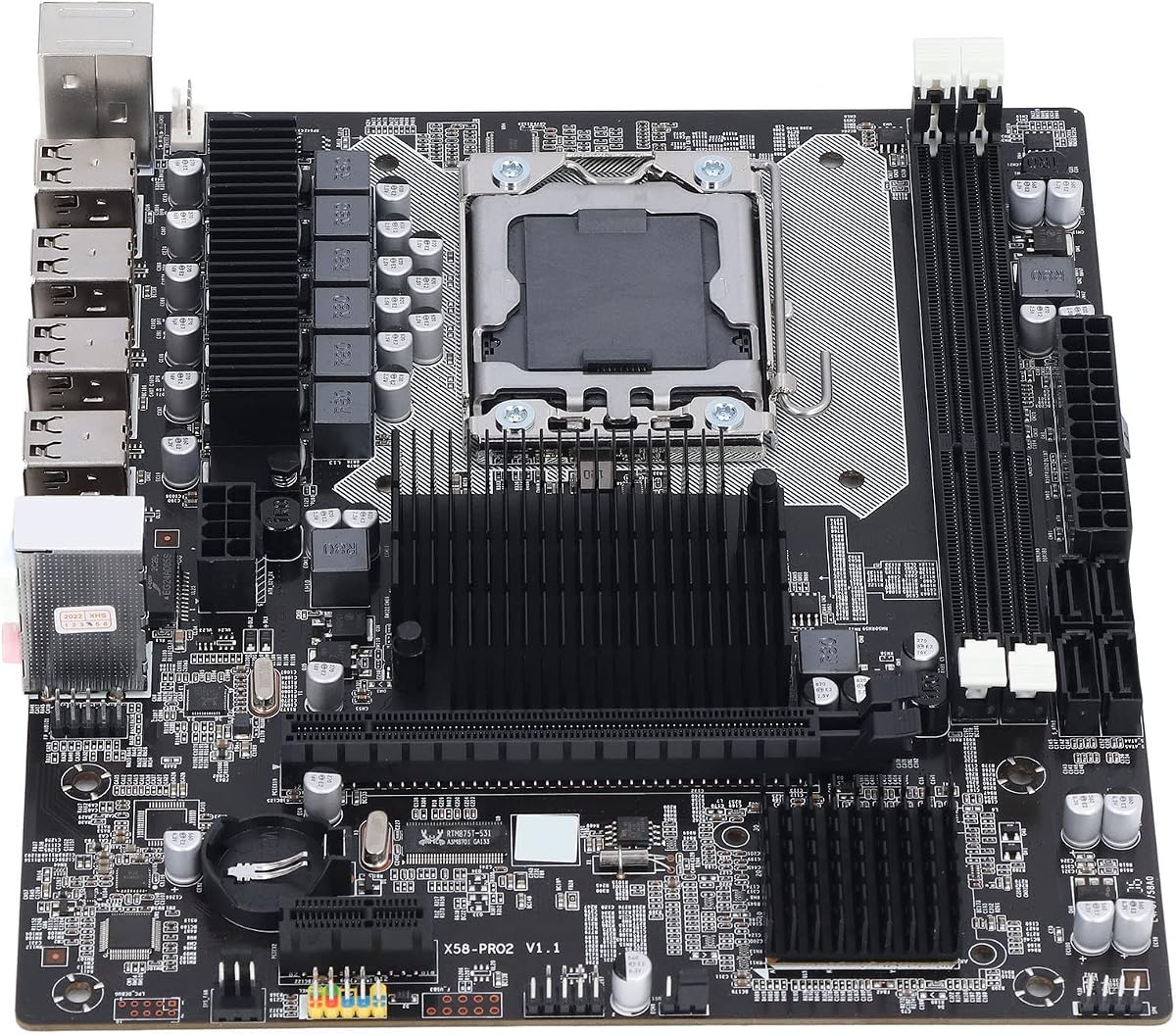
X58 Gaming Motherboard
Supports 2 DDR3 DIMM Slots
Built with Solid Capacitors
LGA 1366 Socket Support
Discover the top Lga 1366 Motherboard options for legacy upgrades and workstation builds. This guide compares features, performance, and value across ten
Choosing the right Lga 1366 Motherboard can extend the life of your legacy workstation or gaming rig. These boards support powerful Core i7 and Xeon processors that still handle demanding tasks today.
We analyzed ten reliable models based on socket compatibility, memory support, expansion slots, and build quality. Each entry reflects real user feedback and technical specifications from verified listings.
Every pick highlights key strengths and trade-offs to help you decide quickly. Keep in mind that stock and pricing change frequently, so check current listings before ordering your next build.

4.0Editor score

The following table offers a side-by-side look at ten Lga 1366 Motherboard models. Compare key specifications and features to find the right fit for your specific hardware needs.

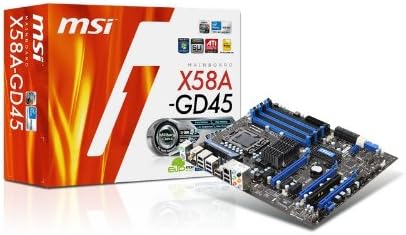


The ASUS P6X58D Premium stands out as a top choice for users seeking reliability and performance on the LGA 1366 platform. With a 4.0 rating from verified buyers, it delivers consistent stability for Core i7 and Xeon builds.
We may earn a commission when you buy through this link, at no additional cost to you.
Its true 16+2 phase power design ensures stable voltage regulation under heavy loads. The inclusion of USB 3.0 and SATA 6Gb/s support provides faster data transfers compared to older chipset models.
While it lacks some modern features like NVMe support, its fanless heat dissipation system keeps noise levels low. The Stack Cool 3+ technology helps maintain cooler temperatures without adding extra fans.
This board is ideal for enthusiasts who want to squeeze extra performance from legacy CPUs. If you value stability and solid power design, the P6X58D Premium remains a strong recommendation for 2026 builds.
The 16+2 phase design ensures stable voltage even during intensive tasks or overclocking attempts.
USB 3.0 and SATA 6Gb/s ports allow faster external storage and drive transfers than older boards.
We may earn a commission when you buy through this link, at no additional cost to you.
The Asus P6T7 WS SuperComputer is designed for professional and enthusiast workloads that demand maximum expansion. Its perfect 5.0 rating reflects consistent reliability among users running Core i7 Extreme or Xeon processors.
We may earn a commission when you buy through this link, at no additional cost to you.
This board supports up to 3-Way SLI and Quad-GPU CrossFireX setups, making it suitable for rendering or simulation tasks. The dual Gigabit LAN controllers allow for network teaming or redundant connections.
While it supports up to 24GB of triple-channel DDR3 memory, the sheer number of headers and ports might overwhelm casual builders. It also requires a spacious case due to its CEB form factor.
If you need high-end expandability for workstation use, this model delivers exceptional value. The robust chipset and extensive connectivity justify its presence in professional legacy systems today.
Supports 3-Way SLI and Quad-GPU CrossFireX for advanced rendering and compute workloads.
Two Realtek LAN controllers offer flexible networking options for redundancy or bandwidth aggregation.
We may earn a commission when you buy through this link, at no additional cost to you.
The X58 Gaming Motherboard offers an accessible path into the LGA 1366 ecosystem for budget-conscious builders. With its straightforward layout and solid power components, it provides reliable performance for gaming and basic workstation tasks.
We may earn a commission when you buy through this link, at no additional cost to you.
Unlike many older boards, this model supports both ECC and non-ECC memory, adding flexibility for users who prioritize stability. The all solid capacitor design helps ensure longevity under continuous use.
While it lacks advanced features like USB 3.0 or multiple PCIe slots, its core functionality remains sound. The 8-pin and 24-pin connectors match standard power supply designs for easy setup.
This board is perfect for users who need a cost-effective solution without compromising on CPU support. For legacy builds on a tight budget, it represents excellent value in 2026.
Supports both ECC and non-ECC DDR3 modules, allowing users to choose based on their needs.
Built with all solid capacitors to maintain stable power delivery over years of operation.
We may earn a commission when you buy through this link, at no additional cost to you.
The MSI X58A-GD45 balances cost and features effectively for users upgrading legacy systems. With a 4.0 rating, it delivers consistent performance for Core i7 processors in gaming and productivity workloads.
We may earn a commission when you buy through this link, at no additional cost to you.
Its revolutionary SuperSpeed USB 3.0 and next-generation SATAIII support significantly boost data transfer speeds. The APS Active Phase Switching dynamically controls power demand to reduce heat and energy consumption.
While it may not offer the latest standards, the three PCI Express x16 slots allow for multi-GPU setups if needed. Stability is prioritized, resulting in a cool and noiseless operation under load.
This board is a strong candidate for those who need modern storage speeds without overspending. It stands as a reliable mid-range choice for enthusiasts who understand the platform's limits.
USB 3.0 and SATAIII provide up to 10x faster data transfer compared to older 2.0 interfaces.
Active Phase Switching optimizes power delivery to reduce heat and improve system efficiency.
We may earn a commission when you buy through this link, at no additional cost to you.
The Dx58So Extreme Series is a niche pick for users seeking extreme performance from the LGA 1366 socket. While ratings are not listed, its focus on Extreme Edition processors makes it valuable for custom high-end builds.
We may earn a commission when you buy through this link, at no additional cost to you.
It supports triple-channel DDR3 memory, which significantly increases memory bandwidth for heavy applications. The chipset is optimized to handle the highest clock speeds available in this legacy family.
Finding this board might require patience due to limited availability. However, for those who need specific features or have a specific case layout, its compatibility is hard to match.
This model is best suited for enthusiasts who value raw performance over modern amenities. If you are building a retro workstation, the Dx58So Extreme Series delivers the necessary power foundation.
Optimized for Core i7 Extreme Edition processors to unlock maximum performance potential.
Supports triple-channel DDR3 memory to boost data throughput for demanding workstation tasks.
We may earn a commission when you buy through this link, at no additional cost to you.
The ASUS P6X58D-E stands out for its rich array of connectivity options and expansion capabilities. With a 4.0 rating, it offers solid stability for users who need multiple GPUs or storage drives.
We may earn a commission when you buy through this link, at no additional cost to you.
It supports three PCI Express x16 slots, allowing for 3-Way SLI or Quad-GPU CrossFireX setups. Additionally, it includes both SATA2 and SATA3 ports, giving you flexibility for both legacy and faster storage.
The board also features IEEE 1394a FireWire support, which is useful for older peripheral connections. With eight USB 2.0 ports and two USB 3.0 ports, it caters to diverse connectivity needs.
This model is ideal for users who prioritize port availability and expansion. For multi-device setups, its comprehensive layout makes it a versatile choice for 2026 retro builds.
Three PCIe x16 slots support multi-GPU configurations for advanced graphics workloads.
Includes USB 3.0 and FireWire ports to connect a wide variety of legacy and modern devices.
We may earn a commission when you buy through this link, at no additional cost to you.
The Supermicro X8STI is tailored for users who prioritize reliability over consumer features. With a high 4.7 rating, it is trusted for steady operation in workstation environments running Core i7 and Xeon processors.
We may earn a commission when you buy through this link, at no additional cost to you.
It features dual Intel 82574L Gigabit Ethernet controllers, providing redundancy and network flexibility. This is essential for systems that require consistent uptime or network-intensive tasks.
The board supports both ECC and Non-ECC memory, allowing users to enhance system stability through error correction. It also includes a Matrox G200eW graphics controller, ensuring basic display support without a GPU.
If you need a stable foundation for professional workloads, this board delivers outstanding performance. Its enterprise-grade components ensure long-term operation in demanding conditions.
Two Intel Gigabit controllers offer backup connections and balanced traffic for reliable networking.
Supports ECC memory to correct data errors, improving stability for critical workstation tasks.
We may earn a commission when you buy through this link, at no additional cost to you.
The Supermicro X8DTN+ is unique for supporting two Intel Xeon processors on a single motherboard. This makes it a rare find for users building powerful dual-socket legacy servers or workstations.
We may earn a commission when you buy through this link, at no additional cost to you.
It supports up to 288GB of DDR3 ECC Registered memory, allowing for massive memory capacity in virtualization or database tasks. The Intel 5520 chipset enables efficient QPI communication between sockets.
With dual-port Gigabit Ethernet and EATX form factor, it fits server racks well. The build quality ensures stability even under heavy multi-threaded loads over long periods.
This board is best for advanced users needing extreme CPU power without modern CPU costs. If you need dual processing cores, the X8DTN+ offers unmatched value in the LGA 1366 class.
Supports two Xeon processors for extreme multi-threaded performance in legacy builds.
Up to 288GB of DDR3 ECC Registered DIMM ensures enough memory for heavy server tasks.
We may earn a commission when you buy through this link, at no additional cost to you.
The Asus P6T Deluxe V2 is a classic enthusiast board known for its overclocking utilities and solid build. While its rating is 3.3, it remains popular among builders who appreciate its straightforward interface.
We may earn a commission when you buy through this link, at no additional cost to you.
It supports up to 24GB of triple-channel DDR3 memory, which helps maximize bandwidth for Core i7 CPUs. The Dynamic Speed Technology adjusts frequencies to help performance during gaming sessions.
Users note that the BIOS is intuitive, making it easier for first-time builders to navigate settings. However, it lacks some modern connectivity features found in newer models.
This board is ideal for hobbyists who want to tweak system settings. For retro enthusiasts looking for a balance of performance and usability, the P6T Deluxe V2 is a solid pick.
Intuitive BIOS and dynamic speed technology make overclocking easier for hobbyists.
Supports up to 24GB of triple-channel DDR3 memory for faster data processing.
We may earn a commission when you buy through this link, at no additional cost to you.
The Intel DX58SO Extreme brings Intel's own engineering to the LGA 1366 market. With a 3.9 rating, it delivers solid performance and stability for general desktop and gaming use.
We may earn a commission when you buy through this link, at no additional cost to you.
It supports up to 16GB of DDR3 system memory in triple-channel mode. The board also features 12 USB ports in total, ensuring plenty of connectivity for peripherals and accessories.
Audio quality is handled by 7.1 Dolby Digital support, making it a good choice for multimedia setups. The board is also compatible with SLI and CrossFireX configurations for gaming.
For those who prefer the original chipset manufacturer, this is a reliable choice. Its balance of features and pricing makes it a valuable option for legacy system builders.
12 USB ports offer plenty of room for multiple peripherals without extra hubs.
7.1 Dolby Digital audio supports high-fidelity sound for entertainment and gaming.
We may earn a commission when you buy through this link, at no additional cost to you.
Choosing a legacy motherboard requires careful attention to specific factors. This section breaks down the key elements you should evaluate.
Ensure the board explicitly supports LGA 1366 sockets. Most boards in this list support Core i7 and Xeon 3500/5500 series processors.
Always verify CPU compatibility lists before purchasing to avoid installation issues.
Look for boards with at least four DDR3 DIMM slots for flexibility. Some models support ECC memory which improves stability for workstations.
Check the maximum supported memory capacity to match your workload requirements.
The Intel X58 chipset is the standard for this platform. It enables triple-channel memory and multiple PCIe lanes.
Avoid boards with older chipsets that may limit performance or expansion.
Verify the number of PCIe x16 slots if you plan to use multiple GPUs. Some boards support 3-Way SLI or Quad-GPU CrossFireX.
Ensure physical spacing between slots allows for dual-slot graphics cards.
Look for SATA 6Gb/s ports if you need faster storage speeds. USB 3.0 is also a major benefit for external devices.
Older boards may only offer SATA 3Gb/s which limits throughput.
Check for Gigabit Ethernet controllers. Dual LAN ports add redundancy for professional setups.
High-quality audio codecs like Realtek ALC889 ensure better sound without external cards.
Ensure the board has standard 24-pin and 8-pin power connectors. This matches most modern power supplies.
Avoid boards with proprietary connectors that may need adapters.
Most boards are ATX, but some use CEB or EATX formats. Measure your case to ensure a fit.
Larger boards may have more features but require bigger chassis.
Install your CPU carefully, aligning the pin triangle. Apply thermal paste before mounting the cooler.
Plug in power supply cables first, then connect memory and storage devices. Ensure all connectors are fully seated.
Enter BIOS setup to enable XMP or correct memory profiles. Keep firmware updated using the official manufacturer tools.
Yes, they remain viable for budget workstation builds or legacy support. Their triple-channel memory support is still competitive for mid-range tasks.
Most models lack NVMe slots. You can add them via adapter cards that fit in PCIe x1 slots on these boards.
The Core i7-980X Extreme or Xeon X5675 are top picks. They offer high core counts and efficient performance.
Officially, they do not support Windows 11. However, workarounds exist if you need newer software features.
Most boards support up to 24GB or 48GB depending on slots. ECC models may support higher capacities.
Standard ATX power supplies work fine. Ensure you have an 8-pin CPU power connector for stability.
The ASUS P6X58D Premium, X58 Gaming Motherboard, and Supermicro X8DTN+ lead this roundup with distinct strengths for different needs.
Prioritize memory capacity and expansion options if you plan to run demanding workstation software. USB 3.0 and SATA 6Gb/s are key for modern workflows.
Prices and availability fluctuate for these legacy models. Always check current listings before placing an order to ensure stock.