
Logitech G305 Lightspeed Wireless Gaming Mouse – Black
4.6Editor score
HERO sensor for precision tracking
LIGHTSPEED wireless for low latency
250 hour battery life
This guide compares the top 10 lightweight mice for gaming and work, analyzing sensor performance, battery life, build quality, and ergonomic design to help
Finding the right lightweight mouse can transform your daily computing experience by reducing hand fatigue and improving precision. Whether you are a competitive gamer seeking rapid reactions or a professional needing effortless navigation, a well-designed mouse makes a significant difference in performance and comfort during extended sessions.
We evaluated ten leading models based on sensor accuracy, connectivity reliability, build durability, and overall ergonomics. Our analysis focuses on real-world usage scenarios, ensuring that each recommendation delivers consistent performance across different tasks and environments while maintaining a balance between portability and functional capabilities.
Each pick in this list highlights specific strengths that cater to diverse user preferences and budget ranges. Please note that product availability and pricing may fluctuate over time, so checking current listings before purchasing ensures you secure the best deal for your chosen model at this moment.
4.6Editor score

4.5Editor score

4.6Editor score
This side-by-side comparison examines the core specifications and unique attributes of each selected lightweight mouse. By reviewing sensor types, connectivity options, battery performance, and ergonomic features, you can quickly identify which model aligns best with your specific usage requirements and performance expectations.





The Logitech G305 Lightspeed Wireless Gaming Mouse stands out as an exceptional value option for gamers seeking lightweight performance without breaking the bank. With a solid 4.6 rating from users, it delivers reliable wireless connectivity and precise tracking that rivals more expensive models.
We may earn a commission when you buy through this link, at no additional cost to you.
Its HERO sensor provides incredible accuracy up to 12000 DPI while maintaining power efficiency that supports up to 250 hours of gameplay on a single AA battery. The LIGHTSPEED wireless technology ensures a lag-free experience with a 1 ms report rate that meets competition-level demands.
While it lacks RGB lighting and relies on standard AA batteries, these trade-offs are acceptable given its affordability and portability. The durable compact design includes built-in nano receiver storage making it ideal for travelers who need consistent performance anywhere.
Gamers looking for a budget-friendly wireless mouse with pro-level features should strongly consider the G305. It offers an excellent balance of performance reliability and cost that makes it a top recommendation for casual and competitive players alike.
LIGHTSPEED technology ensures instant response times that eliminate input lag during critical gaming moments.
Efficient power management allows weeks of use on one battery reducing maintenance and downtime significantly.
We may earn a commission when you buy through this link, at no additional cost to you.
The white variant of the Logitech G305 offers the same high performance as its black counterpart with a fresh aesthetic that complements modern setups. Users appreciate its consistent tracking and reliable wireless connection that delivers smooth control for both work and play.
We may earn a commission when you buy through this link, at no additional cost to you.
Powered by the next-gen HERO sensor this mouse tracks accurately up to 12000 DPI while consuming minimal power for ultra-long battery life. The advanced LIGHTSPEED wireless system provides faster than wired performance with a rapid response time ideal for fast-paced tasks.
Although it does not include RGB lighting or programmable side buttons the classic design prioritizes comfort and maneuverability. The compact form factor with built-in USB receiver storage makes it an excellent portable companion for laptops and travel environments.
This model suits users who value a clean look and dependable performance over flashy features. Its affordability and efficiency make it a practical choice for anyone needing a lightweight wireless mouse that performs consistently day after day.
The white finish provides a modern look that blends well with sleek office or gaming desk setups.
Advanced wireless ensures stable connection without interference even in crowded wireless environments.
We may earn a commission when you buy through this link, at no additional cost to you.
The Logitech G PRO X Superlight 2 Wireless Gaming Mouse represents the pinnacle of lightweight design and gaming performance. Developed in collaboration with leading esports pros it offers championship winning speed and precision that appeals to serious competitive players seeking every advantage.
We may earn a commission when you buy through this link, at no additional cost to you.
Its HERO 2 sensor tracks over 888 IPS with up to 44000 DPI sensitivity ensuring pinpoint accuracy without smoothing or filtering. The 8 kHz polling rate provides faster updates while the lightweight 60 gram body reduces hand strain during marathon gaming sessions.
USB-C charging and 95-hour battery life ensure minimal downtime between uses. Zero-additive PTFE mouse feet deliver smooth gliding across surfaces while LIGHTFORCE hybrid switches offer tactile click precision that rivals mechanical alternatives for enhanced feedback.
Players demanding the absolute best in wireless performance should choose this model. While it commands a premium price the investment pays off in reduced fatigue superior tracking and tournament grade reliability that enhances overall gameplay experience.
Engineered with top esports athletes to ensure every movement translates seamlessly to in-game actions.
Advanced LIGHTSPEED technology maintains a strong connection even during intense high-frequency input moments.
We may earn a commission when you buy through this link, at no additional cost to you.
The Logitech G PRO X2 SUPERSTRIKE Wireless Gaming Mouse introduces breakthrough Haptic Inductive Trigger System technology that transforms click feedback. Designed alongside world-class esports athletes it delivers the fastest customizable click possible for peak performance in any competitive match scenario.
We may earn a commission when you buy through this link, at no additional cost to you.
Its HERO 2 sensor tracks over 888 IPS with up to 44000 DPI ensuring champions rely on pinpoint accuracy. The haptic system provides real-time feedback enhancing immersion and precision. Rapid trigger reset levels allow deep customization tailored to individual play styles and preferences.
With 60 to 90 hours of battery life and LIGHTSPEED wireless polling this mouse supports uninterrupted focus during long sessions. The 0.7 mm thin-wall case and UHMWPE feet provide effortless movement while maintaining structural integrity under rigorous usage conditions.
Competitive gamers seeking next-level customization should invest in this premium model. While costly its unique features and performance benefits justify the expense for professionals aiming to maximize their competitive edge and comfort during intense gaming.
Inductive triggers deliver tactile responses that enhance gameplay immersion and precision control.
Adjustable actuation points and rapid trigger resets let players tailor clicks to any play style.
We may earn a commission when you buy through this link, at no additional cost to you.
The Redragon M612 Wired RGB Optical Gaming Mouse offers robust features for gamers seeking performance on a tight budget. With up to 8000 DPI adjustable levels and 11 programmable buttons it delivers versatile control for various game genres without sacrificing comfort during long use.
We may earn a commission when you buy through this link, at no additional cost to you.
Its skin-friendly frosted coating provides a secure grip while rubber texture sides enhance control. The dynamic RGB backlit modes add visual flair to your setup. A streamlined claw-grip design reduces fatigue ensuring comfort even after hours of intense gaming sessions.
While it lacks wireless convenience and is slightly heavier than premium models its value proposition remains strong. The ability to remap keys and customize DPI levels allows users to tailor the experience to their specific tactical needs and preferences.
Entry-level gamers or those preferring wired stability will find this mouse ideal. It balances cost functionality and customization effectively making it a practical choice for building a competitive setup without overspending on unnecessary features.
Eleven programmable buttons enable complex macro setups and rapid keybinding adjustments for any game.
Ergonomic shaping with textured sides ensures secure handling and reduced hand strain over time.
We may earn a commission when you buy through this link, at no additional cost to you.
The Logitech G502 Hero Wired Gaming Mouse combines precision tracking with extensive customization to meet diverse gaming needs. Its HERO sensor tracks movements at the sub-micron level delivering accuracy that supports both high-speed gaming and detailed work tasks.
We may earn a commission when you buy through this link, at no additional cost to you.
Users can adjust the balance using up to five 3.6 g weights to match their preferred feel. Mechanical switch button tensioning ensures crisp clicks while the dual mode hyper-fast scroll wheel offers rapid navigation control for efficient content browsing.
Although it relies on a wired connection its ergonomic shape and extensive button array make it a favorite for MMORPG and productivity users. The LIGHTSYNC RGB technology adds aesthetic appeal without compromising the functional excellence of the device.
Those who prefer a heavier stable mouse with maximum feature control will appreciate the G502 Hero. Its durability and adaptability make it a reliable workhorse for gamers needing every possible advantage and ergonomic comfort.
Custom weights let users fine-tune balance and mass for personalized comfort and control.
Hyper-fast scroll wheel switches between ratchet and free-spin for efficient navigation.
We may earn a commission when you buy through this link, at no additional cost to you.
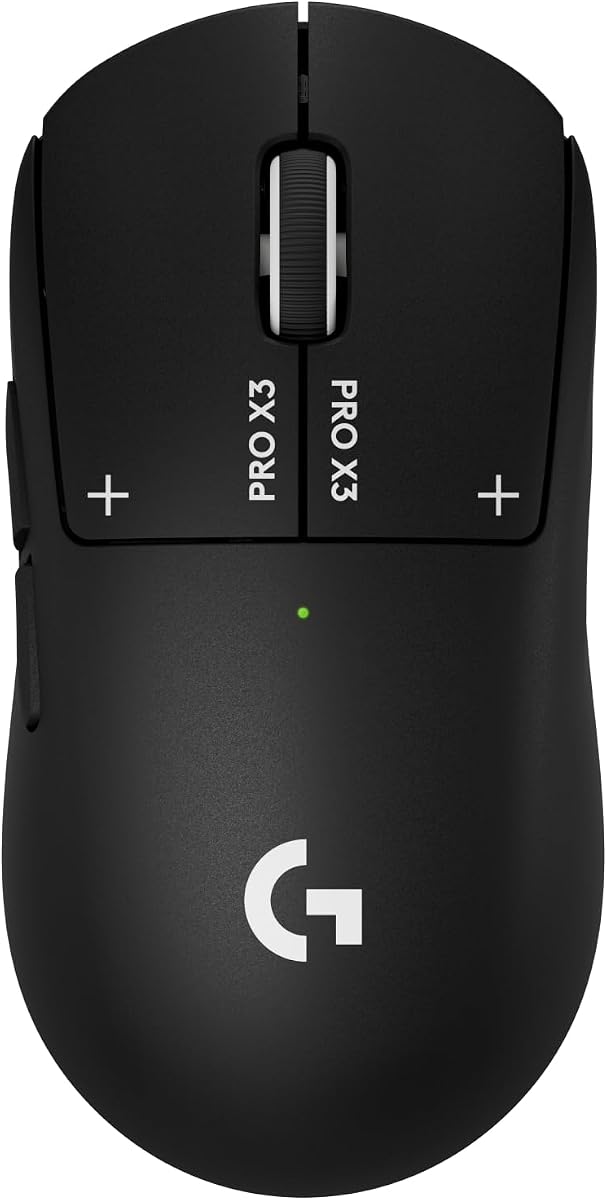
The Logitech G PRO X3 SUPERSTRIKE Gaming Mouse redefines click technology with its Haptic Inductive Trigger System that replaces standard switches. Designed alongside esports pros it delivers 10 actuation points and 5 reset points for unmatched customization in high-stakes matches.
We may earn a commission when you buy through this link, at no additional cost to you.
Tracking accuracy is exceptional with the HERO 2 sensor supporting over 930 IPS and up to 48000 DPI. LIGHTSPEED wireless operates at 8 kHz polling ensuring zero lag. The rechargeable battery provides 135 hours of continuous play before needing a recharge via USB-C.
Its ultra-durable thin-wall case and extra-large UHMWPE feet facilitate smooth effortless gliding. While the advanced features require Logitech G HUB Software the performance gains justify the investment for competitive users needing absolute precision and speed.
Elite gamers seeking the latest in haptic feedback technology should consider this model. Its combination of speed battery life and customizable click mechanics offers a competitive edge that supports professional-level performance.
Electromagnetic switches provide tactile clicks that reduce mechanical failure risk.
Over five days of use on one charge minimizes interruptions during extended sessions.
We may earn a commission when you buy through this link, at no additional cost to you.
The Logitech M185 Compact Ambidextrous 2.4 GHz Wireless Mouse is designed for productivity and portability. Its comfortable contoured shape feels great in either hand providing a superior alternative to touchpads for users seeking reliable daily computing assistance.
We may earn a commission when you buy through this link, at no additional cost to you.
With a line-by-line scroll wheel and smart sleep mode it achieves up to one year of battery life. The tiny nano USB receiver ensures a strong reliable connection within 33 feet. It works seamlessly with Windows Mac and laptops for universal compatibility.
Although it lacks advanced buttons it prioritizes simplicity and efficiency for office workers and travelers. The plastic parts include certified post-consumer recycled materials reflecting Logitech's commitment to sustainability while maintaining reliable performance for everyday tasks.
Users needing a simple lightweight mouse for basic navigation will find this model ideal. Its affordability durability and ergonomic comfort make it a practical choice for both professional and home office environments.
Works with Windows Mac and Chrome OS without driver installation for instant setup.
Contains significant recycled plastic content supporting sustainable manufacturing practices.
We may earn a commission when you buy through this link, at no additional cost to you.
The Logitech M330 Silent Plus Full Size 2.4 GHz Wireless Mouse focuses on creating a quieter working environment. Its SilentTouch Technology reduces over 90 percent of clicking sounds ensuring top performance without disturbing colleagues during busy office hours.
We may earn a commission when you buy through this link, at no additional cost to you.
Naturally shaped contoured plastic grips support long-lasting comfort for right-handed users. The mouse supports up to 18 months of battery life with an auto-sleep mode that conserves power. Advanced optical tracking provides high-performance precision on most surfaces without external software.
While limited to right-handed users it delivers reliability and ease of use for standard office tasks. Plug and play setup ensures immediate connectivity and the USB-A receiver works across Windows macOS and Linux systems seamlessly.
Professionals in shared spaces who value silence and comfort will appreciate this mouse. Its practical design and quiet operation make it an excellent choice for office environments where noise reduction is a priority.
Reduces click noise significantly for a peaceful environment without sacrificing tactile feedback.
Auto-sleep mode ensures minimal power consumption reducing battery changes to once every 18 months.
We may earn a commission when you buy through this link, at no additional cost to you.
The Logitech MX Master 4 Ergonomic Wireless Mouse combines haptic feedback with productivity features. Its Haptic Sense Panel provides customizable feedback on actions and notifications enhancing workflow efficiency for professionals managing complex creative tasks daily.
We may earn a commission when you buy through this link, at no additional cost to you.
Effortlessly access favorite tools with the dynamic Actions Ring overlay. The MagSpeed scroll wheel stops on a pixel and scrolls 1000 lines per second for rapid navigation. Quiet Clicks reduce noise by 90 percent supporting focused environments without distraction.
Advanced radio connectivity ensures faster stronger performance while USB-C and Bluetooth offer versatile connection options. The ergonomic natural tilt reduces hand stress. Recycled materials and cobalt in the battery reflect environmental responsibility.
Creative professionals seeking high-speed scrolling and ergonomic comfort will love this model. Its productivity tools and advanced features justify the premium price for users needing maximum efficiency and comfort during extended work sessions.
Feedback on shortcuts helps streamline complex workflows without looking away from content.
Hyper-fast scrolling allows rapid document navigation while maintaining precision stops when needed.
We may earn a commission when you buy through this link, at no additional cost to you.
Selecting the right lightweight mouse requires understanding key features that impact performance and comfort. This guide outlines essential factors to consider so you can make an informed decision tailored to your specific usage needs.
The sensor determines how precisely the mouse tracks movement. Higher DPI settings allow for greater sensitivity which is useful for detailed work or gaming. Look for optical sensors like HERO that provide smooth tracking without acceleration or filtering for true responsiveness.
Prioritize sensors that offer a wide DPI range and zero smoothing for consistent accuracy across different tasks and surfaces.
Lightweight mice come in wired or wireless variants. Wireless offers freedom of movement but requires battery management. Wireless technologies like LIGHTSPEED reduce latency to match wired performance. Ensure the connection method fits your workflow and setup preferences.
Choose wireless for portability and clean desks or wired for uninterrupted power and zero lag.
For wireless mice battery life is critical for uninterrupted usage. Some models last hundreds of hours on a single charge or AA battery while others require frequent recharging. Consider how often you plan to use the mouse to determine if rechargeable or disposable power suits you.
Longer battery life minimizes interruptions and ensures the mouse stays ready whenever you need it.
Comfort depends heavily on shape and grip style. Lightweight mice often feature ergonomic contours to reduce hand strain. Ambidextrous designs fit both hands while sculpted shapes suit specific hand sizes. Test the grip to ensure it supports your natural resting position.
An ergonomic design prevents fatigue during long sessions and promotes healthy hand posture over time.
Additional buttons allow for customizable macros and shortcuts that enhance productivity. Gaming mice often offer multiple programmable keys while productivity models focus on essential functions. Decide how many buttons you need based on your software or game requirements.
More programmable buttons provide greater control but may add bulk depending on your layout needs.
Durable materials ensure the mouse withstands regular use. Look for thin-wall cases that reduce weight without sacrificing strength. High-quality feet like PTFE ensure smooth gliding. Check for warranty coverage as an indicator of manufacturer confidence in durability.
Strong build quality maintains performance and shape over time for consistent user experience.
Companion software enables customization of DPI polling rates and button functions. Some models require software for full features while others work out of the box. Ensure compatibility with your operating system to access all intended capabilities.
Robust software support expands functionality and helps tailor the mouse to your specific needs.
Lightweight mice range from budget to premium tiers. Higher prices often reflect advanced sensors and customization options. Evaluate whether the features justify the cost for your use case. Budget models can still offer reliable performance for standard needs.
Focus on value by balancing feature needs with your budget constraints.
Start by pairing your wireless mouse with the USB receiver or via Bluetooth following manufacturer instructions. Ensure the surface you use allows smooth tracking. For wired models plug the connector securely to avoid connection drops during critical moments.
Install any companion software to configure DPI settings and button functions. Adjust sensitivity based on your typical tasks for optimal control. Keep the sensor lens clean with a soft cloth to maintain accurate tracking and prevent performance issues.
Store the mouse in a protective pouch when traveling to prevent damage. For rechargeable models avoid fully draining the battery before recharging. Regularly update firmware to benefit from performance improvements and ensure long-term reliability and efficiency.
Yes, lightweight mice reduce hand fatigue and allow faster movements due to lower mass. This improves reaction times and precision during competitive gameplay. Many pros prefer them for the physical ease they provide during long gaming sessions.
Modern wireless mice with technologies like LIGHTSPEED have response times as low as 1 millisecond. This matches wired performance eliminating noticeable lag for most users. Ensure the connection is stable and your receiver is plugged into a USB port.
Battery life varies by model and usage patterns. Some gaming mice offer over 250 hours on a single charge while others last years with AA batteries. Check the manufacturer specs to estimate usage time before needing a recharge or replacement.
Yes, manufacturers use strong lightweight materials like thin-wall plastics to maintain durability. Features such as reinforced switches and reinforced feet extend lifespan. Proper care and avoiding drops ensure the mouse performs well for years.
Absolutely, many lightweight models are ideal for office tasks due to their comfort and efficiency. Look for ergonomic designs and adjustable DPI settings to suit various applications. Silent click options are also available for quieter office environments.
Start with 1600 DPI for general use and adjust based on preference. Higher DPI allows faster cursor movement but may reduce control. Lower DPI improves accuracy for detailed tasks. Experiment to find the most comfortable setting for your workflow.
Many premium models include companion apps for customization of buttons and sensitivity. Basic models often work without software. Check product details to see if advanced features require downloading specific software for full functionality.
Logitech leads with models like the G PRO X Superlight known for quality and performance. Other brands like Redragon offer affordable alternatives. Choose based on your budget and feature needs rather than brand alone.
This guide highlighted the top 10 lightweight mice offering a range of options from budget-friendly to high-end gaming. Models like the Logitech G305 and G PRO X Superlight 2 stand out for their balance of performance and affordability.
Prioritize sensor accuracy and ergonomics to ensure long-term comfort and performance. Consider connectivity needs and battery life to match your daily usage habits. Investing in the right mouse enhances both productivity and enjoyment significantly.
Remember that prices and availability change frequently so verify current details before purchasing. With careful consideration of your specific needs and these insights you can select a lightweight mouse that delivers excellence in every task.