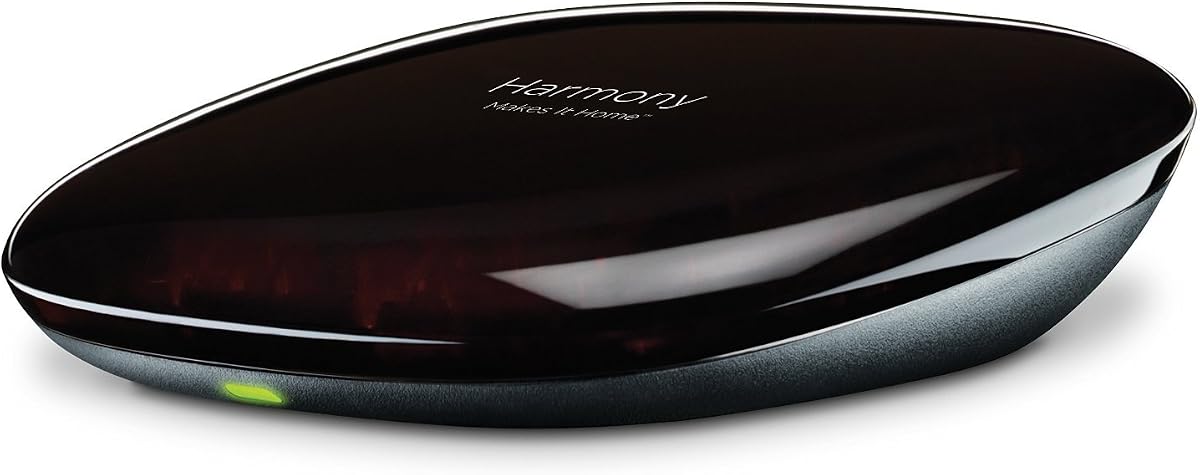
Logitech Harmony Home Hub (Renewed)
3.9Editor score
Compatible with Alexa voice control
Control devices in closed cabinets
Smartphone app integration
Compare the top Logitech Harmony Home Hub options for seamless smart home control. This guide reviews features, compatibility, and performance to help you
Finding the right central hub for your smart home can be challenging with so many options available today. The Logitech Harmony Home Hub stands out as a versatile solution for managing multiple devices from one place.
We have carefully reviewed ten different models and variations to create this comprehensive list. Each product was analyzed based on connectivity options, device compatibility, user interface quality, and overall value for money.
Every pick in this guide highlights specific strengths and ideal use cases for different households. Please note that availability and pricing may fluctuate over time so check current listings before purchasing.
3.9Editor score

3.7Editor score

3.8Editor score
This table provides a side-by-side comparison of all ten reviewed products. It highlights key specifications and unique features to help you quickly identify the right model for your needs.
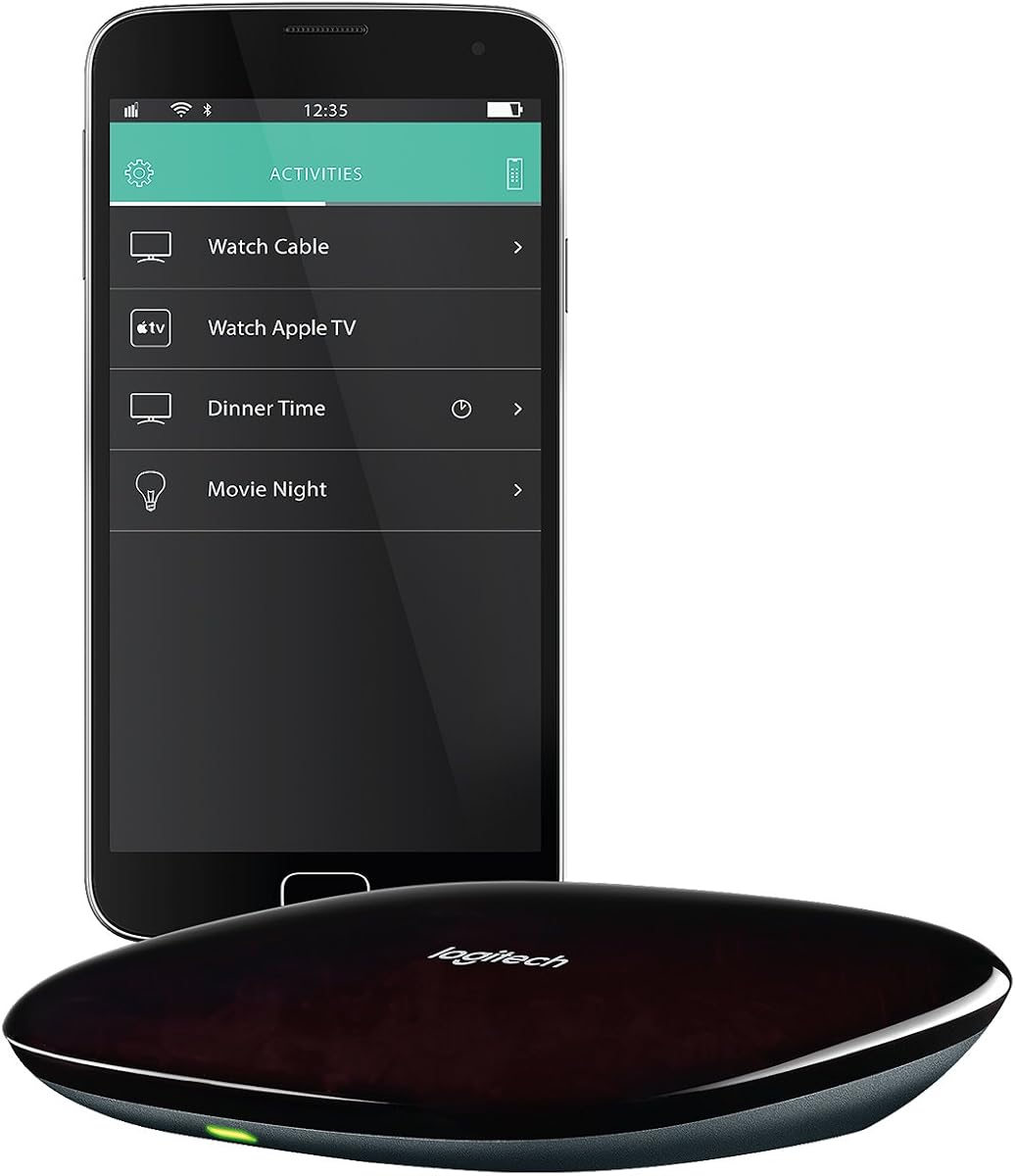


This basic hub serves as a foundation for integrating multiple entertainment devices into a single system. It holds a solid rating among users who appreciate its straightforward approach to home automation.
We may earn a commission when you buy through this link, at no additional cost to you.
The hub connects via Wi-Fi to allow control through a smartphone app or voice commands. It supports up to eight devices including TVs and streaming players making it versatile for standard living rooms.
One trade-off is that the manufacturer has discontinued this model which limits future support. However existing units still function reliably for basic home control tasks without needing advanced features.
It is best suited for users who want a simple entry point into smart home control. The value lies in its ability to unify various remotes into one centralized application interface.
The hub acts as a central bridge allowing your phone to communicate with all your entertainment gear wirelessly.
Voice control features let you manage devices hands free using standard Alexa commands for added convenience.
We may earn a commission when you buy through this link, at no additional cost to you.
The Elite model offers a premium experience with a full-color touchscreen that makes navigation intuitive and enjoyable. It stands out as a top choice for users wanting advanced control capabilities.
We may earn a commission when you buy through this link, at no additional cost to you.
Users can manage up to fifteen devices including lights and locks through swipes and taps. The ability to create custom activities ensures your devices power on and set correctly with one touch.
The setup process can be time consuming as it requires pairing many different devices and accounts. Despite this initial effort the daily ease of use justifies the investment for tech enthusiasts.
This device is ideal for households with complex entertainment and lighting setups. It transforms a messy collection of remotes into a sleek and powerful control center.
The vibrant screen displays channel favorites and settings clearly allowing quick adjustments without hunting for buttons.
Integration with services like Philips Hue allows lighting scenes to adjust automatically when you start a movie.
We may earn a commission when you buy through this link, at no additional cost to you.
This model provides a reliable way to control home entertainment without breaking the bank. It is highly rated for its ability to simplify daily interactions with media devices.
We may earn a commission when you buy through this link, at no additional cost to you.
The included smartphone app offers swipe and tap controls that are easy to master quickly. It connects to a hub that can see through cabinet doors which solves common line of sight issues.
While it lacks some of the latest voice features found in newer models it remains very functional for core tasks. The removable battery is a practical addition for long term portability.
It is a great pick for anyone looking to reduce remote clutter on a budget. The simplicity of the interface makes it accessible for all family members.
Navigation feels natural and fluid thanks to the touchscreen app that replaces physical buttons with gestures.
The hub works even when devices are hidden behind doors thanks to infrared signal transmission capabilities.
We may earn a commission when you buy through this link, at no additional cost to you.
This hub is designed primarily to integrate streaming services into your entertainment experience seamlessly. It offers a high level of reliability for managing popular media apps.
We may earn a commission when you buy through this link, at no additional cost to you.
The mobile app allows you to browse Netflix or YouTube directly from your phone using touch gestures. An included mini-blaster extends control to devices tucked away in cabinets or drawers.
The lack of a dedicated physical remote might be a drawback for some users who prefer tactile buttons. However for households already reliant on phones this is a minor inconvenience.
It serves well as a dedicated streaming controller for modern home theaters. The focus on digital services makes it a practical choice for cord cutters.
The system relies heavily on the mobile application which provides a modern way to interact with media.
The included blaster sends signals through cabinet doors ensuring you control gear even when it is out of sight.
We may earn a commission when you buy through this link, at no additional cost to you.
Opting for a renewed unit allows you to access premium features at a significantly reduced price. This product has been inspected to ensure it works like new for daily use.
We may earn a commission when you buy through this link, at no additional cost to you.
It supports voice commands through Alexa which makes controlling lights and TVs effortless. You can combine multiple remotes into one app to manage activities like Date Night seamlessly.
Some buyers may hesitate due to the renewed status but the testing process provides confidence in functionality. It is a smart choice for those who want value without sacrificing performance.
This is recommended for users who want advanced automation on a limited budget. The renewed label offers access to top tier tech at a fraction of the original cost.
Renewed items provide high quality tech for less money which is ideal for budget conscious smart home enthusiasts.
Create scenes that adjust lights and start Netflix with a single tap in the smartphone application interface.
We may earn a commission when you buy through this link, at no additional cost to you.
This remote combines a physical form factor with modern touchscreen capabilities for a hybrid experience. It is a great option for those who prefer holding a device over using a phone.
We may earn a commission when you buy through this link, at no additional cost to you.
The black finish gives it a sleek look that blends well with most home entertainment setups. Since it is renewed it offers a cost effective way to own a high end interface.
Be aware that pre-owned screens might have minor cosmetic scratches that do not affect touch sensitivity. The functionality remains intact for controlling channels and volumes efficiently.
It is perfect for users who want a dedicated controller rather than relying on a phone. The tactile nature of a remote can be preferred in dark environments.
Having a physical remote ensures you have a control point ready even if your phone battery is dead.
This item offers significant savings compared to new models while retaining core features and usability.
We may earn a commission when you buy through this link, at no additional cost to you.
The Elite model brings top tier features to those looking for a sophisticated control solution. It handles complex home setups with ease and supports a wide range of devices.
We may earn a commission when you buy through this link, at no additional cost to you.
Alexa compatibility ensures you can use your voice to manage settings quickly. The touchscreen interface is responsive and allows you to customize your experience to suit your habits.
A slightly lower rating suggests some units may have minor flaws from prior use. However this is often a trade off for getting high end hardware at a more accessible price.
This is a smart choice for early adopters who want advanced tech without the premium price tag. It delivers premium functionality for households that need comprehensive control.
Alexa support allows you to manage your entertainment system without needing to touch the remote device.
You can link up to fifteen different devices including lights and appliances in one unified hub.
We may earn a commission when you buy through this link, at no additional cost to you.
This kit provides everything you need to start automating your home entertainment system immediately. It includes both the hub and the remote in a refreshed condition.
We may earn a commission when you buy through this link, at no additional cost to you.
The inclusion of both units saves time and ensures compatibility between the phone and physical controllers. A high rating indicates that most users find it reliable and effective.
As a renewed product it is important to check the battery health upon arrival for best performance. This simple step can prevent issues with long term daily usage.
It is an excellent solution for families wanting a single remote for everyone to use. The bundle approach offers a complete package for modern home control.
Receiving both hub and remote in one package simplifies the initial setup process significantly.
Users appreciate the reliability and ease of use provided by this complete home automation kit.
We may earn a commission when you buy through this link, at no additional cost to you.
This remote version is perfect for managing a large number of devices in a complex entertainment room. It supports over 270000 devices which covers almost any brand you might own.
We may earn a commission when you buy through this link, at no additional cost to you.
The full-color touch screen provides a modern and responsive interface for navigating channels and apps. You can set up one-touch activities to streamline your viewing routine every night.
Keep in mind that this unit is just the remote so you must ensure you have a compatible hub. The renewed status means the price is lower than buying it new directly.
It is a great addition for anyone needing to add extra controls to an existing setup. The flexibility of the touch interface makes it easier to manage many devices.
Support for over 270000 devices ensures it works with almost any TV or streamer you own.
Set scenes like Watch a Movie to power on devices and switch inputs instantly.
We may earn a commission when you buy through this link, at no additional cost to you.
This high end remote offers a large screen and wireless capabilities that are rare in standard units. It is designed for users who demand the highest level of convenience and control.
We may earn a commission when you buy through this link, at no additional cost to you.
The rechargeable battery and charging stand ensure you are never left without power. Its RF wireless capability allows control even if the device is hidden in a cabinet.
While it is an older model the build quality and feature set remain impressive today. The price is higher but the convenience justifies it for those who want the best.
It is recommended for those who want a premium device that feels like a small tablet. The RF feature is a key advantage for homes with enclosed entertainment centers.
RF technology lets you control devices without needing a direct line of sight to them.
The 3.5-inch color screen offers ample space to see all your buttons and settings clearly.
We may earn a commission when you buy through this link, at no additional cost to you.
Choosing the right hub involves considering your device count and interface preferences. This section breaks down key factors to help you decide on the best fit for your home.
Ensure the hub supports all your current and future devices. The models listed support over 270000 devices which includes most major brands of TVs and consoles. Checking the compatibility list before buying is essential to avoid limitations.
Verify that all your gear is on the supported list to ensure seamless operation.
Decide if you prefer a physical remote or a smartphone app. Some models offer a touchscreen remote which is great for users who want a dedicated device. Others rely more heavily on phone apps which are convenient if you always have your phone.
Choose between a physical touchscreen remote or a mobile app based on your daily habits.
Look for hubs that integrate with lights and locks if you want full home automation. The Elite model supports smart home devices like Philips Hue for automated lighting scenes. This adds value beyond just entertainment control.
Prioritize models with smart home support if you want lighting and security integration.
Voice commands are a major convenience feature for many households. Many models are compatible with Alexa to allow hands free control. This is especially useful for simple tasks like turning off the TV.
Select a model that works with your voice assistant for better accessibility.
Most hubs use Wi-Fi or IR to connect to devices. IR requires line of sight while Wi-Fi allows for broader control via apps. Closed cabinet control often requires an IR blaster included in the kit.
Check if the connection type fits your setup especially if devices are hidden.
The ability to create one-touch activities simplifies daily use significantly. You can set up a movie mode that turns on the TV and dims lights instantly. This feature reduces the number of steps needed to start a show.
Look for one-touch activities to streamline how you start entertainment sessions.
If you choose a physical remote check the battery type and life. Some remotes have removable batteries while others are rechargeable. This affects how often you need to replace or charge the power source.
Ensure the battery type meets your usage needs for convenience.
Decide if you want a new or renewed model to fit your budget. Renewed units can offer great value but may come with shorter warranties. New units provide peace of mind but cost more.
Balance your budget against the need for a fresh product when purchasing.
To set up your hub download the Harmony app on your phone and follow the on-screen instructions. Connect the hub to your Wi-Fi network and then add your devices by scanning their codes.
Use the app to create Activities that automate multiple device actions. This lets you start complex scenes like Watch a Movie with a single tap.
Keep the hub away from direct sunlight and heat sources to ensure longevity. Clean the touchscreen with a soft cloth to avoid scratches and maintain responsiveness.
Yes most Harmony hubs support Samsung TVs as well as most major brands. The app includes a database of codes for thousands of devices. Just search for your specific model during setup to pair it correctly.
Yes the Elite model supports smart home devices like Philips Hue lights. You can group them with your entertainment system to dim them when you start watching a movie. This creates a seamless theater experience.
IR requires a direct line of sight to work which limits where you can place devices. RF works through obstacles allowing you to control gear in cabinets. Some hubs come with blasters to bridge the gap.
No the Harmony app is free to download and use with your hub. You do not pay monthly fees to control your devices. Some advanced cloud features may be optional but basic control is free.
Restart the hub and router to refresh the connection if devices are offline. Check that your Wi-Fi is stable and the hub is within range. Re-add the device in the app if it fails to connect.
The standard hub works for one room but the Elite model supports more complex setups. You can manage devices in one area effectively with the included app. For multi-room setups you may need additional hubs.
Harmony integrates well with Alexa but Google Home support was limited in later updates. Most users find Alexa to be the more stable option for voice control. Check the current app support for your specific hub.
Even if updates stop the hub usually remains functional for basic tasks. Existing device codes do not expire instantly so it still works. However cloud features may become less reliable over time.
We have reviewed ten top options ranging from budget renewed units to premium Elite kits. Each model offers unique benefits depending on whether you need voice control or a touchscreen.
Prioritize smart home integration if you want lights and security devices to work with your TV. The Elite models are best for this while standard hubs suit simpler setups.
Check the current prices and availability before purchasing to ensure you get the best deal. Renewed units often provide the best value for those looking to save money.