
HP Chromebook 14
4.3Editor score
Up to 14 hours battery life
Intel Celeron N4120 processor
ENERGY STAR certified design
In an era where energy efficiency matters more than ever, finding a laptop that balances performance with low power consumption is crucial for students and professionals alike.
We evaluated ten leading models based on processor efficiency, battery longevity, and real-world usage scenarios to compile this definitive list of energy-conscious computing devices.
Each selection showcases unique strengths tailored to specific needs, ensuring you find a reliable machine that minimizes electricity costs while maximizing productivity throughout the day.
4.3Editor score

5.0Editor score

4.3Editor score
As an Amazon Associate we earn from qualifying purchases.
The following table provides a side-by-side overview of all ten selected models, highlighting their key specifications, display sizes, and storage options to facilitate quick comparison.

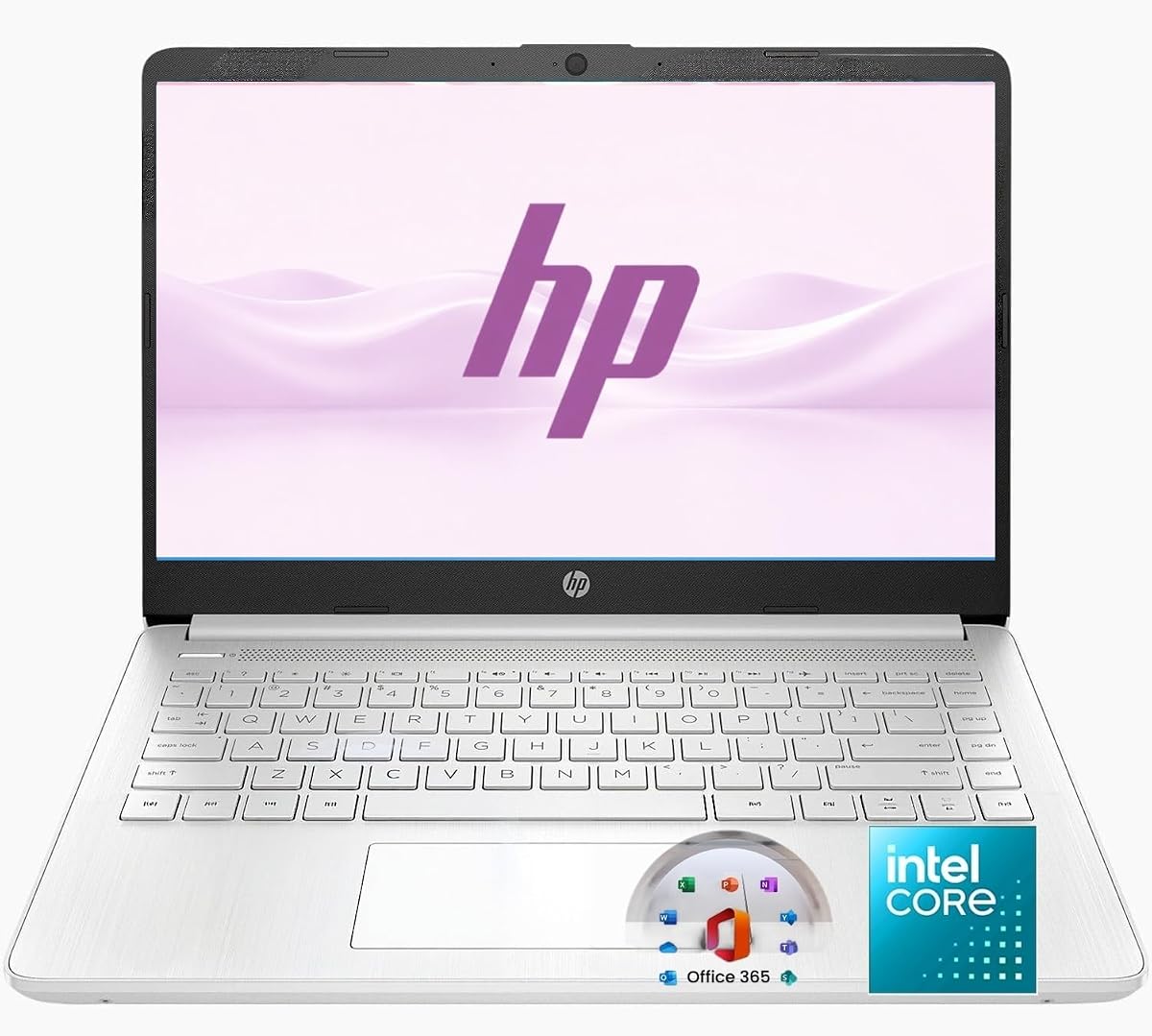


The HP Chromebook 14 stands out as a top contender for low power consumption with its energy-efficient Intel Celeron N4120 processor and long-lasting battery.
We may earn a commission when you buy through this link, at no additional cost to you.
Designed for everyday tasks, this laptop delivers smooth performance for assignments and streaming while keeping power usage minimal thanks to its optimized Chrome OS environment.
While storage is limited to 64 GB, cloud integration mitigates this issue, making it an ideal choice for users who prioritize mobility and battery efficiency over heavy local storage.
If you need a reliable, eco-friendly device for school or home office, this Chromebook offers excellent value without compromising on essential features or portability.
With up to 14 hours of battery life, this device ensures you stay productive throughout the day without needing constant access to a power outlet.
ENERGY STAR certification and EPEAT Silver registration highlight HP's commitment to environmental responsibility in the manufacturing and operation of this laptop.
We may earn a commission when you buy through this link, at no additional cost to you.
The Lenovo V15 Business laptop combines robust build quality with energy-efficient computing, making it suitable for professionals needing reliable performance on the go.
We may earn a commission when you buy through this link, at no additional cost to you.
Powered by the Intel N100 processor, it handles essential tasks like document editing and web browsing efficiently while maintaining low power draw during operation.
Despite running in Windows S mode for security, the bundled Microsoft 365 ensures productivity tools are readily available, balancing convenience with power management features.
For users seeking a durable workhorse that won't drain their energy resources, this model offers a compelling mix of connectivity options and eco-friendly certifications.
The inclusion of Wi-Fi 6 and Bluetooth 5.2 ensures faster wireless connections while optimizing power usage during data transmission.
MIL-STD-810H testing guarantees this laptop can withstand everyday wear and tear, extending its lifespan and reducing electronic waste.
We may earn a commission when you buy through this link, at no additional cost to you.
Earning a perfect 5.0 rating, the HP New Everyday Slim Laptop delivers exceptional balance between performance and low power consumption for daily tasks.
We may earn a commission when you buy through this link, at no additional cost to you.
The Intel N150 processor ensures responsive multitasking with 4GB DDR5 RAM, while the SSD provides quick boot times without excessive energy usage.
Cloud storage integration complements the local SSD capacity, allowing users to save files efficiently while keeping the device footprint small and portable.
This laptop is an outstanding choice for students or casual users who need a reliable machine that charges less and lasts longer on a single charge.
The 128GB SSD offers faster data access and lower power consumption compared to traditional hard drives, enhancing overall system efficiency.
Weighing just 3.24 lbs, this slim design makes it easy to carry anywhere, supporting a mobile lifestyle with minimal energy overhead.
We may earn a commission when you buy through this link, at no additional cost to you.
The 2026 edition of this HP Slim laptop continues the legacy of efficiency with an updated Copilot AI key for smarter, more energy-conscious productivity workflows.
We may earn a commission when you buy through this link, at no additional cost to you.
Featuring the same reliable Intel N150 processor, it maintains low power consumption while offering modern features like a dedicated AI assistant key for enhanced user interaction.
With a Natural Silver finish and slim profile, it remains a stylish choice for those who value aesthetics alongside sustainable computing practices and portability.
Ideal for users looking for the latest design touches in a low-power package, this laptop is ready for school, travel, and everyday tasks.
The dedicated Microsoft Copilot key streamlines access to AI tools, potentially improving workflow efficiency and reducing time spent on repetitive tasks.
A clean Natural Silver finish provides a professional look that fits well in both home and office environments without drawing excessive attention.
We may earn a commission when you buy through this link, at no additional cost to you.
This Lenovo Essential model offers a larger 15.6-inch screen with Full HD resolution, providing a better viewing experience without sacrificing energy efficiency.
We may earn a commission when you buy through this link, at no additional cost to you.
Equipped with 8GB DDR5 RAM, it handles multiple applications smoother than lower-memory models, optimizing resource usage during standard office workloads.
The privacy shutter on the webcam adds a layer of security for video calls, ensuring peace of mind while maintaining low power consumption during inactivity.
For users who need a bit more screen real estate and memory but still prioritize energy savings, this laptop strikes a practical balance for daily use.
The 8GB DDR5 RAM allows for more efficient multitasking and faster application switching, improving overall responsiveness during daily tasks.
A built-in privacy shutter protects your webcam feed when not in use, enhancing digital security without impacting system power usage.
We may earn a commission when you buy through this link, at no additional cost to you.
The Amzboy 15.6 laptop features a fanless design that ensures completely silent operation, which also helps reduce power consumption by eliminating moving parts.
We may earn a commission when you buy through this link, at no additional cost to you.
Powered by the N4020 CPU, it handles basic daily tasks like browsing and document editing smoothly while keeping energy usage minimal for extended battery life.
With a dedicated TF card slot, you can easily expand storage up to 1TB without affecting the main system performance or power draw during operation.
If you need a quiet, efficient machine for study or light work that doesn't generate noise or excessive heat, this model is a strong candidate.
The fanless design not only ensures quiet operation but also reduces energy loss typically associated with cooling fans in active systems.
A TF card slot provides convenient storage expansion options, allowing you to keep the main system drive fast and energy-efficient.
We may earn a commission when you buy through this link, at no additional cost to you.
Designed for students, the ASUS Vivobook Go offers a slim profile and energy-efficient Intel Celeron N4500 processor tailored for entry-level computing needs.
We may earn a commission when you buy through this link, at no additional cost to you.
Its SonicMaster audio technology enhances multimedia experiences without demanding high power, ensuring clear sound during online classes or entertainment sessions.
With a battery capable of reaching 60% charge in 49 minutes, it supports quick top-ups for those on tight schedules between classes or meetings.
If you need a portable laptop for educational purposes that balances affordability with decent audio and visual features, this model is worth considering.
SonicMaster technology ensures rich sound output, enhancing the experience of watching videos or attending online lectures without extra speakers.
Quick charge technology allows the battery to reach significant levels rapidly, reducing downtime and keeping you productive throughout the day.
We may earn a commission when you buy through this link, at no additional cost to you.
The HP 14 inch 2027 Edition brings forward-thinking specs like the Intel N150 processor, delivering efficient multitasking capabilities for modern workflows.
We may earn a commission when you buy through this link, at no additional cost to you.
Its 14-inch non-touch display with anti-glare coating reduces eye strain and power draw, making it suitable for long sessions of reading or writing.
With a slim 0.71-inch profile and lightweight chassis, it is easy to carry, aligning with the needs of mobile professionals who value portability.
For those looking to future-proof their purchase with updated hardware and included productivity software, this laptop offers solid value and efficiency.
The anti-glare coating ensures comfortable viewing under various lighting conditions, reducing the need to adjust brightness excessively.
Designed for travel, this laptop's slim dimensions allow it to fit easily into most bags, supporting a truly on-the-go lifestyle.
We may earn a commission when you buy through this link, at no additional cost to you.
The Jumper 15.6 stands out with an impressive 12GB RAM configuration, ensuring smooth multitasking while maintaining energy efficiency through its low-power Intel processor.
We may earn a commission when you buy through this link, at no additional cost to you.
Its Full HD IPS eye-care display includes blue light filtering, which helps reduce eye strain during long study or work sessions without compromising visual quality.
With expandable storage options up to 512GB, you can keep your workspace organized locally while still leveraging energy-efficient cloud solutions when needed.
For users who prioritize memory capacity alongside eye comfort, this laptop offers a robust platform for everyday productivity tasks at an accessible price point.
The 12GB RAM enables efficient handling of multiple browser tabs and applications simultaneously, reducing system lag and optimizing workflow speed.
Blue light filtering technology protects your vision during extended screen time, making it ideal for night work or long online classes.
We may earn a commission when you buy through this link, at no additional cost to you.
The HP 14-inch Ultra Light offers a premium experience with Wi-Fi 6 connectivity and 8GB RAM, ensuring high-speed connections and smooth multitasking capabilities.
We may earn a commission when you buy through this link, at no additional cost to you.
It includes a one-year Office 365 subscription, providing essential productivity tools that are crucial for students and professionals working remotely or offline.
The blue body design is both compact and stylish, making it a fashionable choice for those who want a portable device without sacrificing modern connectivity features.
If you want a complete package that combines energy efficiency with productivity tools and fast wireless standards, this model is a premium option worth exploring.
Wi-Fi 6 support ensures faster data transfer rates and better efficiency in crowded network environments, improving online productivity.
The bundled Office 365 gives you immediate access to Word and Excel, streamlining the setup process for work or study tasks.
We may earn a commission when you buy through this link, at no additional cost to you.
Selecting a low power consumption laptop requires evaluating several critical factors to ensure you get the best balance of efficiency and performance for your needs.
The processor is the heart of any laptop and plays a significant role in power consumption. Modern low-power processors like the Intel N series are designed to perform efficiently with less energy draw compared to high-performance chips.
Look for models with recent generation CPUs to ensure you benefit from the latest efficiency improvements in architecture.
Battery life is directly related to power consumption. A larger watt-hour rating often translates to longer usage time, but efficient components are also necessary to maximize this capacity.
Prioritize laptops that promise all-day battery life to reduce the frequency of recharging and maintain productivity on the go.
Displays consume a significant portion of a laptop's power. Technologies like LED backlighting and IPS panels often offer better energy efficiency and viewing angles than older TN screens.
Check for brightness levels and resolution; high brightness drains battery faster, so moderate levels are often sufficient for daily use.
Modern memory types like DDR5 are more energy efficient than previous generations like DDR4. This efficiency helps in extending battery life without compromising speed.
When choosing, look for models that utilize newer memory standards to ensure better power management during heavy multitasking.
Solid-state drives (SSDs) consume significantly less power than traditional hard disk drives (HDDs) due to the absence of moving parts.
Opt for SSD-based storage to ensure faster boot times and lower energy usage, which contributes to the overall low power consumption goal.
Look for ENERGY STAR and EPEAT certifications which indicate that the device meets specific energy efficiency standards set by regulatory bodies.
These certifications ensure that the laptop has been independently verified to perform well in terms of power usage and environmental impact.
Your specific use case matters greatly in determining the right balance. If you only do web browsing, a basic low-power chip is sufficient. For editing tasks, a slightly more powerful but still efficient processor is needed.
Assess your daily workload to avoid overpaying for performance you do not need, which would ultimately waste power.
Modern connectivity standards like Wi-Fi 6 are designed to be more power efficient during data transmission. This ensures that wireless tasks do not drain your battery as quickly.
Ensure your laptop supports the latest wireless protocols to maintain efficiency when working online.
To maximize battery life, adjust your screen brightness to the lowest comfortable setting and close any background applications you are not actively using to reduce power draw.
Keep the vents of your laptop free from dust and obstructions to ensure proper airflow, which prevents overheating and helps the cooling fans or passive systems run efficiently.
Avoid exposing the device to extreme temperatures as excessive heat can degrade the battery faster and increase power consumption during operation.
A low power consumption laptop is designed to use less electrical energy to operate, typically through efficient processors, SSD storage, and optimized battery management systems.
While they may not be suitable for heavy gaming or video editing, they are highly efficient for everyday tasks like browsing, office work, and streaming.
Depending on usage intensity, low power laptops can last anywhere from 8 to 14 hours on a single charge, making them ideal for travel and remote work.
Yes, many models come with ENERGY STAR certifications which indicate reduced energy usage and a smaller carbon footprint compared to standard devices.
Many budget-friendly low power laptops have soldered RAM to save space and cost, so it is crucial to check upgradeability before purchasing.
Most models come with Windows 11 or Chrome OS pre-installed, offering a familiar interface while maintaining energy efficiency for general tasks.
We have reviewed ten exceptional models ranging from the HP Chromebook 14 for budget-conscious buyers to the HP 14-inch Ultra Light for those needing premium features.
When selecting a device, prioritize battery efficiency and processor architecture to ensure you get a machine that supports your daily activities without frequent charging.
Always check the latest prices and availability as deals change frequently, ensuring you get the best value for your investment in energy-efficient computing.