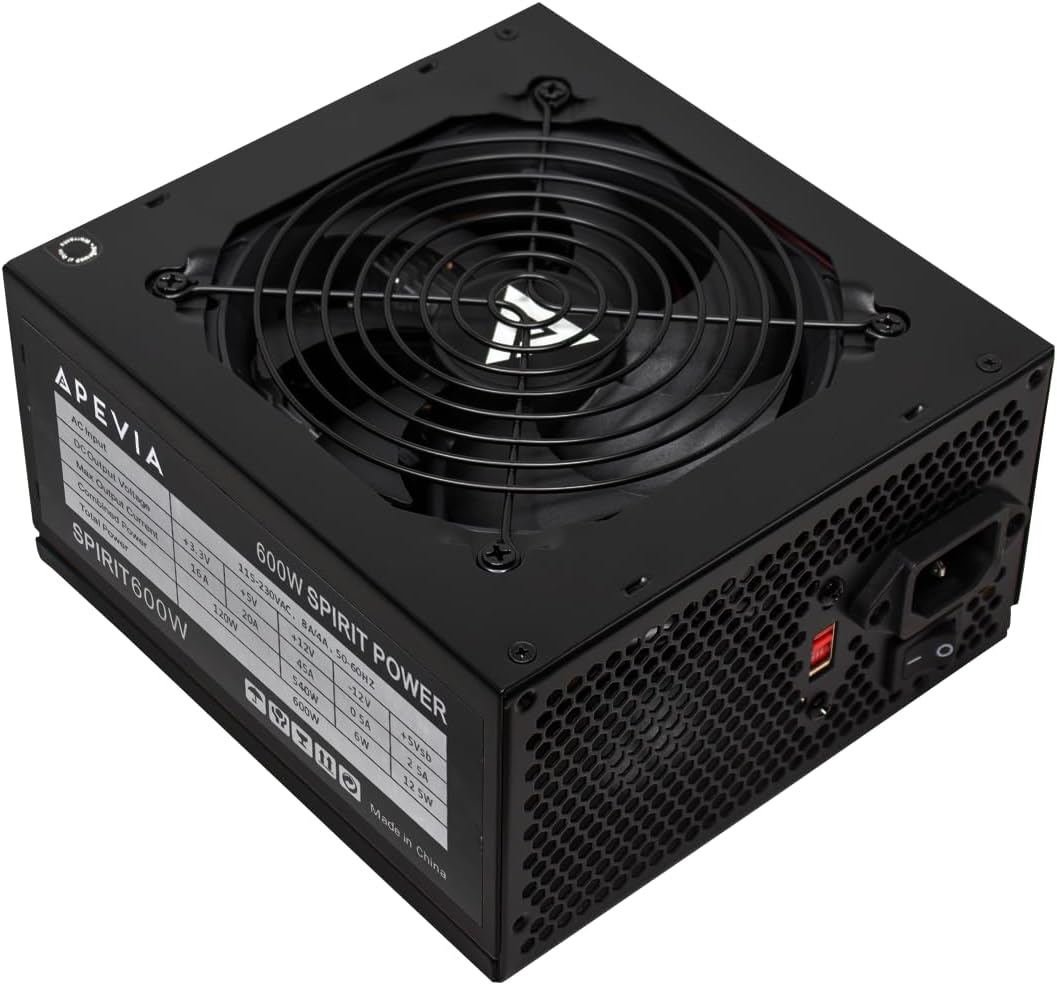
Apevia SPIRIT600W Spirit 600W ATX Power Supply
4.3Editor score
600W continuous output
Multiple protection safeguards
120mm cooling fan
This guide compares the best budget power supplies for gaming pcs based on efficiency, reliability, and features to help you build a high-performance system.
Building a gaming PC requires careful attention to every component, especially the power supply. A reliable unit ensures stability and longevity for your hardware.
We evaluated ten top-rated budget power supplies focusing on efficiency ratings, protection features, and connector options. Each model offers distinct advantages for different builds.
This list highlights key specifications and user feedback for each selection. Prices fluctuate frequently so verify current availability before finalizing your purchase decision.
4.3Editor score

4.5Editor score

4.6Editor score
The following table presents a side-by-side overview of all ten budget power supplies. Compare their key specifications and features to find the perfect fit for your system.



The Apevia SPIRIT600W stands out as a solid entry-level option for budget-conscious builders. It delivers 600 watts of power with essential safety features included for reliable operation.
We may earn a commission when you buy through this link, at no additional cost to you.
This unit supports dual and quad core processors while providing dedicated connectors for graphics cards. The auto-thermally controlled fan ensures adequate cooling during typical gaming loads.
While it lacks advanced features like modular cables, the straightforward design keeps costs low. Connectors can be split to match various motherboard requirements effectively.
It is ideal for users needing basic power without extra frills. Choose this for entry builds or budget gaming rigs where cost is the primary factor.
This unit includes short circuit and over voltage protection to safeguard your components against electrical failures during operation.
Split connectors allow the PSU to adapt to different motherboards and graphics cards without needing extra adapters.
We may earn a commission when you buy through this link, at no additional cost to you.
The Thermaltake SMART 600W earns top marks for balancing efficiency and reliability. It meets 80 Plus certification standards ensuring lower power waste during typical gaming sessions.
We may earn a commission when you buy through this link, at no additional cost to you.
Active Power Factor Correction helps maintain stable performance under various load conditions. The unit delivers strong power through a dedicated 12V rail for modern components.
With five years of warranty coverage and industry standard protections this unit offers peace of mind. It handles mid range system loads with consistent performance and minimal noise.
Choose this PSU if you value reliability and efficiency over modular convenience. It remains a trusted choice for many standard gaming system configurations.
The 80 Plus certification means you get better energy conversion rates reducing electricity costs while protecting your components.
Active PFC technology ensures the unit draws power efficiently keeping your system stable even under demanding gaming loads.
We may earn a commission when you buy through this link, at no additional cost to you.
The ARESGAME AGV Series delivers 500 watts with Bronze certification at an attractive price point. It fits well in smaller builds requiring moderate power for components.
We may earn a commission when you buy through this link, at no additional cost to you.
All cables are colored black reducing visual clutter inside your case. The ultra quiet fan ensures cooling performance remains effective without disrupting your gaming environment.
While wattage limits its use in high-end systems the protection suite covers essential safety needs. Five year warranty coverage adds confidence for budget builders seeking stability.
This unit suits entry-level gaming PCs needing reliable power. Consider it when you need standard connectors and solid efficiency without spending much.
The 120mm fan delivers excellent cooling performance while maintaining ultra quiet operation during typical gaming sessions.
All black cables help keep your system looking neat reducing visual clutter even without modular options.
We may earn a commission when you buy through this link, at no additional cost to you.
The MSI MAG A750GL offers premium features typically found in higher-priced units. It brings ATX 3.1 and PCIe 5.1 readiness to the budget segment effectively.
We may earn a commission when you buy through this link, at no additional cost to you.
Gold certification ensures up to 90 percent efficiency reducing wasted energy. The fully modular design allows you to use only necessary cables for cleaner system interiors.
A native 12V-2×6 cable supports next generation graphics cards directly without adapters. Ten year warranty coverage provides exceptional long-term value for serious builders.
Choose this if you need future-ready power for new GPUs. It bridges the gap between budget and premium with strong feature coverage.
Native support for ATX 3.1 and PCIe 5.1 ensures compatibility with the latest graphics cards and power delivery standards.
A decade long warranty reflects confidence in build quality offering long-term peace of mind for your investment.
We may earn a commission when you buy through this link, at no additional cost to you.
The Segotep 650W delivers Gold efficiency at a competitive price. It ensures stable power delivery with a single 12V rail handling high amperage requirements well.
We may earn a commission when you buy through this link, at no additional cost to you.
Global voltage adaptation makes this unit suitable for travel or international use. It supports up to four PCI-E connectors for multi GPU or future upgrade paths.
While it lacks modular connectors the non modular design simplifies internal layout. This unit balances efficiency and capacity for most mid-range gaming configurations.
Select this if you prioritize efficiency without overspending. It offers solid value for builders needing reliable Gold certified power on a budget.
Global Voltage Adaptation allows the unit to work across different regions without requiring external transformers or voltage regulators.
Gold certification ensures you get high energy conversion rates reducing power waste while maintaining stable system performance.
We may earn a commission when you buy through this link, at no additional cost to you.
The ASRock PRO 750G combines Gold efficiency with next-generation standards at an affordable cost. It features a native 12V-2×6 connector for modern graphics card support.
We may earn a commission when you buy through this link, at no additional cost to you.
Low-noise fan design ensures thermal management remains effective without distracting noise. The standard ATX form factor fits most cases making installation straightforward and flexible.
With three years of warranty coverage this unit provides reasonable protection. It handles mid to high-end configurations well for users upgrading on a tight budget.
Choose this if you need 750 watts with current standards. It offers strong performance and future compatibility for moderate pricing.
The optimized low noise fan provides effective thermal management without disturbing your gaming experience with excessive sound.
ATX 3.1 and PCIe 5.1 readiness ensures this unit supports the latest components and power delivery standards seamlessly.
We may earn a commission when you buy through this link, at no additional cost to you.
The MSI MAG A650BE introduces semi modular flexibility at an accessible price. Essential cables remain fixed while others can be detached for cleaner management inside your system.
We may earn a commission when you buy through this link, at no additional cost to you.
Active PFC design improves efficiency and power factor stability. The unit includes industrial level protections covering over voltage and short circuits effectively for reliability.
Bronze efficiency keeps costs low while still offering decent performance. Low noise fan operation ensures quiet running during typical gaming or productivity tasks.
This unit is perfect for builds needing some cable flexibility. It balances convenience and cost with solid protection and warranty coverage.
Semi modular design allows you to detach non essential cables reducing clutter while keeping critical connections fixed for stability.
Industrial level protections cover OVP OCP OPP OTP and SCP ensuring your components stay safe during power fluctuations.
We may earn a commission when you buy through this link, at no additional cost to you.
The MSI MAG A650BN offers essential features for standard builds at a low price. DC-DC circuit design ensures stable voltage regulation for your motherboard and components.
We may earn a commission when you buy through this link, at no additional cost to you.
Active PFC design helps maintain energy efficiency and power stability during use. The low noise fan keeps thermal levels controlled without adding distracting sound.
While it lacks modular options the compact design fits easily in most cases. Five year warranty coverage adds confidence for budget builders seeking reliability.
Choose this if you need a basic compact unit. It delivers stable power and standard protection at a competitive price.
DC-DC circuit design provides precise voltage regulation ensuring stable power delivery to your motherboard and peripherals.
The compact build fits easily in most standard cases simplifying installation for users with limited internal space.
We may earn a commission when you buy through this link, at no additional cost to you.
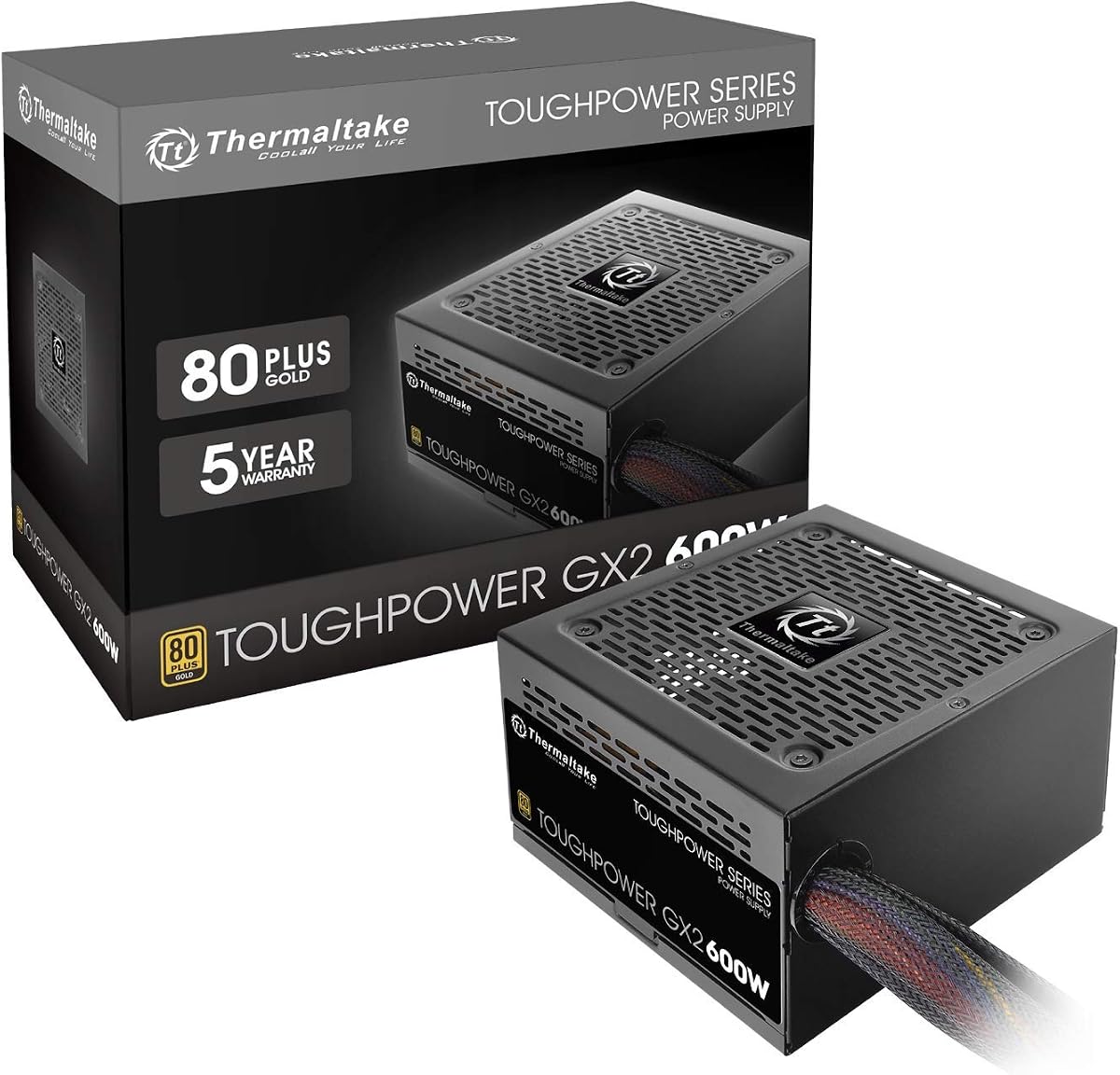
The Thermaltake Toughpower GX2 brings Gold efficiency to traditional non modular builds. Single rail design supports high current demands from modern GPUs and processors effectively.
We may earn a commission when you buy through this link, at no additional cost to you.
Low ripple noise ensures components like graphics cards operate reliably over time. High quality capacitors contribute to stable performance and long service life.
This unit supports SLI and Crossfire configurations for multi GPU setups. Five year warranty coverage and industry protections add confidence for standard system builds.
Select this for Gold efficiency with basic connectivity. It suits traditional builds needing reliable power without advanced modular features.
Single rail design offers powerful current support ideal for modern GPUs needing high amperage on the 12V rail.
Low ripple noise ensures your critical components run smoothly without electrical interference causing instability.
We may earn a commission when you buy through this link, at no additional cost to you.
The Rosewill VSB 650W introduces ATX 3.0 and 3.1 compatibility to budget builders. It supports PCIe 5.1 with a native 12V-2×6 cable for modern graphics cards.
We may earn a commission when you buy through this link, at no additional cost to you.
Compact chassis design allows flexible integration in smaller cases. Japanese capacitors rated for high temperatures ensure reliability under demanding thermal conditions during gaming.
Semi modular design balances convenience and cost effectively. Safety shield protections include UCP and SCP ensuring complete system security during power fluctuations.
Choose this if you need modern standards at a low cost. It delivers future-ready features with solid protection and warranty coverage.
ATX 3.0 and 3.1 compatibility ensures this unit supports the latest power delivery standards for new system builds.
Japanese capacitors rated for high temperatures ensure reliable operation even under demanding thermal conditions during use.
We may earn a commission when you buy through this link, at no additional cost to you.
Selecting a budget power supply requires balancing cost with essential performance features. This guide helps you evaluate key factors to ensure your system runs safely and efficiently.
Determine your total power needs by adding CPU and GPU requirements plus overhead. A unit providing 20 percent extra headroom ensures stable operation under load.
Always calculate total system draw before selecting wattage to avoid insufficient capacity.
80 Plus certification indicates how well the unit converts power. Bronze levels offer decent efficiency while Gold reduces waste further over time.
Look for Bronze or Gold ratings to ensure reasonable energy costs without overspending on premium models.
Modular units allow you to connect only needed cables reducing clutter. Non modular options cost less but may result in a messier interior.
Choose semi modular for a balance of cost and cable management in most builds.
Check your components for required connectors like PCI-E or CPU power. Ensure the unit provides enough dedicated connectors for your GPU and motherboard.
Verify connector count matches your hardware needs before purchase to avoid adapter complications.
Essential protections include OVP OCP SCP and OTP safeguards. These prevent damage from surges or short circuits during operation.
Always choose units with comprehensive protection suites to keep your hardware safe from electrical issues.
Warranty length reflects manufacturer confidence in reliability. Look for at least three years of coverage to ensure long-term protection.
Select brands offering solid support policies to reduce risk in case of component failure.
Standard ATX units fit most cases but check dimensions for smaller builds. Compact units may save space but could limit expansion options.
Measure your case interior to confirm the PSU fits before purchase.
Newer standards like ATX 3.0 require specific connectors for next-gen GPUs. Units supporting these ensure longer usability as you upgrade.
Consider future upgrades when selecting connector standards for your system.
Connect all required power cables securely to components before powering on. Ensure connections are seated firmly to avoid intermittent power loss during operation.
Keep the internal area clean from dust to maintain proper airflow around the fan. Use compressed air periodically to clear debris and reduce overheating risks.
Monitor system temperatures regularly using software tools to detect cooling issues early. Address any overheating by improving airflow or checking fan operation promptly.
A 500 to 600 watt unit typically suffices for entry-level gaming rigs with mid-range GPUs. Calculate your total system power needs and add twenty percent overhead for stability.
Yes Bronze certification ensures decent efficiency reducing electricity costs compared to non certified units. It balances cost savings with energy performance effectively for most users.
Yes non modular units work in all standard cases provided they fit physically. Cable management may be less tidy but performance remains consistent if space allows.
Regular dust cleaning helps maintain cooling efficiency without requiring electrical intervention. Use compressed air to clear the fan and vents every few months.
Modular cables improve airflow and aesthetics but add to the total price. For tight budgets non modular options provide the same performance without the convenience cost.
Measure your case dimensions and compare them to the PSU specs before buying. Most units use standard ATX size but compact builds may require smaller dimensions.
This guide presented ten reliable options ranging from basic to feature-rich units. The Apevia and Thermaltake models offer strong starting points for builders watching their budget closely.
Prioritize wattage and protection features to ensure long-term system stability. Efficiency ratings matter if you want lower power bills over the life of your gaming PC.
Check current product listings to confirm availability and ensure you get the best deal. Prices may shift so compare options before finalizing your purchase decision.