
Dell OptiPlex 3060 Micro PC
4.2Editor score
8th Gen i3-8100T Processor
Dual Display 4K Support
Renewed Value for Office
This guide compares the best Intel Core i3 Mini PC options for home and office use, evaluating performance, connectivity, and value.
Choosing the right mini PC can transform your workspace by saving desk space while delivering solid performance for daily tasks. Intel Core i3 processors offer a sweet spot between affordability and capability, making them ideal for business, school, or home entertainment setups.
We evaluated ten top-rated models based on processor speed, memory capacity, storage options, and connectivity features. Each unit was assessed for real-world usability in office environments, media centers, and compact workstations to ensure reliable performance across diverse scenarios.
Each pick highlights unique strengths like dual 4K support, fast Ethernet, or expandable storage to help you find the perfect fit. Prices and availability fluctuate frequently, so verify current details before purchasing to ensure you get the best value for your needs today.
4.2Editor score
4.8Editor score
4.9Editor score
The following table provides a side-by-side comparison of all ten models, highlighting key specifications to help you make an informed decision quickly.


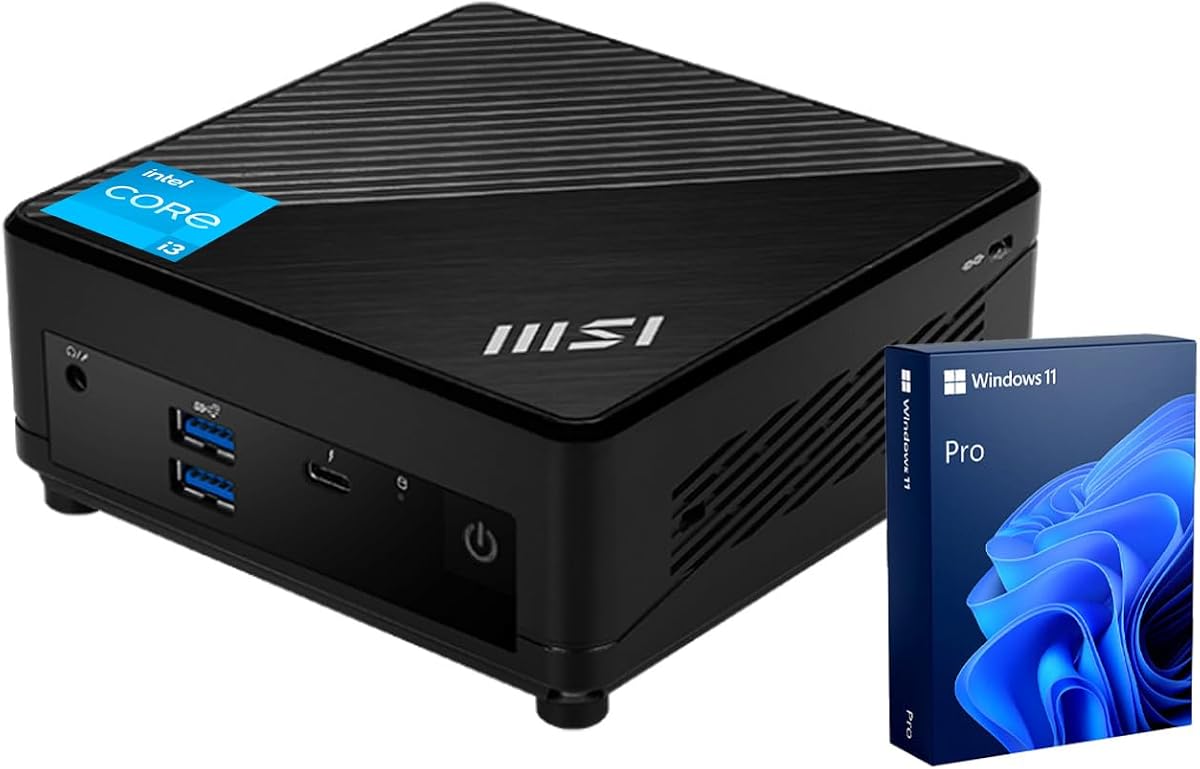
The msi Cubi 5 Professional Mini Desktop stands out as a top performer with its Intel Core i3-1215U processor offering 6 cores and 8 threads for demanding tasks. It boasts a 4.8 rating from users who appreciate its seamless multitasking capabilities and robust connectivity options.
We may earn a commission when you buy through this link, at no additional cost to you.
This model excels in professional environments thanks to Windows 11 Pro which includes features like BitLocker and Remote Desktop. The inclusion of Thunderbolt 4 ensures fast data transfer and support for high-resolution displays up to 4K across three monitors.
While the price is higher than entry-level options the performance justifies the investment for business users needing reliability and speed. The lack of an Ethernet port might be a minor drawback for those preferring wired connections but Wi-Fi 6 provides strong alternatives.
Buyers seeking a balance of power and compact design should consider this unit for home offices or light workstations. Its ability to handle multiple applications smoothly makes it a versatile choice for productivity and media consumption alike.
Windows 11 Pro offers enhanced security and management tools essential for business use.
Thunderbolt 4 enables high-speed data transfer and supports multiple 4K displays.
We may earn a commission when you buy through this link, at no additional cost to you.
The Dell OptiPlex 3060 Micro PC is an excellent budget-friendly option with its renewed status offering significant savings without sacrificing core functionality. With a 4.2 rating it is favored for basic office tasks and reliable performance in constrained spaces.
We may earn a commission when you buy through this link, at no additional cost to you.
Featuring the 8th Gen i3-8100T processor and Windows 11 Pro this unit handles essential applications smoothly. The dual display 4K support allows for efficient multitasking while the eight USB ports ensure plenty of connectivity for peripherals.
The main limitation is the 128GB storage which may fill up quickly with large files or applications. However for users needing a simple desktop replacement for web browsing and documents this model delivers solid value.
This device is perfect for students or small businesses looking for cost-effective computing solutions. Its compact design fits easily on desks or behind monitors making it ideal for space-limited environments.
Renewed status provides access to Dell quality at a fraction of the new price.
Eight USB 3.0 ports ensure plenty of space for all your devices.
We may earn a commission when you buy through this link, at no additional cost to you.
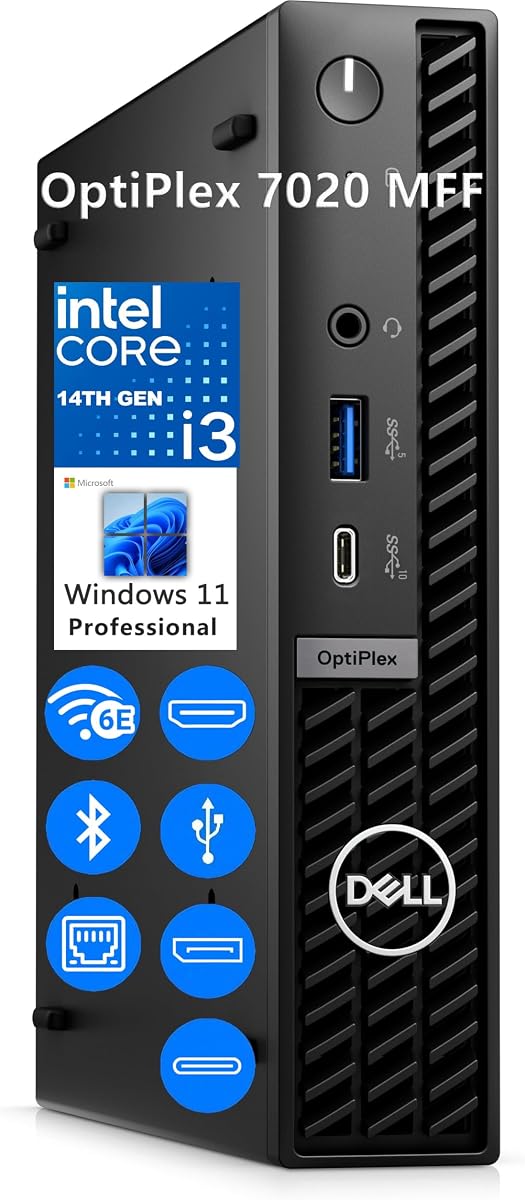
The Dell OptiPlex 7020 MFF Mini PC represents the high end of the category with its latest 14th Gen processor and 32GB DDR5 RAM. A 4.9 rating reflects its exceptional speed and reliability for demanding business workflows.
We may earn a commission when you buy through this link, at no additional cost to you.
This model supports up to three displays via DisplayPort and HDMI making it ideal for traders or designers needing multiple screens. The 1TB NVMe SSD ensures lightning-fast boot times and ample space for large files.
While the cost is higher the performance gains from DDR5 memory and faster storage are significant for power users. The compact form factor remains despite the powerful internals fitting neatly into professional setups.
It is best suited for corporate offices or professionals requiring top-tier performance in a small package. The premium pricing is justified by the robust hardware and enterprise-grade features included.
32GB DDR5 RAM provides smooth performance for heavy multitasking.
Supports three displays simultaneously for enhanced productivity.
We may earn a commission when you buy through this link, at no additional cost to you.
The GMKtec G3 PRO mini PC offers impressive value with 16GB of RAM and a 2.5GbE Ethernet port rare in this price range. Users rate it 4.4 for its reliability in office environments and strong connectivity options.
We may earn a commission when you buy through this link, at no additional cost to you.
Featuring dual HDMI ports this unit supports dual 4K displays at 60Hz making it great for multi-monitor setups. The 10th Gen i3-10110U processor handles daily tasks efficiently while maintaining low power consumption.
The inclusion of 2.5GbE networking provides faster wired connections than standard Gigabit which benefits data-heavy workflows. However the chassis is basic compared to premium brands and it lacks Thunderbolt support.
It is a smart choice for home offices needing fast networking and multiple screens without breaking the bank. The upgrade paths for storage also add to its flexibility for growing needs.
2.5GbE Ethernet ensures faster wired speeds than standard Gigabit.
Dual HDMI ports support two 4K displays for better multitasking.
We may earn a commission when you buy through this link, at no additional cost to you.
The QAZIPO Mini PC stands out with a rare 3-core processor and a perfect 5.0 user rating for daily tasks. It is compact and designed for home theater use or light office work with dual 4K support.
We may earn a commission when you buy through this link, at no additional cost to you.
Its Iris Plus 655 graphics deliver smooth video playback and basic gaming without a dedicated GPU. The dual-slot SSD design allows for storage expansion up to 4TB total providing plenty of room for media libraries.
While the 12GB RAM is not standard it suits most average needs well. The limited USB count might require hubs for extensive peripheral setups but the VESA mount helps save desk space.
This model is ideal for entertainment setups or as a secondary PC for browsing and media. Its small footprint and high efficiency make it a versatile addition to any room.
Iris Plus 655 provides smooth 4K streaming and casual gaming.
Dual SSD slots allow up to 4TB of total storage capacity.
We may earn a commission when you buy through this link, at no additional cost to you.
The C3 Mini PC is one of the most affordable options featuring the older 5th Gen i3 processor. Despite its age it scores 4.2 for efficiency in basic tasks like web browsing and document editing.
We may earn a commission when you buy through this link, at no additional cost to you.
It supports dual HDMI displays and offers a 512GB SSD which is generous for the price. The low TDP ensures quiet operation making it suitable for bedrooms or study rooms where noise is a concern.
Note that it does not support Windows 11 which limits software compatibility for newer apps. However for Linux users or those needing a simple digital signage solution it remains a solid choice.
This unit is best for tight budgets where performance needs are minimal. Its small size and quiet fan make it unobtrusive in any environment.
Optimized cooling keeps noise low for peaceful environments.
Dual HDMI ports allow for two displays up to 2560×1600.
We may earn a commission when you buy through this link, at no additional cost to you.
The msi PRO DP21 brings modern 13th Gen power to the mini PC category with 4 cores and 16GB of RAM. It is rated 4.6 for reliability and the convenience of coming with a keyboard and mouse included.
We may earn a commission when you buy through this link, at no additional cost to you.
It supports dual 4K displays and features a wide array of USB ports including Type-C for fast charging and data. Windows 11 Pro adds enterprise-grade security features beneficial for professional settings.
The performance is noticeably faster than older generations making it future-proof for software needs. However the price reflects this jump and users might prefer standalone peripherals for more customization.
Ideal for business users wanting a plug-and-play solution with reliable performance. The compact design and included peripherals simplify setup significantly.
Comes with a wired keyboard and mouse for immediate use.
USB Type-C and modern USB-A ports ensure compatibility.
We may earn a commission when you buy through this link, at no additional cost to you.
The ASUS ExpertCenter PB63 targets business users with TAA compliance and a 3-year warranty ensuring longevity. It features the latest 14th Gen Intel processors for modern performance in corporate environments.
We may earn a commission when you buy through this link, at no additional cost to you.
Its dual display support and high-speed wireless options make it versatile for meetings and multitasking. The design focuses on enterprise needs with security features and reliability standards.
While specific RAM details vary by model the build quality is consistent with business-grade expectations. The warranty offers peace of mind for critical infrastructure deployments.
This unit is perfect for organizations requiring compliant hardware with long-term support. Its performance ensures smooth operations across various business applications.
TAA compliant status meets government procurement standards.
Three-year warranty ensures long-term support for businesses.
We may earn a commission when you buy through this link, at no additional cost to you.
The Lenovo ThinkCentre Neo 50q impresses with its 1-liter form factor and 6-core processor delivering desktop-grade power in a tiny chassis. It earned a 5.0 rating for efficiency and clean design appealing to minimalists.
We may earn a commission when you buy through this link, at no additional cost to you.
ENERGY STAR certification highlights its eco-friendly operation reducing power costs over time. The dual 4K display support allows for flexible workspace setups while maintaining a small footprint.
While storage expansion is limited the included 512GB SSD provides ample space for most users. The VESA mount options make it easy to hide behind monitors for a clutter-free desk.
This model is ideal for modern offices where space and aesthetics matter. Its performance ensures it keeps up with daily productivity demands effortlessly.
ENERGY STAR certified for reduced power consumption.
1L design maximizes desk space for cleaner workspaces.
We may earn a commission when you buy through this link, at no additional cost to you.
The Dell OptiPlex 7020 Desktop leverages the latest 14th Gen CPU and DDR5 RAM for top-tier speed. Its 4.4 rating reflects strong performance for business tasks and modern connectivity features.
We may earn a commission when you buy through this link, at no additional cost to you.
Support for three displays and USB Type-C ensures versatility for complex workstations. Windows 11 Professional provides enterprise tools like BitLocker encryption for security-conscious users.
The 8GB RAM might feel limiting for heavy multitasking but the DDR5 technology boosts efficiency. Storage is modest at 256GB but can be upgraded by tech-savvy users.
This unit suits professionals needing the latest tech in a compact form. Its design fits well in corporate settings with high connectivity and security features.
DDR5 RAM offers faster speeds and better power efficiency.
Modern ports including USB Type-C for versatile setups.
We may earn a commission when you buy through this link, at no additional cost to you.
Selecting the right Intel Core i3 Mini PC requires evaluating several key factors to match your specific needs and budget constraints.
Newer generations like 14th or 13th Gen provide better efficiency and support for modern operating systems. Look for higher core counts which allow for smoother multitasking in daily workloads.
Aim for at least 8GB of RAM but 16GB is preferred for future-proofing. SSD storage ensures fast boot times and application responsiveness compared to traditional hard drives.
Check for sufficient USB ports and HDMI outputs if you need multiple monitors. Ethernet ports or Wi-Fi 6 support are crucial for stable and fast internet connections.
Windows 11 Pro offers advanced security and management features ideal for business. Ensure the model supports the OS version you require for your software.
Good cooling systems maintain performance under load and keep noise levels low. Look for models with fan optimization for quiet office environments.
Some models allow RAM or SSD upgrades which extends the device's lifespan. Check if the unit has accessible slots for future upgrades.
Business-class units often come with longer warranties and reliable customer support. This ensures you have assistance if technical issues arise later.
Connect the power adapter and monitor before powering on the unit to ensure stability. Use the included VESA mount if you prefer to attach it behind a monitor for a clean setup.
Yes they are excellent for office work browsing and video calls. They handle daily tasks smoothly while saving desk space and consuming less power than towers.
Light casual games work well with integrated graphics but demanding titles require dedicated GPUs. These units are designed primarily for productivity and media consumption.
Most models support dual 4K displays which is perfect for multitasking. Some higher-end options even support three monitors for expanded productivity setups.
Many units allow upgrades but some soldered models do not. Always check the specs for available slots before purchasing to ensure future expansion options.
Quality units can last five years or more depending on usage. Regular maintenance like updating software ensures they remain reliable for longer periods.
Yes Mini PCs generally use significantly less power than traditional desktops. This helps reduce electricity bills and environmental impact over time.
The msi Cubi 5 and Dell OptiPlex 7020 lead the pack for performance and features in this category. Budget models like the Dell OptiPlex 3060 offer reliable value for basic tasks.
Prioritize RAM and display support if you plan to multitask heavily or use multiple monitors. Newer generations ensure your device remains compatible with future software needs.
Check current prices and availability as deals fluctuate frequently. Choose the model that fits your workspace and performance requirements for optimal satisfaction.