
acer SB240Y G0bi 23.8" IPS Full HD Ultra-Slim Edge-to-Edge Gaming Office Monitor
4.6Editor score
Zero frame edge design
Adaptive sync support
120Hz refresh rate
Edge to edge monitors provide an immersive viewing experience by minimizing bezels and maximizing screen real estate. These displays are ideal for multitasking, gaming, and creative work where visual continuity matters.
We evaluated ten top models based on resolution, refresh rate, panel technology, and connectivity options. Our analysis focuses on how each monitor handles edge-to-edge design and overall performance in real-world scenarios.
Each pick highlights key strengths and trade-offs to help you find the right fit. Prices fluctuate frequently, so check current listings before purchasing to ensure you get the best value available today.
4.6Editor score

4.5Editor score

4.3Editor score
As an Amazon Associate we earn from qualifying purchases.
This table provides a side-by-side overview of the ten selected edge to edge monitors. Compare specifications and features to find the model that best fits your specific display needs.





This 49-inch ultrawide monitor delivers an immersive edge to edge experience with its 32:9 aspect ratio. It scores highly for productivity and entertainment alike, making it our top pick for users seeking a single massive display.
We may earn a commission when you buy through this link, at no additional cost to you.
The Dual QHD resolution ensures sharp visuals across the entire screen, while the 165Hz refresh rate keeps motion fluid during gaming. Features like Picture-by-Picture and KVM switching further enhance its utility for power users.
While the size demands significant desk space, the seamless wraparound design minimizes bezel distractions. The built-in KVM switch adds convenience by allowing control of two devices with one keyboard and mouse.
Ideal for professionals and gamers who prioritize screen real estate, this model balances performance and features well. Its robust spec sheet justifies the investment for those needing an ultra-wide setup.
The 1500R curvature wraps around your field of view, reducing eye strain and increasing focus on content without bezel interruptions.
PIP and PBP modes enable simultaneous viewing of multiple inputs, streamlining workflows across different applications or systems efficiently.
We may earn a commission when you buy through this link, at no additional cost to you.
The Acer SB240Y offers a cost-effective entry into edge to edge displays. Its zero-frame design maximizes screen visibility, providing a clean look suitable for small workspaces or budget builds.
We may earn a commission when you buy through this link, at no additional cost to you.
With up to 120Hz refresh rate and FreeSync compatibility, it handles casual gaming and video playback smoothly. The IPS panel ensures consistent colors from various viewing angles, a key advantage for office settings.
Trade-offs include a lack of high-end features like USB-C or height adjustment. However, the tilt function and included HDMI cable make setup straightforward without extra accessories.
This monitor is perfect for students or home users needing reliable performance without breaking the bank. It proves that edge to edge aesthetics can be achieved even at lower price points.
Minimal bezels allow for a clean, uninterrupted viewing area, making this an excellent choice for dual-monitor setups where alignment matters.
Compatible with FreeSync, it reduces screen tearing and stuttering during fast-paced content, enhancing the overall visual smoothness.
We may earn a commission when you buy through this link, at no additional cost to you.
LG sets a new standard with its 45-inch OLED edge to edge monitor. The 5K2K resolution delivers sharp text and vivid colors, ideal for both creative work and high-fidelity gaming.
We may earn a commission when you buy through this link, at no additional cost to you.
Its dual-mode feature lets you switch between 5K2K at 165Hz and WFHD at 330Hz, adapting to different game genres seamlessly. The 0.03ms response time ensures almost zero ghosting, critical for competitive play.
While OLED offers unmatched contrast and deep blacks, users should be aware of potential burn-in risks with static content. Proper screen saver usage and pixel shifting can mitigate this concern effectively.
Recommended for enthusiasts willing to invest in top-tier visual fidelity, this monitor redefines what edge to edge gaming looks like. Its connectivity options like USB-C and DP2.1 future-proof your setup.
The OLED panel provides perfect blacks and infinite contrast, making images pop with a realism that LCDs struggle to achieve.
DisplayPort 2.1 support ensures bandwidth for high refresh rates and resolutions, keeping the monitor relevant for years to come.
We may earn a commission when you buy through this link, at no additional cost to you.
Dell’s S3425DW combines a 34-inch ultrawide format with features tailored for daily work. The WQHD resolution provides ample space for spreadsheets and coding, reducing the need for multiple monitors.
We may earn a commission when you buy through this link, at no additional cost to you.
Its VA panel delivers a strong contrast ratio for vibrant images, while ComfortView Plus reduces blue light for longer sessions. The USB-C port supports up to 65W power delivery, simplifying laptop connectivity.
Gaming is supported via FreeSync Premium and 120Hz, though it lacks the extreme speed of dedicated gaming models. The design prioritizes reliability and eye comfort over raw performance metrics.
This monitor suits office professionals seeking a clean, efficient setup. Its balance of productivity tools and visual quality makes it a practical choice for hybrid work environments.
Reduced blue light emissions help prevent eye strain during long workdays, promoting healthier viewing habits over extended periods.
A single USB-C cable manages video and power, reducing cable clutter and enhancing desk organization significantly.
We may earn a commission when you buy through this link, at no additional cost to you.
The U4924DW is built for professionals who need maximum screen real estate. Its 49-inch DQHD display acts like two monitors side-by-side, eliminating bezels and boosting efficiency.
We may earn a commission when you buy through this link, at no additional cost to you.
Connectivity is a standout, with USB-C supporting high-speed data and power. The Edge WLED backlight ensures even brightness across the wide panel, crucial for color-critical tasks.
While response time is moderate, it suits productivity work well. The monitor includes VESA mount compatibility for flexible mounting options in various office configurations.
Best for enterprise users or creatives, this model emphasizes reliability and integration. Its design supports complex workflows without sacrificing visual clarity or desk space.
USB-C connectivity allows docking a laptop with one cable, maintaining a clean desk while keeping all essential ports accessible.
The 32:9 aspect ratio provides room for multiple windows, reducing the need for window snapping and improving task management.
We may earn a commission when you buy through this link, at no additional cost to you.
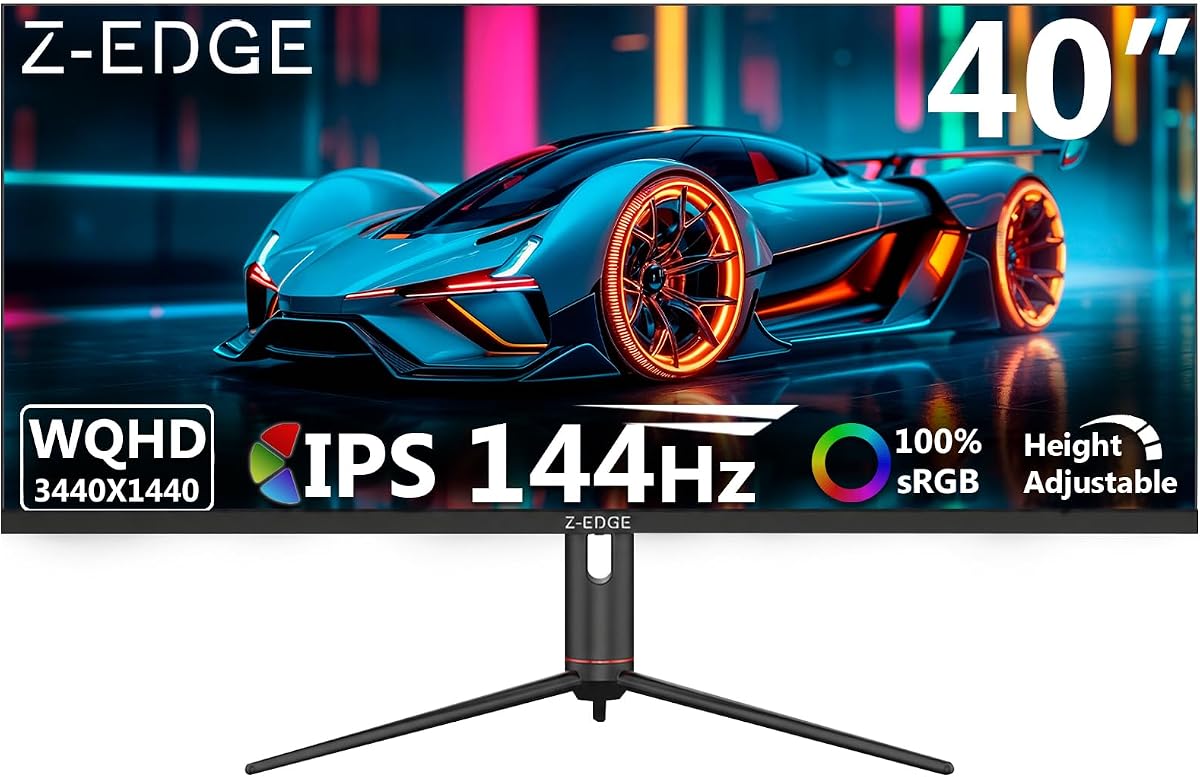
At 40 inches, this monitor strikes a balance between the 34 and 49-inch options. It offers a 21:9 aspect ratio that fits well on most desks while providing extra width for multitasking.
We may earn a commission when you buy through this link, at no additional cost to you.
The IPS panel ensures accurate colors and wide viewing angles, beneficial for content creators. With 144Hz and gaming modes like Crosshair, it handles both work and play effectively.
Trade-offs include modest brightness levels and fewer ports compared to premium models. However, the ergonomic stand offers height and tilt adjustments for comfort.
This model is ideal for gamers and designers seeking a versatile mid-size display. It delivers solid performance without the extreme dimensions of wider ultrawides.
Consistent color and brightness from any angle make it suitable for collaborative work or detailed image editing tasks.
On-screen tools like Shadow Balance and Timer give players a competitive edge during intense sessions.
We may earn a commission when you buy through this link, at no additional cost to you.
Sceptre delivers high-speed performance at a budget-friendly price. The 240Hz refresh rate and 1ms response time make it a strong candidate for competitive gaming without extra cost.
We may earn a commission when you buy through this link, at no additional cost to you.
With 100% sRGB coverage, colors remain vibrant and true to life. The curved design enhances immersion, while built-in speakers add convenience for casual use.
Build quality is functional but basic, lacking advanced ergonomics. However, the feature set offers significant value for those prioritizing speed over aesthetics.
Perfect for gamers on a budget, this monitor proves you don’t need to spend heavily for high refresh rates. It’s a solid entry into ultrawide gaming.
The 240Hz rate ensures ultra-smooth motion, giving players a tactical advantage in fast-paced shooters and racing games.
Full sRGB coverage ensures media looks as intended, suitable for streaming and content creation on a budget.
We may earn a commission when you buy through this link, at no additional cost to you.
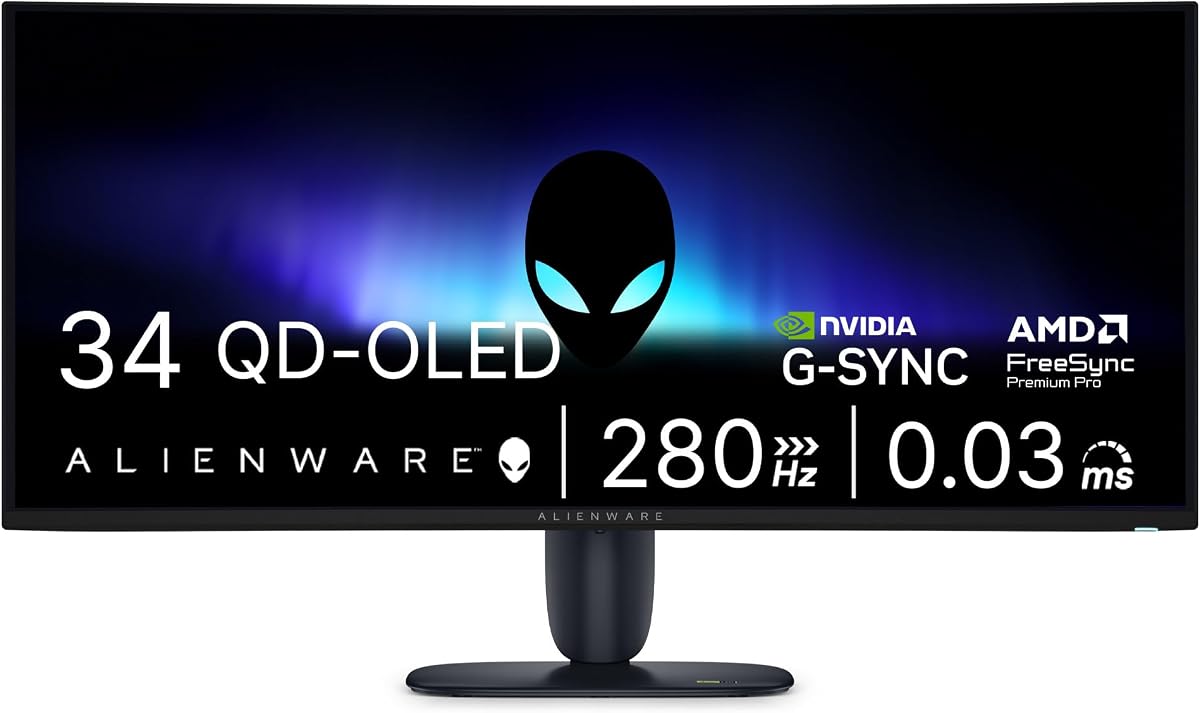
Alienware’s QD-OLED panel offers stunning visuals with deep blacks and bright colors. This 34-inch model targets gamers who demand the absolute best in image quality and speed.
We may earn a commission when you buy through this link, at no additional cost to you.
With 280Hz refresh rate and 0.03ms response, motion is fluid and ghosting is virtually eliminated. G-Sync support ensures tearing-free gameplay, essential for high-performance setups.
The premium price and setup requirements may not suit casual users. However, for enthusiasts, the display quality justifies the cost with unmatched clarity.
Best for hardcore gamers, this monitor sets a high bar for ultrawide performance. Its edge-to-edge design wraps you completely into the gaming world.
Quantum Dot OLED combines the brightness of OLED with vivid color, offering a superior visual experience over traditional panels.
Ultra-fast response and refresh rates minimize lag, allowing precise reactions in competitive matches.
We may earn a commission when you buy through this link, at no additional cost to you.
This unique monitor allows users to embed a display inside their PC case or use it externally. It fits the edge-to-edge concept differently, focusing on system integration and customization.
We may earn a commission when you buy through this link, at no additional cost to you.
The 14.5-inch 2K screen can show system metrics or apps. Its touchscreen capability enables interactive control for widgets and games, adding flair to a setup.
Installation requires specific case compatibility or external mounting. While versatile, it serves a niche audience seeking PC customization rather than primary display work.
Ideal for PC enthusiasts, this monitor adds a futuristic touch to builds. It’s a creative way to bring edge-to-edge visuals into hardware itself.
Magnetic mounting allows secure installation inside PC cases, turning hardware into a visible, interactive display.
Touch support allows direct interaction with software, enhancing the utility of secondary displays for control or monitoring.
We may earn a commission when you buy through this link, at no additional cost to you.
Samsung’s Odyssey Neo G9 redefines immersion with a 57-inch screen equivalent to two 4K monitors. Its edge-to-edge design eliminates bezels completely, offering a seamless digital window.
We may earn a commission when you buy through this link, at no additional cost to you.
Quantum Matrix technology and Mini LEDs provide high brightness and contrast. The 240Hz refresh rate ensures smooth visuals, critical for fast-paced gaming and media consumption.
Its size and price make it impractical for most users. However, for those seeking the ultimate ultrawide experience, it delivers unmatched presence and detail.
Best for luxury setups or specialized use, this monitor stands as the pinnacle of edge-to-edge technology. It transforms any room into a dedicated entertainment space.
The massive resolution offers incredibly detailed images, allowing users to zoom in or split screens without losing sharpness.
A 1000R curve wraps around the field of view, drawing you into the content like no other display can.
We may earn a commission when you buy through this link, at no additional cost to you.
Selecting the right edge to edge monitor depends on several key factors. This section breaks down what to consider to match your specific needs and budget effectively.
Edge to edge monitors come in sizes ranging from 23 inches to over 50 inches. Aspect ratios like 21:9 or 32:9 determine the width relative to height, influencing how much content fits side-by-side.
Choose a size that fits your desk and a ratio that matches your workflow, balancing immersion with practical desk space.
Higher resolutions like WQHD or Dual QHD ensure text and images remain sharp across wide screens. Avoid Full HD on large panels to prevent pixelation.
Prioritize resolution based on screen size to maintain visual quality and professional appearance in daily use.
Refresh rates above 120Hz provide smooth motion essential for gaming. Lower response times reduce ghosting and blur during rapid scene changes.
Gaming enthusiasts should target at least 144Hz refresh rates for a competitive edge in fast-paced environments.
Modern monitors should offer USB-C with power delivery to simplify laptop docking. Multiple HDMI and DisplayPort ports accommodate various devices simultaneously.
Ensure the monitor supports the necessary inputs to avoid adapter clutter and maximize workspace efficiency.
Blue light filters and flicker-free technology reduce eye strain during long sessions. Look for certifications like TÜV Rheinland for validated eye care claims.
Prioritize these features if you work or game for extended hours to maintain long-term eye health and comfort.
An ergonomic stand with height, tilt, and swivel adjustments improves posture. VESA mount compatibility allows for custom arm setups if the default stand lacks flexibility.
Adjustable stands are essential for reducing neck strain and ensuring the screen aligns with your natural viewing height.
IPS panels offer better color accuracy, while VA provides higher contrast for dark rooms. OLED delivers deep blacks but requires careful handling to prevent burn-in.
Select a panel type based on whether color fidelity or contrast is more important for your primary tasks.
Prices vary widely depending on features like OLED tech or high refresh rates. Determine which features are non-negotiable to avoid overspending on unnecessary specs.
Balance performance needs with cost to find a monitor that delivers value without compromising critical functionality.
Connect the monitor using high-quality cables to support maximum refresh rates and resolutions. For best performance, use DisplayPort 1.4 or newer for high-speed data transfer.
Adjust brightness and contrast to match room lighting conditions. Calibrate color settings if you do creative work to ensure accuracy across all applications.
Clean the screen with a microfiber cloth to avoid scratches. Avoid harsh chemicals and keep the vents clear to maintain optimal internal temperature.
Yes, they allow multiple windows to sit side-by-side without bezel interruptions. This setup boosts efficiency by reducing the need for constant window switching and keeping tasks visible.
Many models offer high refresh rates and adaptive sync features that benefit gaming. Ultrawide formats also provide an immersive advantage in sim and strategy titles.
Yes, most support USB-C or HDMI for easy connection. Ensure your laptop output matches the monitor’s resolution and refresh rate requirements for best results.
A 21:9 ratio is wider than standard but not as wide as 32:9. The 32:9 format functions like two full screens side-by-side, offering more workspace for multitasking.
Most operate plug-and-play, but some brands offer software for color calibration and PBP management. Using official utilities can enhance customization without extra cost.
Use a soft microfiber cloth dampened with water or specialized screen cleaner. Avoid abrasive materials and harsh chemicals that could damage the anti-glare coating.
Our top picks highlight a range of options from budget-friendly models to premium OLED displays. The Z-Edge 49 offers the best balance, while the Acer SB240Y provides exceptional value.
When choosing, prioritize resolution and refresh rate based on your primary use case. Productivity users may prefer larger screens, while gamers should focus on response times.
Keep in mind that pricing fluctuates regularly. Check current listings before buying to ensure you secure the best deal available in November 2026.