
havit HV-F2056 Laptop Cooling Pad
4.4Editor score
Ultra-quiet fan operation
Ergonomic height adjustment
Extra USB connectivity ports
Gaming laptops like MSI Raider and Vector models generate intense heat during demanding tasks. A quality cooling fan for MSI gaming laptop ensures your CPU and GPU stay within safe operating limits. This protection prevents thermal throttling and extends the overall lifespan of your hardware investment significantly.
We evaluated ten top cooling solutions based on airflow performance noise levels and ergonomic design. Each product was selected for its ability to handle large chassis sizes and high heat loads. Our analysis focuses on real world cooling metrics and build quality standards for durability.
Every pick below shows specific strengths for different user needs and laptop models. You will find options ranging from budget friendly pads to high end smart systems. Please note that pricing and availability can change frequently on retailer platforms.
4.4Editor score

5.0Editor score

4.4Editor score
As an Amazon Associate we earn from qualifying purchases.
This side-by-side comparison highlights key features and performance metrics across ten leading cooling solutions. You will see how each model handles large MSI gaming laptops and manages heat under load. Use this table to quickly identify which specs match your specific device requirements.
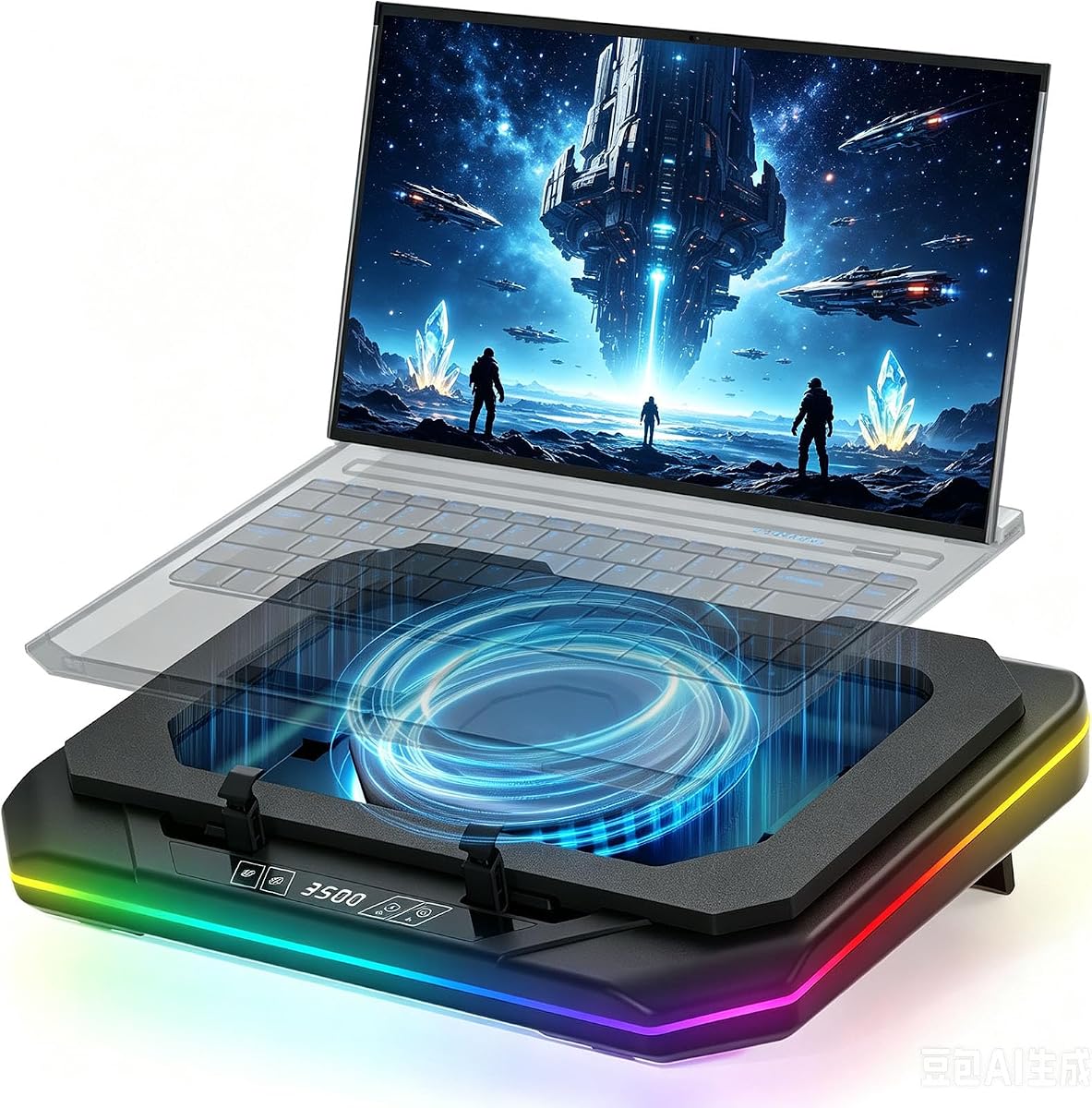


This cooling pad stands out as the premier choice for MSI gaming laptop users seeking maximum thermal relief. It combines industrial-grade turbofans with a sealed wind pressure design to drastically lower CPU and GPU temperatures. Users report significant drops in heat within minutes of activation.
We may earn a commission when you buy through this link, at no additional cost to you.
The standout quality lies in its rapid heat dissipation capabilities. The turbofan reaches speeds up to 3500 RPM to push air directly into bottom intakes. This design ensures that even heavy gaming sessions do not cause thermal throttling on your system.
While the performance is exceptional, the high-speed fans generate noise levels up to 60 dB. This makes it best suited for environments where sound is not a primary concern. Lowering the speed can balance quiet operation with adequate cooling for daily tasks.
It is ideal for owners of large gaming laptops who prioritize raw cooling power over silence. The build quality and dust protection features add long-term value to your setup. You should consider this if you need reliable performance during extended workloads.
The sealed wind pressure design forces air into critical components. This results in a temperature reduction of up to 40 degrees in under two minutes.
A dense filtration mesh seals out dust at the source. This protects your laptop internals from debris and reduces the need for frequent cleaning.
We may earn a commission when you buy through this link, at no additional cost to you.
The havit HV-F2056 offers an excellent entry point for cooling MSI laptops without breaking the bank. It features three ultra-quiet fans that maintain a noise-free environment for focused work or play. The slim profile makes it easy to transport between locations.
We may earn a commission when you buy through this link, at no additional cost to you.
Its main strength is balancing portability with functional cooling. The metal mesh provides a stable surface while allowing maximum airflow through the base. Two adjustable height settings let you customize the viewing angle for better posture during long sessions.
While it lacks advanced features like software control or RGB lights, it delivers reliable performance for standard use. The design focuses on comfort and silence rather than raw cooling power. This makes it a safe choice for office environments or libraries.
Choose this pad if you value quiet operation and easy mobility. It is well suited for users who need basic thermal relief on the go. The extra USB port adds convenience for connecting peripherals like mice or keyboards.
The stand doubles as an ergonomic height adjuster. This reduces neck strain during extended use and improves overall typing comfort.
Three ultra-quiet fans create a peaceful workspace. They operate silently even when running at full speed for continuous cooling.
We may earn a commission when you buy through this link, at no additional cost to you.
Razer brings its premium engineering to cooling with this adaptive smart pad designed for serious gamers. It features a unique airflow system that changes fan speeds based on your system load automatically. This ensures efficiency without constant manual intervention from the user.
We may earn a commission when you buy through this link, at no additional cost to you.
The airtight pressure chamber works with foam seals to direct all air into the laptop intake. This design prevents cool air leakage and maximizes cooling impact. The brushless fan is built for longevity and can spin up to 3000 RPM when needed.
Users can fine-tune performance using Razer Synapse to adjust noise levels or internal temperature targets. The included USB hub adds utility by allowing you to connect peripherals directly to the pad. Multi-function buttons provide quick access to volume or app launching.
This pad is perfect for enthusiasts who want precise control over their thermal profile. The advanced software integration sets it apart from standard options. It is a strong investment for those seeking a unified ecosystem experience with their devices.
The pad adjusts speeds from idle to full load. This prevents unnecessary noise while ensuring peak performance during intensive tasks.
Included foam seals ensure no cool air leakage. This works with the brushless fan to significantly reduce CPU and GPU temperatures.
We may earn a commission when you buy through this link, at no additional cost to you.
Designed specifically for MSI Vector and similar large chassis models this cooling pad delivers rapid heat dissipation. The turbofan reaches speeds up to 3500 RPM to reduce CPU and GPU temperatures by up to 40 degrees. It is a robust solution for demanding workloads.
We may earn a commission when you buy through this link, at no additional cost to you.
The patented retractable side panels prevent your laptop from slipping during use. Foldable footrests support laptops from 14 to 18 inches for versatile compatibility. The RGB lighting strip adds a custom aesthetic feel that matches gaming setups perfectly.
Power delivery is handled by a dedicated 12V adapter that ensures the fan runs at full strength. The air duct design helps reduce noise significantly compared to standard fans. However noise can still reach 60 dB at maximum settings for intense cooling.
This is the ideal choice for owners of Vector or Creator series laptops. It provides the raw power needed to handle high-end GPUs effectively. Ensure you place it in a well ventilated area to maximize its cooling efficiency.
The base design reduces noise by 30 to 60 dB. This balances high-speed cooling with acceptable sound levels for most environments.
The 12V adapter provides sufficient power for stronger fan performance. It also helps charge devices more effectively while cooling.
We may earn a commission when you buy through this link, at no additional cost to you.
This versatile pad uses a patented fan and air-guide design to cool laptops efficiently at low speeds. It can lower CPU and GPU temperatures by up to 20 degrees while maintaining whisper-quiet operation. This makes it ideal for silent environments like offices or libraries.
We may earn a commission when you buy through this link, at no additional cost to you.
The design adapts to different laptop types by allowing you to remove the sealed foam. This lets ultrabooks use the pad as an active heat sink against the chassis. The spring-loaded bracket grips your laptop securely without manual locking mechanisms.
A touch LED panel simplifies adjusting fan speed and RGB modes quickly. The cooling stand replaces a separate riser improving posture and typing comfort significantly. It runs on USB power making it easy to set up anywhere.
Choose this if you want a balance of noise and performance. It works well with both gaming laptops and standard notebooks. The flexible airflow design ensures you get cooling without the roar of industrial fans.
Directs airflow more efficiently to cool harder at lower speeds. This achieves up to 20 degrees cooler CPU and GPU performance silently.
Remove the foam for ultrabooks to use it as a heat sink. Keep it for gaming laptops to force air into bottom intakes.
We may earn a commission when you buy through this link, at no additional cost to you.
Kootek delivers a reliable cooling stand with five built-in fans to manage heat effectively. Two switches allow you to control fan groups for balanced airflow and noise reduction. The blue LEDs add a subtle touch of style to your desk setup.
We may earn a commission when you buy through this link, at no additional cost to you.
The ergonomic design offers six adjustable height settings to improve typing comfort. It prevents laptops from slipping with two stoppers on the front surface. This ensures stability during intense gaming or professional work sessions without shifting.
A built-in dual USB hub expands your connectivity options for peripherals. It is compatible with 12 to 17 inch laptops from various brands. The whisper-quiet operation allows you to focus on your content without distraction.
Select this pad if you need flexible fan control and comfort. It provides a solid mix of cooling power and ergonomic benefits. The simple controls make it easy to use without needing extra software installation.
Provides extra connectivity options for your peripherals. Connect devices like mice and keyboards directly to the cooling stand.
Offers six adjustable height settings for optimal comfort. This helps reduce neck strain during long gaming marathons.
We may earn a commission when you buy through this link, at no additional cost to you.
The llano V12 Ultra introduces intelligent AI temperature control through dedicated software. Three smart modes adjust fan speeds automatically to your workload ensuring optimal cooling. You can also control manually with a built-in scroller for precise adjustments.
We may earn a commission when you buy through this link, at no additional cost to you.
A turbo fan pushes air through a memory foam edge seal to pressurize intake. Lab tests show temperature reductions up to 22 degrees in 90 seconds. This prevents overheating during intense gaming sessions effectively.
The unit includes a removable dust filter for easy maintenance. You can remove and clean it without tools to keep airflow consistent. An ergonomic design with three tilt options helps alleviate neck and shoulder strain.
This option is best for users who want smart features. The software integration simplifies managing temperatures on the fly. Ensure you connect it to a dedicated port to benefit from the powerful cooling.
Automatically adjusts fan speed to your laptop workload. Download software at llanolife.com for seamless control and smart modes.
Maintain peak performance effortlessly with a detachable filter. It traps debris and extends the lifespan of your laptop.
We may earn a commission when you buy through this link, at no additional cost to you.
ChillCore uses nine cooling cores to cover large laptop surfaces efficiently. The unit features vents on top and bottom for varied cooling modes. An LCD display shows real-time fan speed so you can track performance intuitively.
We may earn a commission when you buy through this link, at no additional cost to you.
RGB lighting offers ten modes to create a cool gaming atmosphere. You can control lights and fan speed with simple touch buttons. Capacitor components reduce noise to make the system whisper quiet even at max settings.
The ergonomic design includes eight height adjustments to relieve neck fatigue. This ensures comfort during long work or gaming sessions. The USB ports allow for extra connectivity to connect your peripherals.
Choose this if you want high fan count and visual flair. The multiple height options provide great flexibility for posture. It is a strong contender for users who prioritize aesthetics alongside cooling.
Nine-core design cools large laptops efficiently. Air vents allow different modes for custom cooling strategies.
Readout shows current fan speed simply. Control lights and speeds easily with intuitive touch buttons.
We may earn a commission when you buy through this link, at no additional cost to you.
This upgraded V12 model features a 5.5-inch turbo booster fan for rapid cooling. It claims to reduce temperatures by 44 degrees in 90 seconds. The integrated dust filtration extends laptop lifespan by trapping debris effectively.
We may earn a commission when you buy through this link, at no additional cost to you.
The scroll wheel allows precise instantaneous airflow adjustment. Three USB ports turn the pad into a central workstation hub. RGB lighting with memory eliminates repeated selections for a seamless experience.
A reinforced chassis supports heavy laptops from 15.6 to 19 inches. Adjustable tilt angles alleviate neck strain and improve posture during use. The high power output ensures the fan runs at full speed without draining the laptop.
This is a great option for users needing a workstation hub. It solves limited ports on modern laptops efficiently. The precise control makes it easy to balance performance and noise.
Three USB ports solve limited laptop connectivity. Connect a mouse keyboard and hard drive simultaneously.
Protects internal fans and extends laptop lifespan. Captures hair and debris to prevent pressure cooker buildup.
We may earn a commission when you buy through this link, at no additional cost to you.
The llano V12 Gaming Cooler features a robust 5.5-inch turbo external fan. It achieves a rapid temperature drop of 44 degrees in 90 seconds. This makes it perfect for intense gaming sessions or demanding tasks.
We may earn a commission when you buy through this link, at no additional cost to you.
Advanced dust filters protect your laptop from intrusion and extend its lifespan. The real-time LED display shows fan speed accurately for precise control. Touch buttons enable instant adjustments to find the perfect balance.
Universal compatibility supports laptops from 15 to 21 inches. Double non-slip baffles hold your device securely on any surface. The adjustable height reduces neck strain during extended work or gaming.
This model is a solid choice for versatile cooling across large laptops. The display adds value by showing real-time status. Ensure you check compatibility with your specific model before purchase.
Accurately shows fan speed for instant adjustments. Touch buttons enable easy balance between cooling and noise.
Double non-slip baffles hold laptops securely. Adjustable height helps reduce neck strain during extended use.
We may earn a commission when you buy through this link, at no additional cost to you.
Selecting the right cooling solution involves balancing performance, noise, and portability. This guide outlines key factors to ensure your MSI laptop stays cool and efficient.
Look for fans with high RPM and strong pressure to push air into intakes. Turbofans often offer better results for large gaming laptops than standard fans.
Prioritize models that show measurable temperature drops under load.
Quiet operation is vital for shared spaces. Seek fans with capacitor components or duct designs that reduce noise without losing airflow.
Check reviews for decibel ratings at maximum speed settings.
Adjustable height and tilt improve typing comfort and posture. Look for pads that allow multiple angle settings for your specific workflow.
A stand that reduces neck strain adds significant value over time.
A reinforced chassis supports heavy laptops. Metal mesh surfaces provide better stability than plastic options.
Check for non-slip features that prevent laptop movement.
Removable filters protect fans from debris. This extends the lifespan of both the cooler and your laptop.
Prioritize designs that allow easy cleaning without tools.
Slim lightweight designs are easier to transport. Consider size if you move between home and office frequently.
Avoid overly heavy units if you travel often.
Dedicated adapters ensure consistent cooling. USB-powered pads may drain the laptop battery during use.
Check for high-power output like 36W adapters.
Ensure the pad fits your laptop size. MSI gaming laptops range from 15 to 18 inches.
Check weight limits and edge designs for safety.
Place the cooling pad on a flat hard surface to ensure airflow. Align your laptop so the vents match the fans for optimal cooling.
Adjust the height to a comfortable viewing angle before starting. Turn on the fans and let them run for a few minutes before loading games.
Clean dust filters regularly to maintain performance. Use a soft brush or vacuum to remove debris from the mesh surface.
Yes cooling pads help maintain lower internal temperatures. This reduces the risk of CPU throttling during gaming sessions significantly.
Using an external cooling pad does not void the warranty. Ensure it sits on the base and does not interfere with internal parts.
Most high-performance pads range from 30 to 60 dB. Look for quiet models if you need a silent environment.
Most gaming models from 15 to 18 inches are compatible. Always check the max size limit for your specific pad model.
Higher RPMs generally provide better cooling. Models with turbofans often reach 2500 to 3500 RPM for maximum impact.
Some premium models offer software control for precise tuning. Manual controls are also common on simpler models for ease of use.
We reviewed ten top cooling solutions ranging from budget pads to smart systems. Each option offers unique strengths to handle the heat of powerful MSI laptops.
Prioritize performance if you need maximum thermal relief for gaming. Consider noise and ergonomics if you work in quiet environments.
Check current availability before purchase as models may vary. Invest in a durable solution to keep your device running smoothly.