
Toshiba HDWL120XZSTA L200 2TB Laptop PC Internal Hard Drive
4.6Editor score
Low power profile
Built in shock sensors
Optimized battery life
Finding the right storage solution is crucial for modern computing. A reliable 5400 Rpm HDD Hard Drive offers a balance of capacity, power efficiency, and cost. These drives suit everyday tasks without the premium price of faster models.
We evaluated ten top-rated models based on performance, reliability, and user feedback. Our comparison covers various form factors and capacities to help you match the drive to your specific system requirements and usage patterns.
Each pick highlights unique strengths like cache size or warranty coverage. Note that availability and shipping terms vary by region and retailer. Check current listings before purchasing to ensure compatibility with your motherboard and case.
4.6Editor score

4.7Editor score

4.5Editor score
As an Amazon Associate we earn from qualifying purchases.
This side-by-side comparison highlights key specifications across all ten selected models to help you identify the best fit for your storage and performance needs.


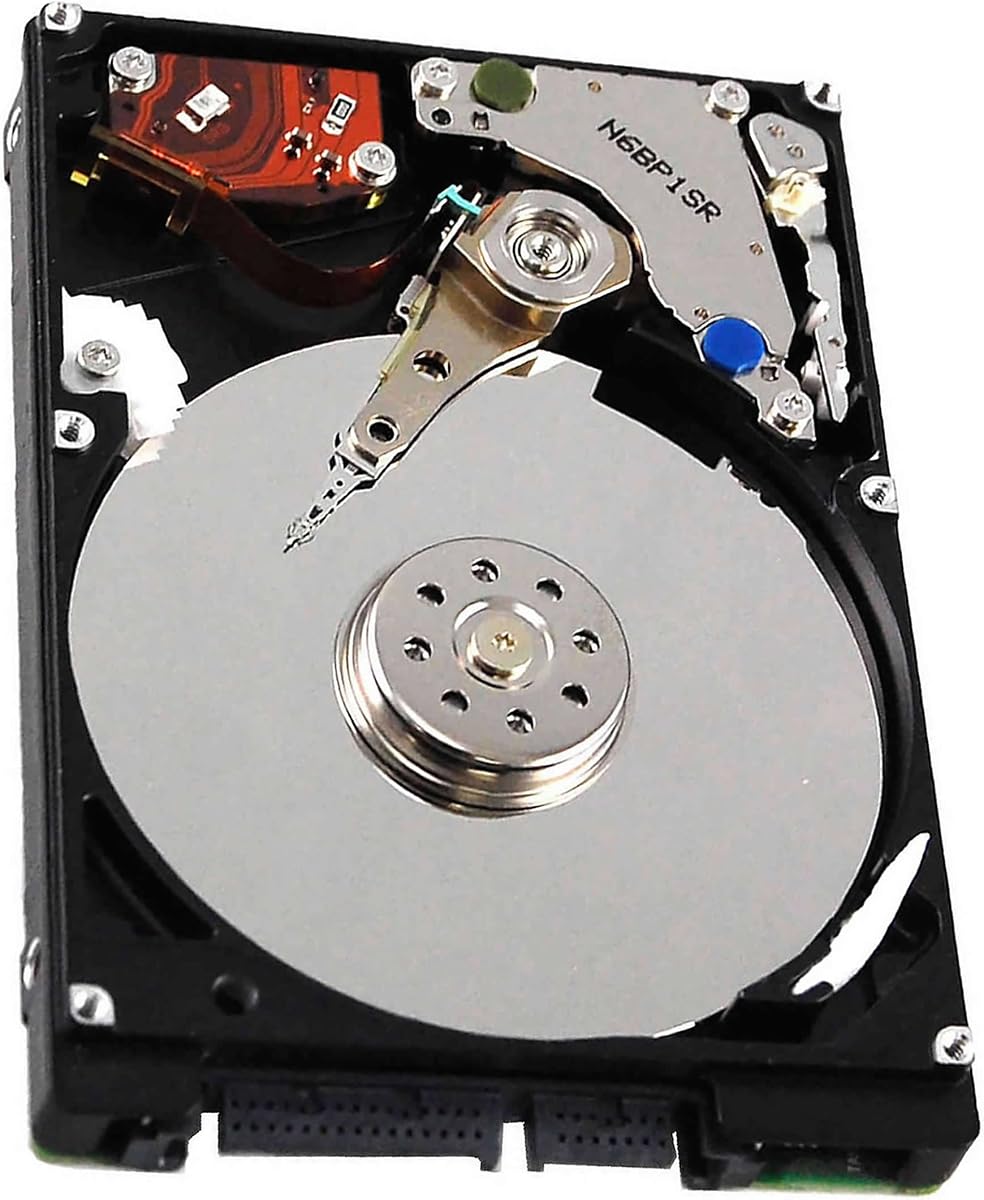


This 2TB BarraCuda drive stands out as a versatile choice for desktop users. It delivers consistent performance with a 5400 RPM speed that balances power and noise levels effectively.
We may earn a commission when you buy through this link, at no additional cost to you.
The 128MB cache helps manage data flow smoothly, reducing bottlenecks during file transfers. Seagate includes frustration-free packaging to simplify setup for non-technical users.
While it lacks the raw throughput of higher RPM drives, it remains efficient for daily tasks like media storage and document management. The compact 2.5-inch form factor fits many small PC cases.
It is ideal for those needing dependable storage without excessive power consumption. We recommend it for general desktop upgrades or secondary storage drives in workstations.
This drive consumes less power than faster alternatives, extending system lifespan and reducing heat output during operation.
Built on proven technology backed by two decades of innovation, it offers long-term stability for critical data.
We may earn a commission when you buy through this link, at no additional cost to you.
The 6TB BarraCuda offers significant space for large media libraries or backups. Its 256MB cache handles bulk transfers well, ensuring steady throughput for archival tasks.
We may earn a commission when you buy through this link, at no additional cost to you.
This drive is optimized for desktop environments where space is not a constraint. It supports a wide range of applications from video editing to casual gaming.
Users should note that 5400 RPM speeds mean slower boot times compared to SSDs. However, for cold storage and secondary drives, it provides excellent capacity at a reasonable cost.
It is best suited for users building media servers or needing to archive extensive photo collections. The included warranty adds peace of mind for long-term storage projects.
With 6TB of space, this drive accommodates thousands of high-resolution photos and hours of video footage without cluttering your primary drive.
Seagate backs this drive with years of innovation, ensuring it meets the demands of modern desktop computing workloads.
We may earn a commission when you buy through this link, at no additional cost to you.
This 5TB 2.5-inch drive is perfect for users needing substantial storage in a small chassis. Its compact design allows installation in tight desktop or portable setups where space is limited.
We may earn a commission when you buy through this link, at no additional cost to you.
The 5400 RPM speed ensures energy efficiency while providing enough performance for everyday computing needs. It bridges the gap between small laptop drives and large desktop platters.
While it carries a higher price point per terabyte, the convenience of a small footprint often justifies the cost for custom builds. Reliability remains consistent with other BarraCuda models.
It is ideal for compact workstations or custom PC builds requiring high density storage. Check availability carefully as this form factor is less common than standard 3.5-inch models.
The slim profile fits into enclosures that cannot accommodate standard desktop drives, making it versatile for specialized hardware.
Optimized for low power consumption, this drive runs cooler and reduces strain on smaller power supply units.
We may earn a commission when you buy through this link, at no additional cost to you.
The Toshiba L200 delivers excellent value for laptop upgrades or secondary storage. Its low power profile helps optimize battery life, making it a practical choice for mobile users.
We may earn a commission when you buy through this link, at no additional cost to you.
Built-in shock sensors protect data during movement, which is critical for portable computing environments. This durability is often overlooked in standard budget drives.
Users receive a bare drive without extra software, keeping costs down for those who prefer installing their own tools. It performs steadily for daily tasks and file backups.
We recommend this for budget-conscious buyers needing reliable 2TB storage. It fits most laptops and small form factor PCs easily, offering a cost-effective upgrade path.
Designed to reduce power draw, this drive helps extend laptop usage time between charges significantly.
Shock sensors and ramp loading technology ensure safe operation even when the device is frequently moved.
We may earn a commission when you buy through this link, at no additional cost to you.
This mobile-focused BarraCuda is ideal for on-the-go computing needs. It balances capacity and form factor to fit into notebooks or portable external enclosures.
We may earn a commission when you buy through this link, at no additional cost to you.
Specialized caching technology optimizes data flow, reducing loading times for applications and files. It supports multitasking well for general productivity work.
A two-year limited warranty provides long-term security for your investment. The compact design ensures it does not add bulk to portable setups.
Ideal for students or professionals needing extra storage while traveling. It performs reliably for music, video, and photo storage without draining battery life excessively.
Built specifically for mobile use, this drive handles the rigors of transport better than standard desktop alternatives.
Specialized caching ensures that accessing files feels responsive even over traditional mechanical interfaces.
We may earn a commission when you buy through this link, at no additional cost to you.
This factory renewed WD Blue drive offers significant savings while maintaining high standards. Western Digital ensures each unit meets performance criteria before certification.
We may earn a commission when you buy through this link, at no additional cost to you.
Zero Power on Hours indicate that the drive is effectively fresh. It delivers the reliability expected from a premium blue series drive without the full retail price.
Users should verify packaging upon arrival as renewed items may arrive in different boxes. Performance matches new units, making it a smart choice for budget builds.
We suggest this for cost-effective desktop storage. It is perfect for secondary drives where maximum longevity is less critical than immediate value and capacity.
Every drive undergoes rigorous testing to ensure it meets factory specifications before reaching the buyer.
With 256MB cache, this model handles data bursts well, providing smoother multitasking experiences.
We may earn a commission when you buy through this link, at no additional cost to you.
The Momentus series is known for its robustness in mobile environments. While older, this model remains useful for legacy systems or specific industrial applications.
We may earn a commission when you buy through this link, at no additional cost to you.
G-Force Protection features make it resilient against drops and shocks, ideal for ruggedized equipment. Its compact size fits into tight spaces easily.
Capacity is limited by modern standards, but it serves well as a boot drive for older OS versions or specific control systems. Power efficiency is a strong suit.
We recommend this only for legacy upgrades or specific industrial uses. For general consumers, higher capacity drives offer better value per gigabyte today.
Designed to withstand 1000 Gs of nonoperating shock, this drive is built for challenging environments.
High shock tolerance enables mobility in rugged operating environments where standard drives might fail.
We may earn a commission when you buy through this link, at no additional cost to you.
IronWolf drives are purpose-built for Network Attached Storage environments. This 4TB model offers stability and performance tailored for multi-user access and 24/7 operation.
We may earn a commission when you buy through this link, at no additional cost to you.
CMR technology ensures consistent performance during heavy writes, crucial for RAID arrays. The integrated Health Management system allows you to monitor drive status proactively.
Rescue Data Recovery Services add an extra layer of security against data loss. The drive runs cool and quiet, making it suitable for office environments as well.
Ideal for home labs or small office NAS setups. It balances capacity with reliability to protect valuable data from corruption or mechanical failure effectively.
Designed for up to 8-bay NAS environments, it handles simultaneous access requests without lags or downtime.
Integrated IronWolf Health Management lets you track drive health and avoid unexpected failures.
We may earn a commission when you buy through this link, at no additional cost to you.
This 4TB BarraCuda model balances performance and capacity for desktop users. Its frustration-free packaging ensures a smooth setup process without unnecessary clutter.
We may earn a commission when you buy through this link, at no additional cost to you.
The 256MB cache allows for efficient data caching, improving responsiveness during file operations. Free DiscWizard software helps migrate data from old drives with ease.
Users can rely on this drive for photo editing or general multimedia tasks. It is a stable option for secondary storage where speed is less critical than space.
Best for those needing more room without upgrading to enterprise tiers. It offers excellent value for home users looking to expand their local storage library.
Free software tools help you clone your old drive quickly, saving time during system upgrades.
With 4TB, you can store extensive libraries of photos, music, and video files on a single drive.
We may earn a commission when you buy through this link, at no additional cost to you.
WD Red Plus drives are engineered for NAS systems requiring continuous operation. The 4TB capacity fits well into RAID configurations for home and small office users.
We may earn a commission when you buy through this link, at no additional cost to you.
CMR technology ensures data integrity and performance in multi-drive setups. NASware technology optimizes the drive for RAID environments to reduce error rates.
Support is backed by world-class standards, offering peace of mind for critical data storage. It is designed to run 24/7 without excessive heat or power usage.
Ideal for RAID-optimized NAS systems up to 8 bays. Check compatibility with your NAS OS before purchase to ensure full feature support.
NASware technology ensures the drive performs well in RAID arrays, minimizing errors during data reconstruction.
Designed for continuous operation, this drive handles constant read/write cycles better than standard desktop alternatives.
We may earn a commission when you buy through this link, at no additional cost to you.
Selecting the right drive involves balancing capacity, speed, and reliability. This guide explains the key factors to consider before purchasing.
Determine how much data you need to store based on your current usage and future needs. Higher capacity drives allow for more backups and media storage.
Choose a drive that offers room for growth beyond your immediate requirements.
5400 RPM drives offer a balance between performance and power efficiency. They are ideal for general desktop use and secondary storage.
Ensure the speed matches your system requirements to avoid bottlenecks during data access.
Cache acts as a buffer to manage data flow between the drive and system. Larger caches improve multitasking and file transfer speeds.
Look for drives with higher cache memory if you work with large files frequently.
2.5-inch drives are smaller and suited for laptops, while 3.5-inch drives offer more capacity for desktops. Verify your case space before buying.
Select the form factor that physically fits your system chassis and mounting brackets.
Most modern drives use SATA 6Gb/s interfaces for compatibility with current motherboards. Ensure your system supports the interface speed.
Check your motherboard specifications to confirm that the interface matches your available ports.
A longer warranty period reflects confidence in the drive's durability and longevity. Look for at least a two-year limited warranty.
Ensure the manufacturer provides reliable customer support for troubleshooting or replacement needs.
Lower power drives are better for battery life and heat management in small cases. This is critical for mobile users.
Check the wattage ratings if power efficiency is a priority for your build.
Some drives are optimized for NAS or gaming while others focus on general use. Match the drive type to your primary workload.
Avoid using NAS drives for desktop PCs unless necessary to save on costs effectively.
Install the drive securely to prevent vibration damage. Ensure all cables are connected firmly to avoid connection errors.
Regularly update your operating system and drivers to maintain optimal performance. This helps compatibility with newer software.
Keep the drive clean and dust-free to ensure proper ventilation. Avoid exposing it to moisture or extreme temperatures.
While they offer decent storage for games, faster SSDs provide better load times. Use these drives for storing installed games rather than running them.
Yes, they typically use less electricity than higher RPM drives. This helps reduce heat output and can extend battery life on laptops.
It depends on your device. 2.5 inch fits laptops, while 3.5 inch offers more capacity for desktops. Choose based on your case size.
Yes, but they are optimized for 24/7 operation in NAS environments. Desktop users might find them more expensive than necessary for casual use.
Listen for unusual noises and monitor health with software tools. Unusual clicking sounds or slow file access often indicate hardware failure.
CMR is generally preferred for reliability and speed. It avoids the performance degradation often associated with SMR drives during heavy writing.
We hope this guide helps you select a drive that meets your storage needs. The selected models offer a mix of capacity, reliability, and budget options.
Prioritize capacity and reliability based on your workflow. If speed is critical, consider pairing an SSD with these drives.
Always check current availability and specifications before buying. Prices and models can change frequently, so verify details on the retailer site.