
GIGABYTE Z390 UD
4.4Editor score
Supports 9th and 8th Intel Core processors
New 10+2 Phases digital PWM design
Gigabyte exclusive 8118 Gaming LAN
This guide compares the top brands for Z370 motherboards to help you choose the best model for your Intel 8th and 9th gen processor build today.
Choosing the right brand for Z370 motherboard is crucial for system stability and performance. You need a board that supports your processor and offers reliable connectivity for all your components without compromising on quality or longevity over time.
We compared ten top models based on build quality, features like USB and M.2 slots, and user ratings. Each product was evaluated for compatibility with Intel 8th and 9th gen CPUs and its ability to handle modern workloads efficiently.
Every pick below shows key specs and real user feedback to help you decide. Prices and availability change frequently so check the current listing before you buy to ensure you get the best deal for your specific build needs now.
4.4Editor score
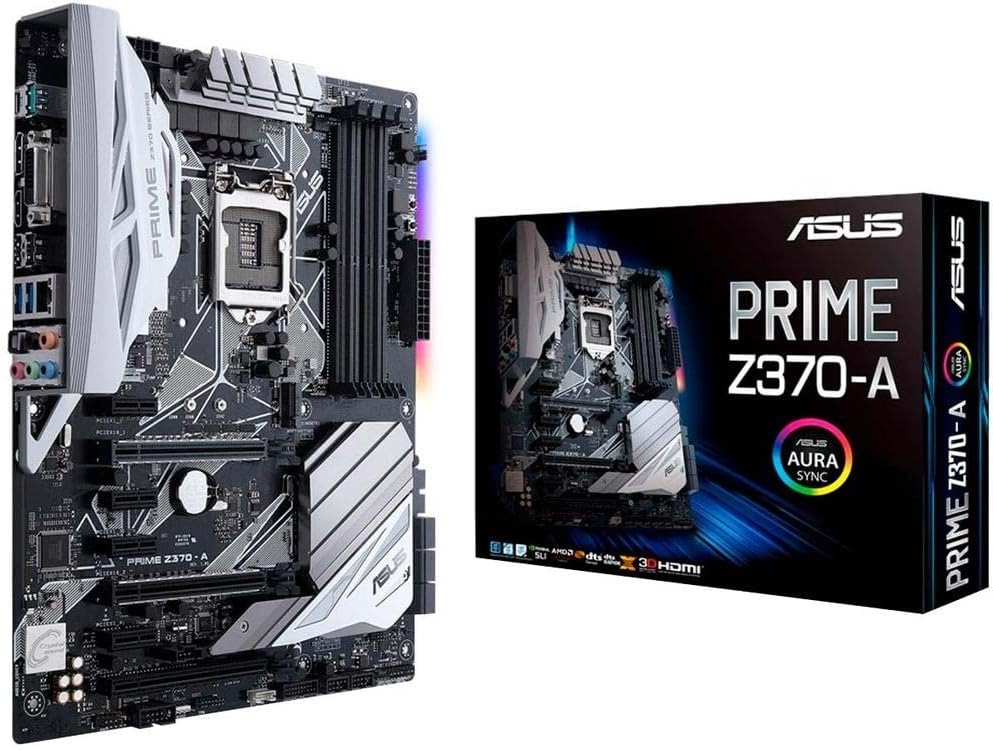
4.6Editor score

4.4Editor score
The following table provides a side-by-side look at all ten selected motherboards. It highlights key specifications like form factor, memory support, and unique features to help you quickly compare options for your next build.


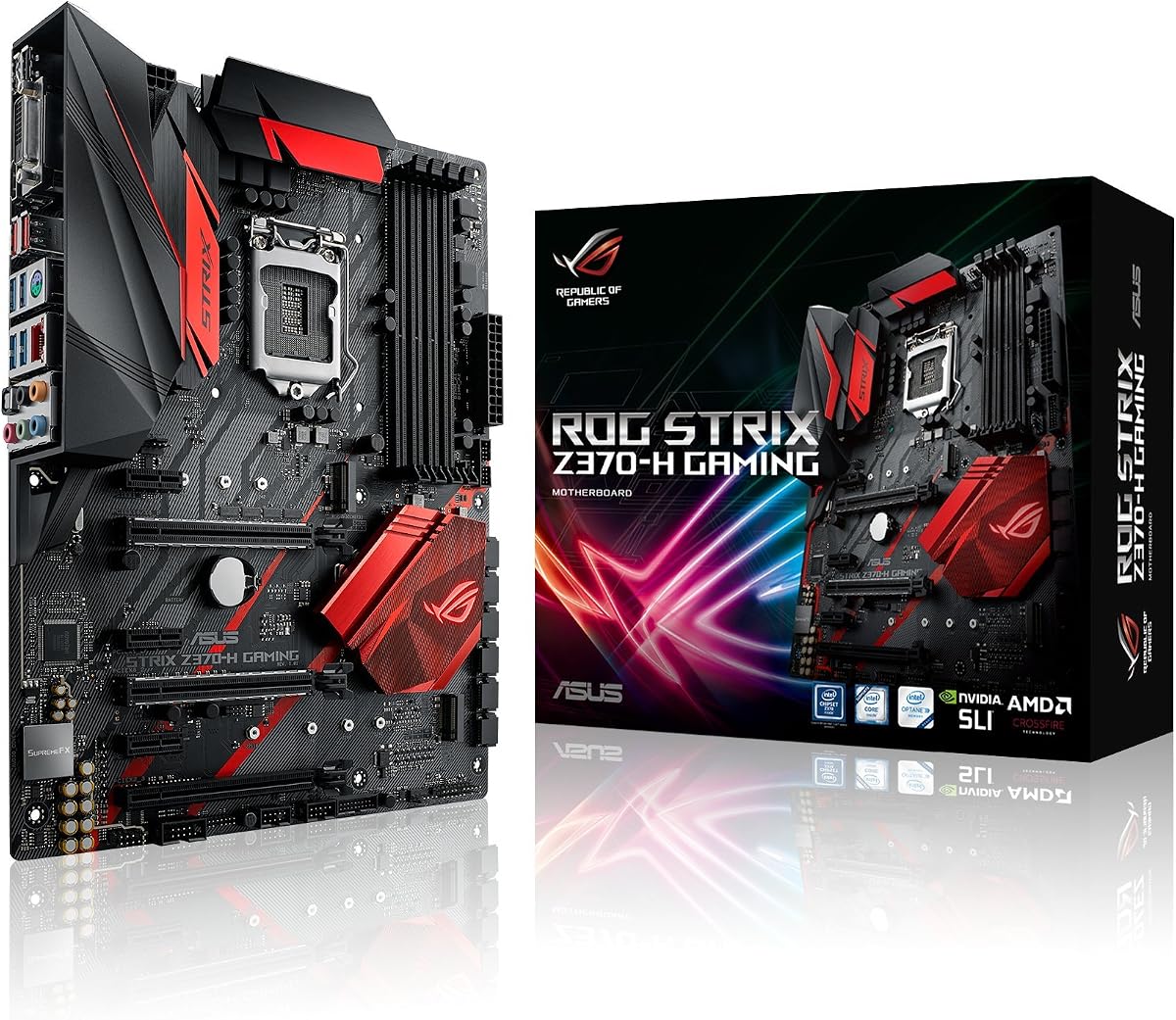
This motherboard stands out as a top choice for users seeking a reliable brand for Z370 motherboard. With a high user rating and robust features, it ensures your Intel 8th gen processor runs smoothly.
We may earn a commission when you buy through this link, at no additional cost to you.
The dual M.2 slots provide fast storage access while USB 3.1 Gen2 ensures quick data transfers. AURA Sync RGB lighting adds visual appeal and the high quality audio delivers immersive sound for games and media.
Though it comes at a premium price, the durability and feature set justify the cost. The lack of built-in Wi-Fi is a minor trade-off given the strong wired network options and overall stability.
If you want a dependable platform with room to grow this board is highly recommended. It balances performance and style effectively making it a solid pick for any modern desktop build today.
The board offers dual M.2 slots and USB 3.1 Gen2 ports for fast storage and data transfer speeds.
ASUS AURA Sync RGB lighting and an enhanced 8-channel HD audio system improve aesthetics and sound quality.
We may earn a commission when you buy through this link, at no additional cost to you.
This model offers incredible value for users looking for a brand for Z370 motherboard alternatives. It supports 9th and 8th gen Intel Core processors with a strong power design and multiple expansion options.
We may earn a commission when you buy through this link, at no additional cost to you.
The digital PWM design ensures stable power delivery while six PCIe slots allow for massive expansion. Smart Fan 5 keeps temperatures low and the included gaming LAN manages bandwidth efficiently for online use.
RGB lighting is present but less customizable than premium boards. Though it uses a Z390 chipset it remains a great budget option for builds needing many slots and reliable performance without extra cost.
For budget conscious builders this board delivers high utility and durability. It handles multiple GPUs or cards well and keeps system cool making it a practical choice for versatile computer configurations.
A 10+2 Phase digital PWM design and Smart Fan 5 ensure stable power and efficient thermal management.
Six PCIe slots provide ample room for adding multiple expansion cards or GPUs for specialized workloads.
We may earn a commission when you buy through this link, at no additional cost to you.
This premium board sets a high bar for any brand for Z370 motherboard enthusiast. It features three M.2 slots with thermal guards and an ESS Sabre DAC for superior audio quality on your desk.
We may earn a commission when you buy through this link, at no additional cost to you.
The RGB FUSION design offers vibrant lighting effects while USB Type-C headers ensure modern connectivity. Intel Gigabit LAN and Killer E2500 networking provide fast and stable internet for gaming or streaming tasks.
Cost is higher but the included features justify the investment for power users. The complex RGB software may take time to master yet the hardware performance and durability remain top notch consistently.
If you need top tier audio and storage speed this is the ideal pick. It handles heavy loads well and looks great making it perfect for high-end gaming or creative workstations today.
ESS Sabre DAC delivers studio grade sound and three M.2 slots allow for extensive high speed storage setups.
RGB FUSION Multi-Zone LED design and front USB 3.1 Gen 2 Type-C header enhance style and modern connectivity.
We may earn a commission when you buy through this link, at no additional cost to you.
This model is a solid pick for anyone wanting a reliable brand for Z370 motherboard. It supports 8th Gen Intel Core processors and offers VR Ready certification for immersive gaming experiences with headsets.
We may earn a commission when you buy through this link, at no additional cost to you.
With 64GB DDR4 support it handles heavy multitasking well. The ATX form factor fits most cases and the 4x DDR4 slots allow for extensive memory upgrades if your workflow demands high capacity systems.
It lacks flashy features like RGB but focuses on core performance. The stability and support for high memory capacity make it a practical choice for workstations or budget VR setups that need dependability.
If you need a no-nonsense board for VR or daily use this works great. It provides a stable platform for your components and ensures smooth operation over long periods without unnecessary extras.
VR Ready certification and support for up to 64GB DDR4 memory make this board ideal for immersive gaming.
The focus on core features ensures stability and ease of use without complicated lighting or software overlays.
We may earn a commission when you buy through this link, at no additional cost to you.
Designed for heavy expansion this board is a great choice if you seek a brand for Z370 motherboard equivalent. It features six PCIe slots and Above 4G Decoding which are essential for mining or multi GPU setups.
We may earn a commission when you buy through this link, at no additional cost to you.
Safe Slot Core hardware safeguards protect your hardware from damage while Fanxpert 4 manages cooling efficiently. The USB 3.1 Gen2 ports offer fast data speeds and the enhanced power solution ensures reliable system operation under load.
While it lacks advanced audio or RGB features it excels in durability and utility. It supports 9th and 8th Gen Intel processors making it a robust option for users needing multiple expansion cards for workloads.
For users focused on stability and expansion this model delivers well. It balances cost and utility making it an ideal pick for miners or builders who need many slots without compromising on system integrity.
Six PCIe slots and Safe Slot Core technology provide maximum expansion room and hardware protection for heavy GPUs.
Fanxpert 4 with AIO pump header and USB 3.1 Gen2 ensure efficient cooling and fast data transfer speeds.
We may earn a commission when you buy through this link, at no additional cost to you.
This motherboard is built to last and stands out in any brand for Z370 motherboard lineup. It uses Military-Grade TUF Components like chokes and capacitors to ensure your system runs reliably for years without issues.
We may earn a commission when you buy through this link, at no additional cost to you.
Safe Slot Core protects your PCIe slots from damage and TUF LANGuard guards your network connection against surge. The 5-year warranty shows confidence in the build and dual M.2 slots support modern storage speeds well.
Cost is higher but the long term value is clear. The design may feel heavy but it provides a solid base for your components and ensures you can handle demanding tasks without worrying about hardware failure.
If you want a board that lasts this is the top pick. It combines durability with performance and a strong warranty making it ideal for anyone who needs a reliable long term solution for their PC.
Military-Grade TUF Components and Safe Slot Core ensure the board can withstand daily wear and heavy loads.
A 5-year warranty and TUF LANGuard provide long term peace of mind for your network and system hardware.
We may earn a commission when you buy through this link, at no additional cost to you.
This model offers a great balance of features and cost for any brand for Z370 motherboard buyer. It supports 8th Gen Intel processors and includes Dual M.2 slots for fast storage alongside USB 3.1 Gen2 ports for speed.
We may earn a commission when you buy through this link, at no additional cost to you.
5X Protection III safeguards ensure reliability while Safe Slot Core prevents GPU damage. FanXpert 4 Core manages cooling efficiently and the Realtek ALC887 audio handles basic sound needs well for daily use and gaming.
It does not feature advanced audio or flashy lights but it gets the job done. The build quality and protection features make it a trustworthy choice for users who want a clean system without extra expense.
If you need a dependable board at a reasonable price this works well. It provides the essentials for a modern build and ensures stability without adding costs you may not need for your specific use case.
5X Protection III and FanXpert 4 Core deliver strong hardware safeguards and advanced fan control for stability.
Dual M.2 slots and USB 3.1 Gen2 Type-C and Type-A ports offer excellent modern connectivity for peripherals.
We may earn a commission when you buy through this link, at no additional cost to you.
For users needing a straightforward option this board is a great brand for Z370 motherboard choice. It supports 8th Gen Intel Core processors and offers a PCIE Gen3 x4 M.2 connector for high speed data transfer and storage.
We may earn a commission when you buy through this link, at no additional cost to you.
2 Way Crossfire Support allows you to use two graphics cards and the Intel LAN ensures stable connections. HDMI output makes display connectivity simple and the 4DIMMs allow for standard memory upgrades easily in your build.
It lacks high end features but covers all basic needs. The design is simple and functional making it a solid pick for first time builders or those who just want a reliable foundation without complex settings.
If you need a no fuss board this fits the bill. It delivers the essentials for a good build and keeps costs down while still supporting modern components for your daily computing or gaming needs.
PCIE Gen3 x4 M.2 connector and 2 Way Crossfire Support enable fast storage and dual GPU setups easily.
Intel LAN and HDMI output provide reliable networking and display connections for a standard desktop setup.
We may earn a commission when you buy through this link, at no additional cost to you.
This model stands out for its fast USB connections and is a notable brand for Z370 motherboard option. It supports 8th Gen Intel Core processors and features USB 3.1 Gen2 ports for Type-A and Type-C at 10 GB/s speeds.
We may earn a commission when you buy through this link, at no additional cost to you.
Four DDR4 DIMM slots allow for up to 64GB memory and the board is ready for modern CPUs. While the listing is brief the included ports make it a strong contender for users needing quick peripheral transfers.
It may lack extra bells and whistles but the USB performance is key. The connectivity ensures your external drives and devices run fast making it a great pick for builders who move data often during work.
If USB speed is your main concern this board fits well. It offers the essentials for a stable system and prioritizes fast connections for your peripherals without sacrificing core support for your processor.
USB 3.1 Gen2 Type-A and Type-C ports deliver data transfer speeds of up to 10 GB/s for your peripherals.
Four DDR4 DIMM slots support up to 64GB memory allowing for significant capacity for your system needs.
We may earn a commission when you buy through this link, at no additional cost to you.
This board is designed for gaming and is a strong brand for Z370 motherboard pick for many. It uses an LGA1151 socket for 8th-gen Intel Core processors and supports up to 64GB DDR4 memory for heavy gaming sessions.
We may earn a commission when you buy through this link, at no additional cost to you.
It features many USB ports for all your peripherals and uses the ATX form factor for standard cases. The ROG branding suggests a focus on performance and aesthetics making it a good choice for gamers who want a custom look.
Details are limited but the core specs show it can handle modern games well. The memory capacity ensures you can run background apps while gaming and the many ports keep your setup organized and connected.
If you are a gamer looking for a reliable platform this works well. It provides the power and connections needed for a smooth experience and fits into most cases for a clean desktop setup today.
LGA1151 socket support for 8th-gen Core processors and 64GB DDR4 memory make this board ideal for heavy gaming.
Multiple USB ports including USB3.1 Gen2 and Gen1 ensure you can connect all your gaming peripherals easily.
We may earn a commission when you buy through this link, at no additional cost to you.
Selecting the right Z370 motherboard involves checking key factors like chipset compatibility and features. This guide breaks down what you should look for to ensure your build is stable and future ready.
Ensure the board supports your specific CPU. Most Z370 boards support 8th Gen Intel Core processors but some newer models may support 9th Gen as well.
Check the socket type is LGA1151 and the BIOS version is up to date for your processor choice.
Look for boards with enough DDR4 slots to meet your needs. Most options offer four slots and support up to 64GB of memory which is great for multitasking.
Confirm the speed and dual channel support to get the best performance for your games and applications.
M.2 slots provide fast storage for your OS and apps. The best boards offer two or more M.2 slots with thermal guards to prevent throttling under load.
Check for Gen3 x4 support to get the maximum transfer speeds from your NVMe drives for quick system boots.
USB 3.1 Gen2 ports allow for fast data transfers with external drives. Look for both Type-A and Type-C ports to ensure you can plug in any device you need.
Having enough rear and internal headers helps you connect all your peripherals without using extra adapters.
PCIe slots are needed for graphics cards and other add-on cards. Some boards offer six slots for mining or heavy expansion while others focus on two for standard gaming builds.
Check for features like Safe Slot Core to protect your expensive GPU from physical damage during installation.
High definition audio codecs improve your gaming and media experience. Look for boards with enhanced codecs or dedicated DACs if sound quality is a priority for your setup.
Japanese capacitors and sound shielding help reduce noise and provide clear audio for games and music.
Military-grade components or sturdy designs ensure the board lasts longer. Brands often use better capacitors and chokes to deliver stable power to your CPU and memory under heavy loads.
A solid warranty shows confidence in the product and protects you from any manufacturing defects over time.
RGB lighting can enhance your build aesthetics and many boards support sync software. Check if the lighting zones and effects match your case and other components for a uniform look.
Some boards offer 3D-print friendly mounts for custom cable management or unique design touches on your system.
When installing the board ensure the case standoffs match the ATX layout. Connect the power cables and CPU cooler before mounting the motherboard to avoid static damage or bent pins on the socket.
Apply thermal paste carefully on the CPU and mount the cooler evenly. Install your memory and storage modules to the recommended slots for dual channel performance and boot into the BIOS to check all parts are detected.
Keep your system clean and update the BIOS regularly for stability. Monitor temperatures with software tools and clean dust filters frequently to ensure your brand for Z370 motherboard runs cool for years.
Most Z370 boards can support 9th Gen Intel processors after a BIOS update. Some newer Z370 models support 9th Gen out of the box. Always check your CPU support list before buying to ensure compatibility.
Ideally choose a board with two or more M.2 slots. Dual slots allow you to install a fast boot drive and extra storage. This setup offers great performance without needing extra cables.
USB 3.1 Gen2 offers transfer speeds of up to 10 Gbps. This is vital for moving large files to external drives quickly. It also ensures compatibility with modern Type-C devices.
Some models like the ASUS Prime Z390-P offer six PCIe slots ideal for mining. However for standard builds a two or three slot board is usually sufficient. Check slot spacing and power delivery before mining.
RGB is optional and mainly adds visual flair to your setup. If you care about aesthetics a board with AURA Sync or FUSION helps. If not skip it to save money on core performance.
Most brands offer at least a three year warranty on Z370 boards. Some like ASUS TUF models offer five years for extra peace of mind. Check the specific product page for full details.
All Z370 motherboards use the LGA1151 socket. This fits Intel 8th and some 9th Gen Core processors. Ensure your CPU matches this socket to avoid compatibility issues.
No Z370 boards use DDR4 memory only. You will need a newer Z590 or similar platform to use DDR5. Always match the memory type to the motherboard for your system to boot.
We reviewed ten top models ranging from budget to premium choices. Each board offers unique features like M.2 support USB speed or durability that fit different needs.
Prioritize build quality and connectivity if you want a long lasting system. If you need many slots for GPUs consider the models with six PCIe options for expansion.
Always check current prices and reviews before buying. Your needs may change so pick the board that fits your specific build and budget for the best overall experience.