
Switch 2 Pro Controller Charging Station LED Indicator Dual Charger Stand
3.5Editor score
Dual port for Pro Controllers
LED status indicators
Compact space-saving design
Compare the top 10 controller charging docks for Switch 2 including features pricing and compatibility to find the best station for your gaming setup needs.
Finding the right controller charging dock for Switch 2 ensures your game sessions never run out of battery. A good station offers fast charging reliable safety features and organized storage for your controllers and accessories.
We evaluated ten top-rated models based on charging speed compatibility LED indicators and build quality. Each product was reviewed for its ability to handle multiple controllers while maintaining safe power delivery standards.
Every pick includes detailed specs pros and cons to help you decide quickly. Prices and availability change often so check current listings before purchasing your next gaming accessory today.
3.5Editor score

4.7Editor score

4.7Editor score
The following table compares all ten models side by side focusing on key specifications and features to help you find the perfect match for your Switch 2 setup.



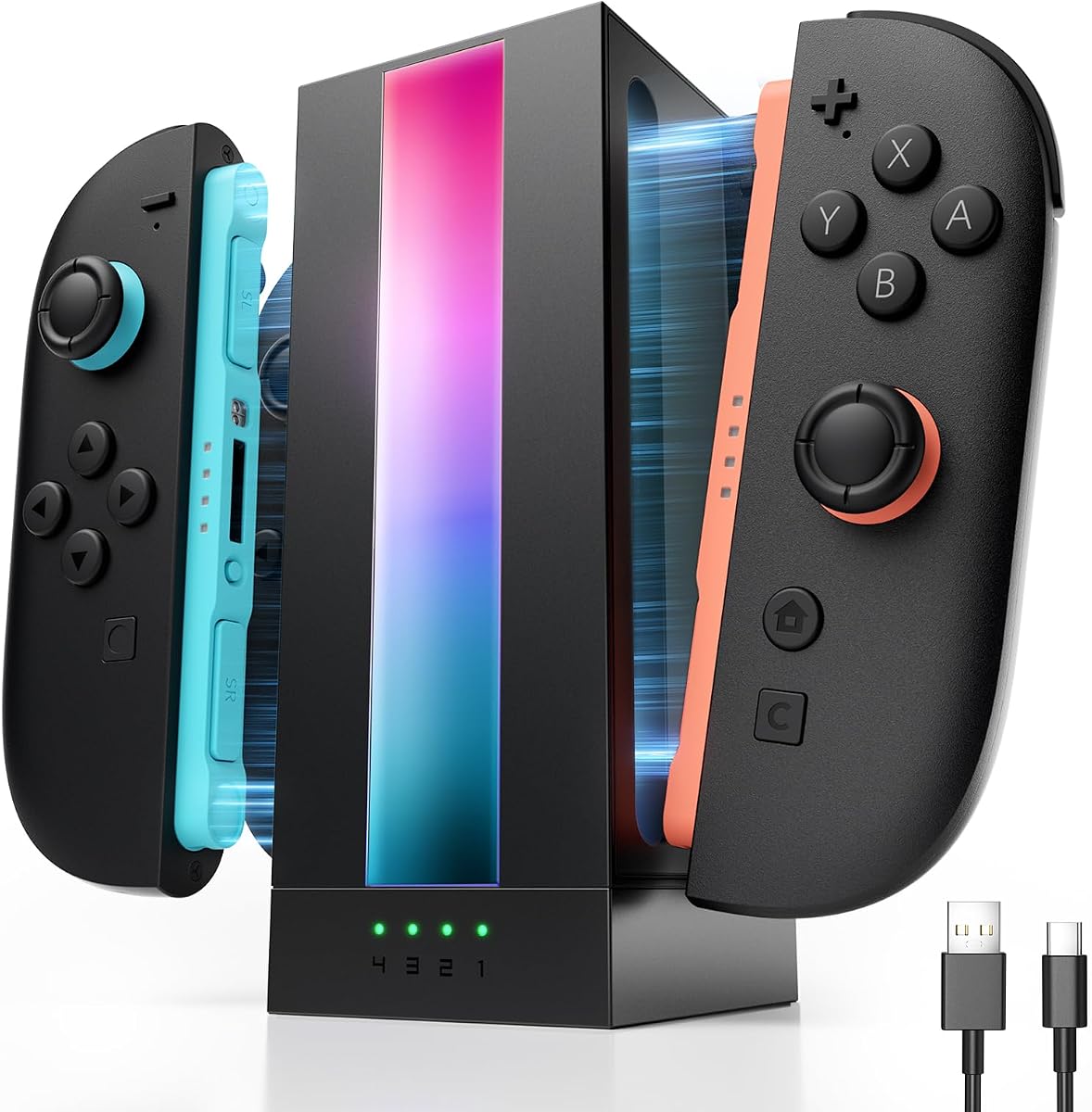
This FASTSNAIL dock delivers top-tier magnetic alignment for Switch 2 JoyCons with a 4.7 rating. Its standout feature is the dual-direction design that removes orientation worries while keeping your desk tidy.
We may earn a commission when you buy through this link, at no additional cost to you.
The four-slot layout supports multiplayer sessions effortlessly. You can charge multiple controllers simultaneously using the included cable. The RGB modes add style while the touch control makes operation intuitive and simple.
Trade-offs include needing a separate power adapter. Also it does not support third-party JoyCons. These limits are acceptable given the secure magnetic fit and high charging efficiency it provides daily.
Buy this if you value easy setup and stylish lighting. It is the best pick for families with multiple players who want reliable fast charging without fumbling with ports every time.
The magnetic design ensures JoyCons snap into place without worrying about orientation. This reduces wear on ports and speeds up the charging process significantly.
Nine lighting modes let you match the dock to your room ambiance. The memory function remembers your choice so it lights up just how you want each time.
We may earn a commission when you buy through this link, at no additional cost to you.
SUPCASE offers a premium experience with dual-side charging and magnetic precision. Its 4.7 rating reflects strong performance in keeping your JoyCons powered and your desk organized beautifully.
We may earn a commission when you buy through this link, at no additional cost to you.
Four slots allow full team charging. The dual-side design means you can drop JoyCons in any direction. RGB modes enhance your setup while safety chips protect against overcharging risks.
It is priced higher than basic docks. You also need to source your own USB power adapter. These are minor compromises for a robust station that handles heavy usage well.
Choose SUPCASE if you want top build quality and versatility. It is ideal for serious gamers who need reliable multi-controller charging without compromising on design or safety.
Place your JoyCons in either orientation and the dock works. This simplifies charging when you are in a hurry and prevents accidental port damage from forced insertion.
Nine modes include static and dynamic effects to suit your mood. The lighting is visible enough to be stylish but subtle enough not to distract during play.
We may earn a commission when you buy through this link, at no additional cost to you.
This dual charger is the most affordable option focused on Pro Controllers. With a 3.5 rating it offers essential features like LED indicators and safe power delivery at a budget-friendly cost.
We may earn a commission when you buy through this link, at no additional cost to you.
It charges two Pro Controllers at once with clear status lights. The smart chip prevents overcharging and keeps your controllers safe. Its compact size fits easily on any desk or TV stand.
The lower rating suggests mixed experiences. It also lacks JoyCon support entirely. These limits fit budget buyers who only need Pro charging and prioritize cost over advanced features.
Pick this if you want simple low-cost Pro charging. It works best for solo players or those who already own a JoyCon charger and need just Pro backup.
At a low price point this dock strips away extras to focus on core charging. It delivers reliable power for two Pro controllers without breaking the bank.
LED lights show exactly when your Pro Controllers are charging or full. This removes guesswork and ensures you always know which ones are ready to go.
We may earn a commission when you buy through this link, at no additional cost to you.
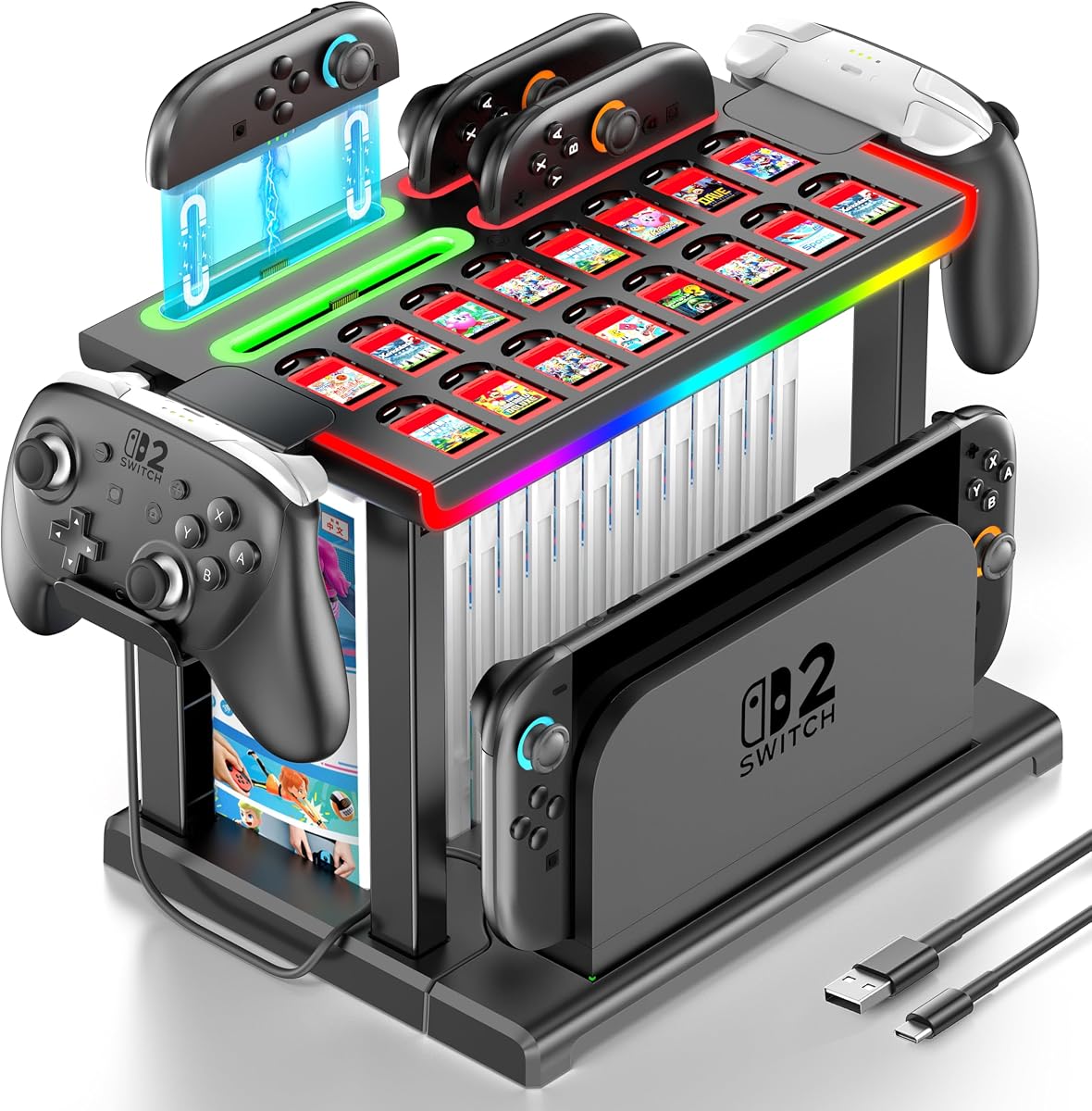
This organizer is a powerhouse for storage with RGB charging. It holds 16 game cases and four JoyCons simultaneously. Its 4.6 rating shows high satisfaction for keeping your gaming area neat.
We may earn a commission when you buy through this link, at no additional cost to you.
Beyond charging it stores your entire library. The RGB modes add flair to your console stand. Installation is tool-free and the non-slip base keeps it stable on any surface.
The unit takes up more desk space. It also excludes the TV dock which can surprise buyers. These drawbacks fit those who value organization over minimalism in their setup.
Select this if you need a one-stop hub for cards and controllers. It suits collectors who want all gear visible and accessible without cluttering their entertainment center.
Sixteen game cases fit neatly alongside your JoyCons. This keeps your game library organized and easy to browse before you start playing.
Seven single-color and two breathing modes let you match your room. The lights sync with your gaming rhythm and make the station a centerpiece.
We may earn a commission when you buy through this link, at no additional cost to you.
This dock stands out for supporting Switch 2 Pro alongside Xbox and PS5. Its 4.0 rating reflects solid versatility for multi-console players. LED lights keep status clear during charging.
We may earn a commission when you buy through this link, at no additional cost to you.
It handles two controllers at once with stable power. The included Type-C adapters reduce port wear. Smart protection ensures safe charging across different device brands.
JoyCons are not supported so separate gear is needed. You also must provide a 5V2A adapter. These trade-offs are minor if you own multiple controller types.
Buy this if you mix consoles regularly. It is the best choice for families with different systems who want one station to handle various pro controllers.
Charge Switch 2 Xbox and PS5 controllers in one place. This reduces the need for multiple docks and keeps your setup streamlined.
USB-C adapters simplify drop-in charging. They help prevent port damage and make swapping controllers quick and effortless.
We may earn a commission when you buy through this link, at no additional cost to you.
This compact stand focuses solely on Pro Controllers. With two slots and LED indicators it keeps your pro gear organized. Its 3.5 rating highlights basic functionality with room for improvement.
We may earn a commission when you buy through this link, at no additional cost to you.
It delivers fast stable charging via a safe smart chip. The sleek design saves desk space and keeps controllers accessible. Simple setup makes it ready to use right out of the box.
It lacks JoyCon charging so it does not suit all setups. Ratings vary depending on power source quality. These factors matter if you expect universal compatibility.
Choose this if you own only Pro Controllers. It is a practical solution for streamlined desks where minimalism and focused charging are top priorities.
The design takes up minimal space on your desk or TV stand. This leaves room for other essentials while keeping controllers neatly displayed.
Built-in protection prevents overheating and overcharging. This keeps your valuable Pro Controllers safe during overnight or extended charging sessions.
We may earn a commission when you buy through this link, at no additional cost to you.
This 4.7-rated station offers six-in-one versatility with fireproof safety. It charges JoyCons Pros and PS5 controllers. The USB-C input adds flexibility for various power sources.
We may earn a commission when you buy through this link, at no additional cost to you.
You can charge up to four JoyCons or two Pros at once. The fireproof panel reduces fire risks. Its design mimics official tracks for simple plug and play use.
No wall adapter is included so you need your own. The look is simple compared to RGB docks. These trade-offs suit users prioritizing function over flash.
Pick this if you need broad compatibility. It is ideal for mixed households where different controller types need charging in one reliable spot.
The fireproof panel adds peace of mind during charging. This extra layer protects your desk and devices from potential heat issues.
USB-C input lets you use a console hub or power bank. This means you can charge away from the wall easily.
We may earn a commission when you buy through this link, at no additional cost to you.
HEATFUN supports Switch 2 Xbox and PS5 via dual USB-C. Its 3.9 rating shows reliable performance for Pro users. LED indicators keep charging status visible at all times.
We may earn a commission when you buy through this link, at no additional cost to you.
Charges two controllers together using included Type-C adapters. The adapters reduce port wear and fit securely. The compact low-profile design keeps your desk tidy and organized.
JoyCons are not supported so separate charging is needed. You must use a 5V2A adapter for best performance. These limits fit those who focus on Pro controllers primarily.
Buy this if you need cross-console Pro charging. It works well for gamers with multiple systems who prefer USB-C connections over proprietary ports.
Compatible with Switch Xbox and PS5 Pro controllers. This universal approach means fewer docks cluttering your gaming area.
Adapters drop into controllers for easy charging. This helps prevent port damage and ensures a stable connection every time.
We may earn a commission when you buy through this link, at no additional cost to you.
This 4.2-rated dock offers ten slots for JoyCons and Pros. It uses a Y-Type cable with the official dock. The high slot count supports large multiplayer groups effectively.
We may earn a commission when you buy through this link, at no additional cost to you.
Eleven RGB modes provide deep customization. Two USB ports allow data transfer or device charging. Smart chip protection extends battery life for all controllers.
It requires the official dock which might limit portability. The unit is bulky for small desks. These factors suit dedicated home setups rather than travel.
Choose this if you have a large family. It handles many controllers at once and adds extra USB utility for your setup.
Ten slots mean you never run out of charging options. This supports teams of gamers without needing multiple separate docks.
Two USB ports let you charge other devices too. This reduces cable clutter and keeps your desk more organized overall.
We may earn a commission when you buy through this link, at no additional cost to you.
JSAUX offers the fastest full charge in two and half hours. Its 4.3 rating reflects high efficiency for Switch 2 JoyCons. Each port has its own LED indicator for clarity.
We may earn a commission when you buy through this link, at no additional cost to you.
The dynamic RGB bar adds style to your desk. Safety chips prevent overheating and overcharging. The included cable simplifies setup and ensures a quick start.
It works only with Switch 2 JoyCons not older models. A wall adapter is not included with purchase. These limits suit users focused on the newest hardware.
Pick this if speed is your priority. It is the best choice for players who need quick turnaround between games without long waits.
The fast charge reduces wait time by about thirty percent. This keeps your team ready to play without interruptions.
Each port shows its own status with LED lights. You know exactly which controllers are done charging at a glance.
We may earn a commission when you buy through this link, at no additional cost to you.
Choosing the right dock involves checking compatibility charging speed safety and design features that match your gaming habits and desk space.
Always verify the dock supports Switch 2 JoyCons or Pro Controllers. Some models work only with specific types while others support mixed consoles.
Match your controller type to the dock for proper fit.
Fast docks use a 5V2A adapter to reduce charge time. Standard ports may be slow and interrupt gameplay sessions.
Look for fast charge claims and check adapter requirements.
Smart chips prevent overcharging overheating and short circuits. These protect your expensive controllers from electrical damage.
Choose docks with clear safety protections listed.
Multi-player groups need docks with four or more slots. Solo players may prefer dual port setups.
Select a slot count that fits your group size.
Look for RGB lighting or compact designs that match your setup. Some offer storage for games cards.
Pick a style that suits your space.
Some include cables while others require a separate wall adapter. Check the package before buying to avoid delays.
Ensure your power source matches voltage requirements.
Select well-known brands with solid ratings for quality. Unknown sellers might lack support if issues arise.
Read reviews to check reliability.
Type-C ports reduce wear on controller charging ports. Included cables save you from buying extras.
Check cable length to match your setup needs.
Plug the dock into a USB power source using the included cable. Ensure the adapter meets 5V2A specs for optimal performance.
Place controllers carefully to align indicators or magnets. Wait for the LED to show full before removing.
Keep the dock clean and dust-free to avoid overheating. Do not force controllers into slots if they do not fit easily.
Not all docks support both generations. Many Switch 2 docks fit only the new JoyCons so check the product details before buying to ensure your model matches.
Most docks need a 5V2A USB wall adapter for fast charging. Some include a cable but you supply the adapter. Use a high quality one to avoid slow charging.
Most docks focus on one type. Multi-slot models may charge four JoyCons or two Pros but rarely both simultaneously unless specified.
Check the power adapter and port alignment. Ensure the adapter fully inserted and the dock adapter on. Remove cases that block contact if needed.
Fast docks take about two and half to three hours. Slow ports may take longer. Check LED status lights to confirm full charge before use.
Docks with smart chips prevent overcharging. Avoid leaving controllers on a cheap dock without protection. Good models stop charging when full to protect battery.
The FASTSNAIL magnetic dock and SUPCASE premium station lead in performance. Each delivers reliable charging with unique features.
Prioritize speed capacity and safety when making your choice. Match the dock to your controller types and setup size.
Prices and availability shift so review current listings before purchase. Confirm compatibility and adapter needs for your setup.