
InkSonic A3 R1390 DTF Printer
4.5Editor score
13 inch print width
Auto clean system
24/7 technical support
Starting a custom apparel business requires the right tools to turn ideas into wearable art. A direct to garment printer lets you print detailed designs directly onto fabric without screens or complex setups. Beginners need machines that are reliable easy to operate and support consistent quality results for customers who expect professionalism in every piece they order.
We evaluated ten real products available in the market focusing on features that matter most to newcomers. Our analysis includes print quality ink handling maintenance needs and support resources. Each entry reflects verified specifications and user feedback to ensure you see what to expect before investing in equipment for your growing creative or commercial project.
Every pick shows core strengths such as resolution ink systems and included accessories. While specific pricing fluctuates due to supply and demand these models represent strong starting points. Check current listings before buying to confirm availability and any updated bundles that may affect your setup costs and overall workflow efficiency from day one.
4.5Editor score

4.3Editor score

5.0Editor score
As an Amazon Associate we earn from qualifying purchases.
This side-by-side comparison highlights key technical specs and unique capabilities across all ten models to help you quickly identify which system fits your space budget and production goals without needing to research each one individually.

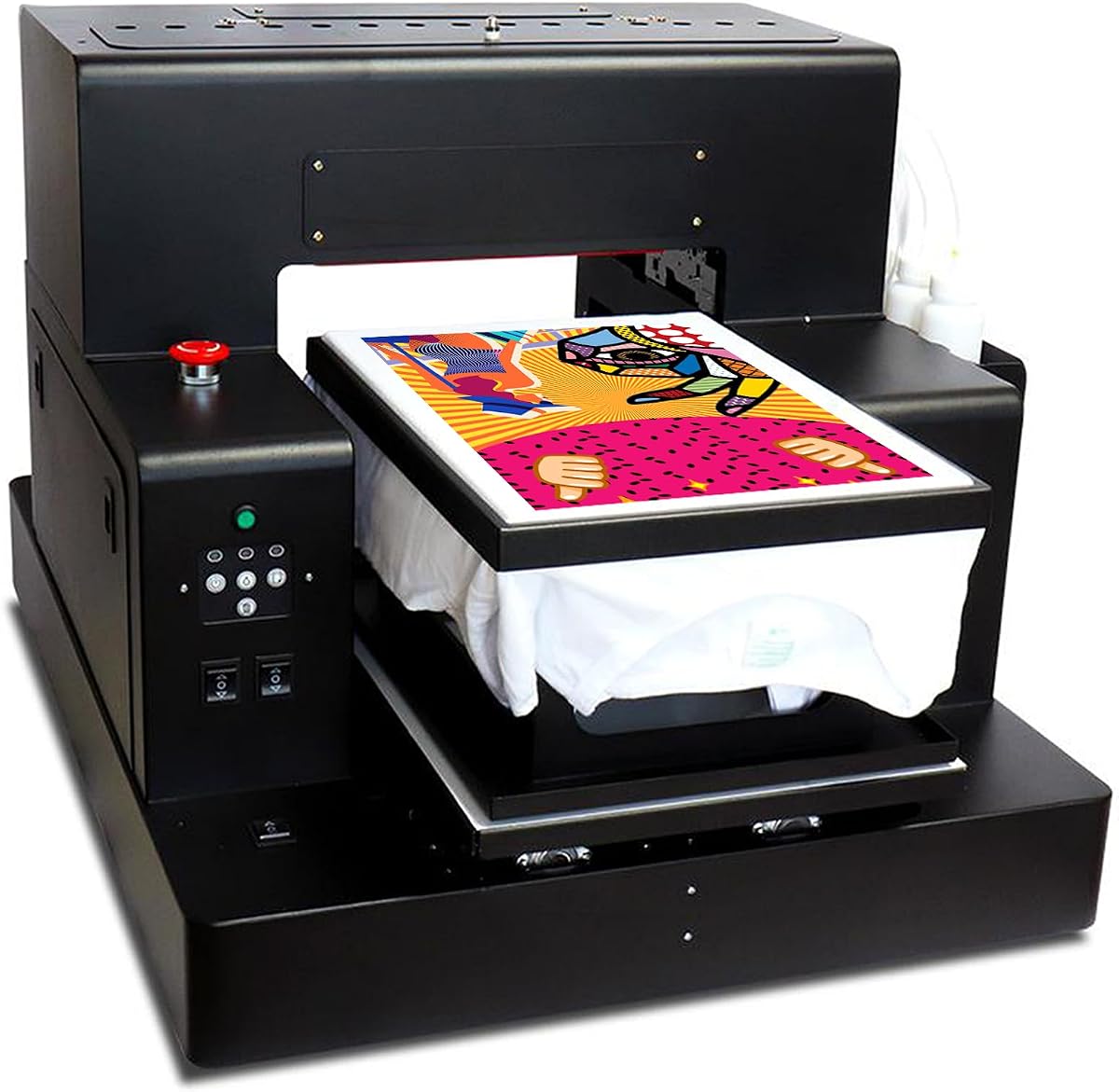


This DTG printer stands out for its ability to deliver sharp photographic detail on cotton garments. With a rating reflecting strong user satisfaction it offers a balanced mix of resolution and ease of setup. It is a solid choice for beginners who prioritize quality prints over speed.
We may earn a commission when you buy through this link, at no additional cost to you.
The 2800 by 1440 DPI resolution allows for fine text and complex graphics that look crisp. Water based inks ensure the fabric stays soft and breathable. The included electric sprayer simplifies pretreatment application which is critical for dark garment success.
While the high resolution is excellent it may limit speed compared to lower dpi models. Pretreatment steps are mandatory for dark shirts and beginners need to learn this workflow. However these trade-offs are acceptable for the quality output and safety benefits.
Buy this if you focus on cotton apparel and value soft hand feel. It is ideal for small businesses that want professional results without heavy industrial complexity. The warranty and support add confidence for first time buyers.
Higher DPI means smoother gradients and sharper edges on complex designs.
Water based inks reduce harsh fumes and are safe for skin contact.
We may earn a commission when you buy through this link, at no additional cost to you.
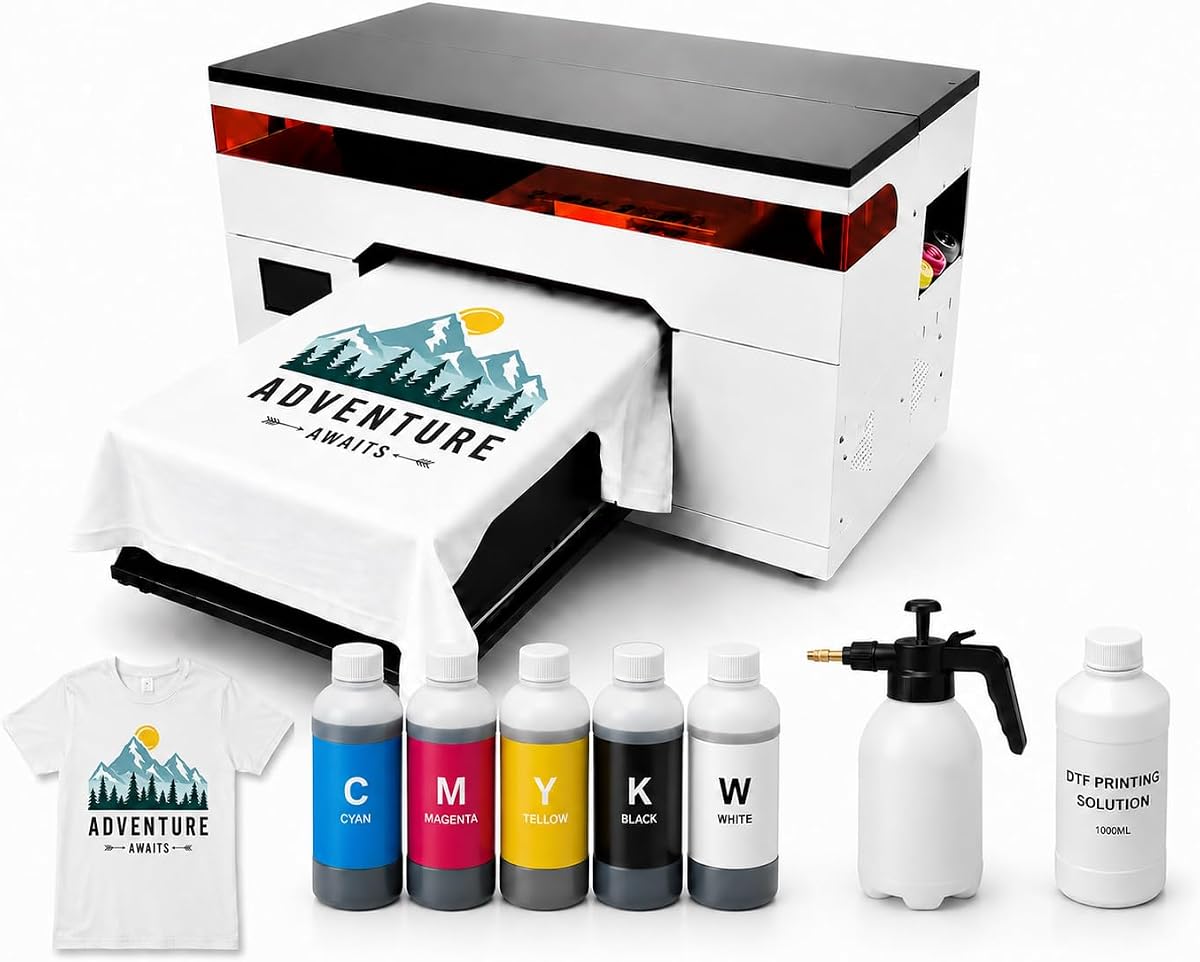
This budget friendly DTF printer provides a complete start up package. Users appreciate the included ink film and powder which removes guesswork. The auto clean system and 24/7 support make it accessible for beginners.
We may earn a commission when you buy through this link, at no additional cost to you.
The 13 inch print width covers most adult shirts without tiling. White ink circulation keeps prints consistent on dark garments. The RIP software supports smooth color transitions and file handling for custom designs.
DTF requires extra steps like powder shaking and heat pressing which take time. Beginners need to budget for a heat press separately if not included. Still the value of the bundle offsets these extra steps.
Choose this for versatility across fabric types and budget constraints. It suits side hustlers and small brands. The support structure reduces the learning curve significantly.
Included consumables help you start printing immediately after setup.
Prints well on polyester cotton and blends unlike DTG.
We may earn a commission when you buy through this link, at no additional cost to you.
This premium DTF printer includes a smokeless oven for a cleaner workspace. A perfect score reflects strong build quality and ease of use. Beginners benefit from the integrated cure system.
We may earn a commission when you buy through this link, at no additional cost to you.
Touchscreen controls simplify operation. LiteHead Technology reduces maintenance frequency. The infrared protection system guards the printhead against particles and film warping.
The cost is higher than basic models but the oven adds value. Windows requirement limits Mac users. These are minor constraints for most studio setups.
Ideal for indoor studios wanting professional results without fumes. It suits brands prioritizing print quality and workspace comfort. The investment pays off in consistency.
Smokeless oven reduces odors making indoor printing comfortable.
Sensors detect debris to prevent damage and downtime.
We may earn a commission when you buy through this link, at no additional cost to you.
This model offers startup friendly features like one touch ink pumping. It aims for simple operation and consistent color accuracy. Beginners can produce transfers for Etsy or local sales.
We may earn a commission when you buy through this link, at no additional cost to you.
White ink circulation prevents clogs and ensures even opacity. G7 certified accuracy supports reliable branding colors. The RIP software streamlines file to fabric conversion.
The rating suggests a steeper learning curve than bundles. Users must follow maintenance closely. Still the system is robust for small production runs.
Pick this if you need a focused DTF workflow. It suits designers wanting accurate colors. Patience with setup improves results.
Optimized curves ensure designs match screen colors accurately.
Auto cleaning keeps nozzles clear between sessions.
We may earn a commission when you buy through this link, at no additional cost to you.
This hybrid allows direct printing and transfer workflows. Beginners can switch between soft hand feel prints and flexible transfers. The vacuum platform stabilizes garments for accuracy.
We may earn a commission when you buy through this link, at no additional cost to you.
L805 printhead supports 1440 DPI quality. White ink circulation maintains consistency. It handles cotton hoodies and polyester hats in one unit.
Configuration requires understanding two printing modes. This may confuse total beginners. But it offers flexibility as you grow.
Buy this if you need multiple applications. It suits shops serving diverse product lines. Versatility is its main strength.
Use DTG for cotton and DTF for blended fabrics or hats.
Vacuum suction prevents fabric shifts during long runs.
We may earn a commission when you buy through this link, at no additional cost to you.
This printer focuses on high detail and even color mixing. Beginners can create vivid graphics on cotton. The white mixing system prevents sedimentation and clogs.
We may earn a commission when you buy through this link, at no additional cost to you.
Semi automatic cleaning saves manual effort. Electric sprayer aids pretreatment. Soft hand feel maintains fabric comfort after printing.
Polyester blends are not ideal for this DTG model. Pretreatment is essential for durability. Beginners should test fabric compatibility.
Choose this for fine detail on natural fibers. It suits custom tee shops. Maintenance is straightforward with included tools.
High DPI enables small text and complex photo elements.
Mixing ensures white ink stays consistent across jobs.
We may earn a commission when you buy through this link, at no additional cost to you.
This system automates maintenance and includes long term ink support. Beginners avoid common clogging issues with automatic cleaning. The supply plan reduces downtime and recurring costs.
We may earn a commission when you buy through this link, at no additional cost to you.
F1080 printhead offers speed and sharpness. Built in cutter saves film. Heating plate dries prints fast. It fits high volume needs.
The ink plan is US only which may limit international buyers. Interface takes time to master. But reliability is high.
Pick this for consistent production. It suits shops wanting less manual upkeep. The support is key for smooth operation.
Auto maintenance keeps the printer ready after idle time.
Regular supply packs ensure you never run out of ink.
We may earn a commission when you buy through this link, at no additional cost to you.
This multifunction model supports apparel and accessories. It handles T-shirts hats shoes with one unit. High resolution ensures vibrant colors on diverse items.
We may earn a commission when you buy through this link, at no additional cost to you.
White mixing prevents sediment. Vacuum platform holds materials tight. It includes six ink bottles for color depth.
Separating DTG and DTF processes requires attention. Beginners must match ink to fabric. But flexibility is high.
Buy this if you print varied items. It suits hobbyists selling on platforms. It supports creativity without extra gear.
Handles shoes and pants beyond standard T-shirts.
Six ink support improves saturation and gradients.
We may earn a commission when you buy through this link, at no additional cost to you.
Dual XP600 printheads enable faster printing for small batches. This model comes with a full starter kit. Beginners can start production quickly without sourcing extra parts.
We may earn a commission when you buy through this link, at no additional cost to you.
Adjustable platform fits various garment thicknesses. White ink system reduces sediment. It produces vibrant images on cotton.
Dual heads require more careful maintenance than single ones. Not suitable for polyester. But speed is a plus.
Choose this for higher volume cotton orders. It suits small brands scaling up. Kit convenience is a strong plus.
Dual printheads reduce time per garment significantly.
Included inks software let you print right away.
We may earn a commission when you buy through this link, at no additional cost to you.
This machine is built for durability and automation. Automatic flatbed simplifies loading. Suction platform ensures stability during printing. It suits busy studios.
We may earn a commission when you buy through this link, at no additional cost to you.
Low failure rate and easy part replacement reduce downtime. It supports multiple items including shoes. This increases business options.
Footprint and setup complexity require space and time. It fits serious beginners. But reliability is excellent.
Pick this for heavy use. It suits growing shops. The design prioritizes long term stability and ease of service.
Engineered to minimize sensor failures and chip resets.
Automatic flatbed saves manual adjustments during loads.
We may earn a commission when you buy through this link, at no additional cost to you.
Selecting the right printer depends on your target fabric budget and workflow. This guide breaks down essential factors to ensure you invest wisely.
DTG prints directly onto garments for soft hand feel on cotton. DTF prints on film for transfers to any fabric. Beginners should decide based on product mix.
Choose DTG for cotton only. Choose DTF for versatility across fabrics.
Higher DPI like 2800×1440 produces sharper text and gradients. Lower 1440 is faster but less detailed. Select based on design complexity.
High DPI for fine details. Lower DPI for speed.
White ink circulation prevents sedimentation and clogs. Mixing systems ensure consistent opacity on dark garments. Look for auto stirring features.
Prioritize circulation to avoid nozzle issues.
Vacuum platforms hold garments flat for alignment. Adjustable platforms fit hoodies and shoes. Stability prevents misprints.
Choose with suction to avoid shifts.
Starter kits with inks pretreatment reduce initial costs. Bundles save time finding compatible supplies. Check package contents carefully.
Look for full kits to start immediately.
Auto cleaning and moisturing systems reduce manual effort. Semi automatic clean is better than manual. Regular upkeep extends printhead life.
Select auto maintenance to save time.
24/7 support helps resolve setup issues quickly. Year warranties protect non-consumables. Good support reduces downtime.
Prioritize brands with responsive service teams.
Ensure space for printer curing oven and heat press. Power needs and ventilation vary. Indoor use may need smokeless setups.
Match machine needs to your studio space.
Unbox and assemble components according to the manual. Install software and connect to your PC. Perform a test print on scrap fabric to check alignment.
Clean printheads after every session using the auto cycle. Store ink in a cool dark place. Refill reservoirs before they run dry to prevent air bubbles.
Schedule monthly maintenance checks for nozzles and rollers. Keep firmware updated via the manufacturer site. This keeps output consistent and extends machine life.
DTG prints ink directly onto the garment for a soft hand feel on cotton. DTF prints on a film which is then heat pressed onto fabric. DTF works on polyester and blends while DTG is mainly for cotton.
DTF requires a heat press to cure transfers onto garments. DTG uses a heating platen built into the printer. If you buy a DTF bundle without an oven you may need a separate heat press.
Use printers with white ink circulation or mixing systems. Run automatic cleaning cycles regularly. Never leave the printer idle for days without a cleaning cycle.
DTG is designed for cotton and natural fibers. Polyester may reject ink or cause bleeding. Use DTF for polyester or blends to ensure color vibrancy.
DTG on dark garments requires pretreatment liquid to help ink bond. DTF does not need pretreatment on the garment itself. Follow manufacturer guidelines for best results.
With proper maintenance printheads can last 1 to 3 years. Avoid ink drying and use auto cleaning. Replace printhead if clogs persist after cleaning.
Most beginner printers require Windows. Check software compatibility before buying. Some models do not support macOS natively.
This guide reviewed ten top models including high resolution DTG and versatile DTF options. The DXZ DTG stands for quality while the InkSonic DTF offers great value and bundles.
Prioritize circulation maintenance and support when making your choice. A reliable printer saves time and money in the long run. Invest in what fits your space and product goals.
Prices and bundles change frequently so check current listings before purchasing. Ensure accessories match your workflow. This ensures smooth setup and early success with your first orders.