
VizoBlueX 23-24 inch Anti-Blue Light Filter
4.4Editor score
Multi-layer UV and HEV protection
Maintains full visible color accuracy
Reduces headaches and sleep disruption
Protecting your eyes from prolonged screen exposure is essential for modern digital workers and gamers. An eye friendly monitor protector filters harmful blue light and UV rays to reduce fatigue and strain during long sessions.
We evaluated ten top-rated screen protectors based on optical clarity, filtration efficiency, ease of installation, and user comfort. Each product was assessed for compatibility with common monitor sizes and its ability to maintain visual fidelity.
Each review highlights key strengths, trade-offs, and ideal use cases to help you choose the right fit. Prices and availability may change, so verify current details before purchasing to ensure you get the best value.
4.4Editor score

4.4Editor score
4.3Editor score
As an Amazon Associate we earn from qualifying purchases.
The following comparison table summarizes key specifications across all ten products to help you quickly identify the right fit for your monitor size and protection needs.



The MOSISO Computer Blue Light Blocking Screen Protector stands out as the top choice for users seeking reliable eye protection without compromising display quality. With a 4.4 rating, this protector filters 99 percent of harmful UV rays and reduces blue light by 45 percent in the 420nm to 460nm range.
We may earn a commission when you buy through this link, at no additional cost to you.
Its ultra-thin 0.05 inch acrylic construction ensures 95 percent transparency, keeping your screen bright and clear. This makes it ideal for professionals, gamers, and programmers who spend hours in front of screens. The hang-on installation is straightforward and avoids permanent adhesive damage.
While highly effective, you must measure your diagonal screen size carefully before purchasing to ensure compatibility. Some users report slight fitting challenges with non-standard bezels, but the benefits for eye comfort outweigh this minor inconvenience for most setups.
If you prioritize eye health and clarity, this protector offers the best balance of performance and ease of use. It is particularly recommended for daily office work and gaming sessions where reducing fatigue is essential.
The 99 percent UV filtration and 45 percent blue light reduction significantly lower the risk of eye strain and headaches during extended use.
With 95 percent transparency and minimal thickness, the protector preserves your screen’s original brightness and color accuracy.
We may earn a commission when you buy through this link, at no additional cost to you.
This 2-pack privacy screen filter is ideal for users working in public or shared offices where confidentiality matters. It blocks visibility at 30 degrees and uses advanced microlouver technology to keep data secure. With a 4.2 rating, it also provides strong eye protection by filtering 98 percent of blue light.
We may earn a commission when you buy through this link, at no additional cost to you.
The reversible design lets you switch between a glossy side for clarity and a matte side to reduce glare. Installation options include adhesive stickers or slide tabs, offering flexibility depending on your monitor’s bezel. The washable surface ensures long-term usability without scratching.
Privacy functions can make screens appear darker from the front, which may require brightness adjustments. Some users find aligning the tabs on flat bezels challenging, but the included instructions help simplify the process for most monitors.
Choose this if you need both privacy and eye protection for travel or open desks. It offers exceptional value with two units and robust optical filters for sensitive data environments.
Microlouver technology blocks visibility at 30 degrees, ensuring your screen stays private in crowded spaces.
Filters 98 percent blue light and includes a scratch-resistant, washable surface for repeated use.
We may earn a commission when you buy through this link, at no additional cost to you.
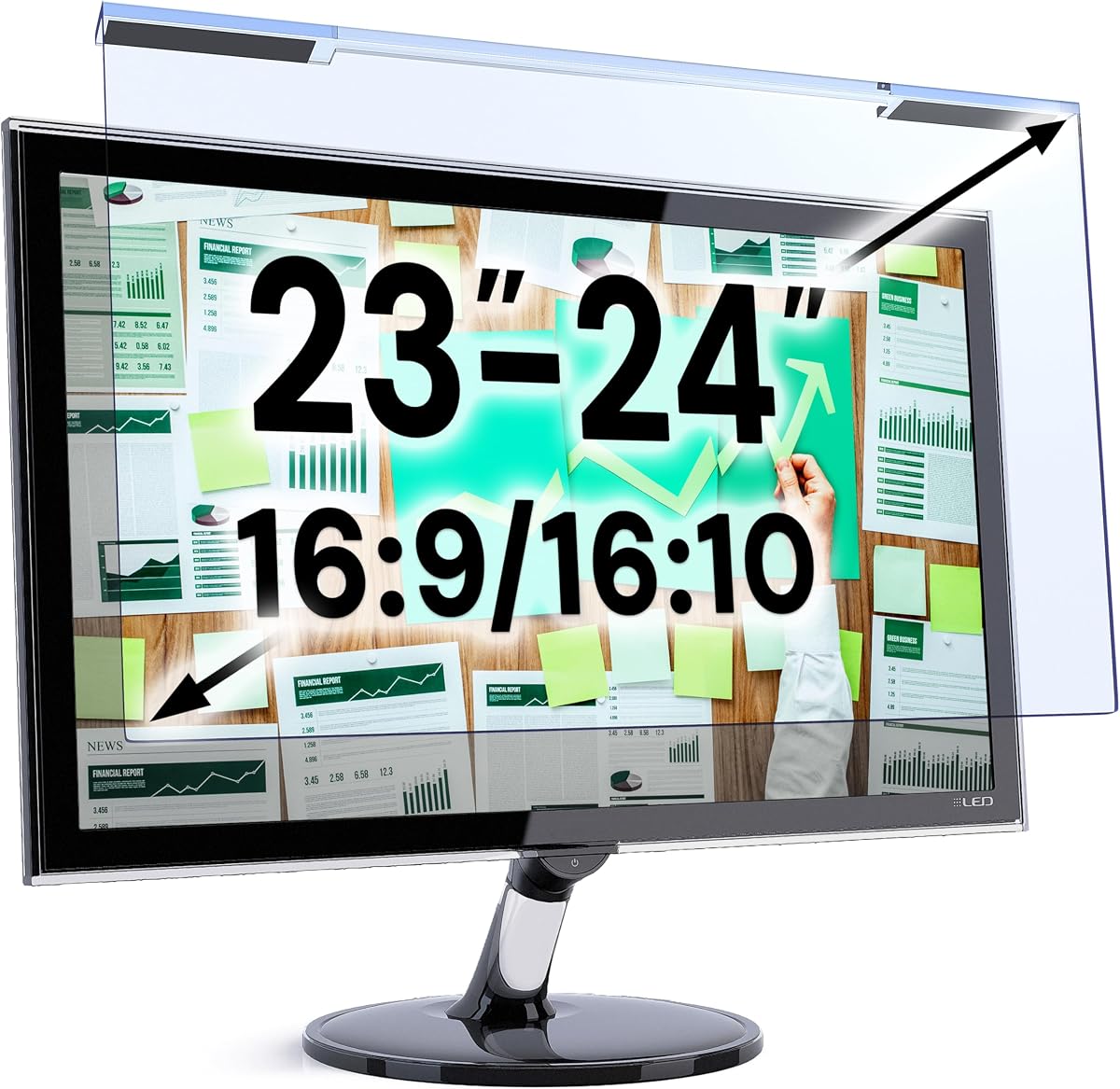
VizoBlueX delivers premium protection with its multi-layer design that eliminates hazardous UV and HEV light without distorting the image. Users report fewer headaches and better sleep after switching to this protector. The 4.4 rating reflects its consistent performance for 23 to 24 inch monitors.
We may earn a commission when you buy through this link, at no additional cost to you.
The protector maintains full color visibility and original brightness, which is critical for designers and creatives. Installation is as simple as peeling protective films and hanging the panel. The 21.5 x 13 inch dimensions fit most 16:9 displays including iMac Retina models.
Though priced higher than entry-level options, the optical clarity and eye comfort justify the investment. The requirement to measure without the frame can be tricky for first-timers, but the result is a seamless fit.
Choose this for professional or health-focused use where image quality and sleep hygiene are priorities. It is especially effective for users experiencing chronic eye strain or light sensitivity.
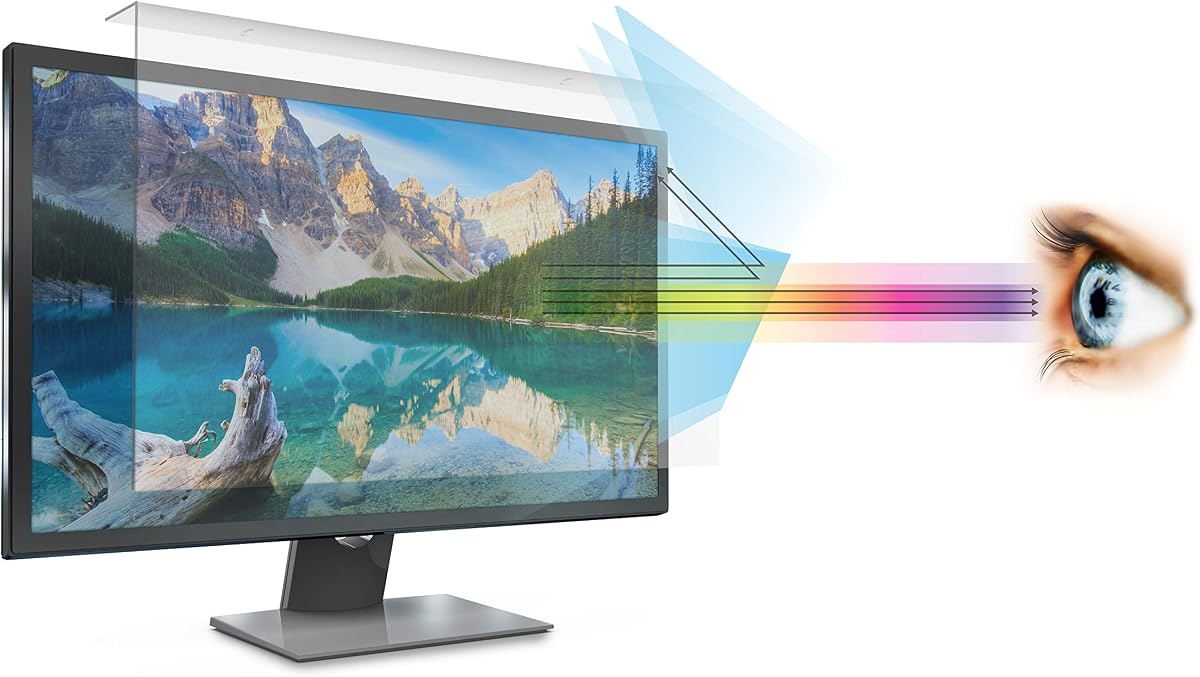
Blocks UV and HEV light without distorting image, ensuring clear visibility and eye safety.
Reduces blue light exposure that disrupts circadian rhythms, helping improve sleep patterns.
We may earn a commission when you buy through this link, at no additional cost to you.
VINTEZ offers strong eye protection at a budget-friendly cost. With 61 percent blue light and 99 percent UV filtration, it effectively reduces strain for daily users. The 4.3 rating highlights consistent performance across various 23 to 24 inch monitors and laptops.
We may earn a commission when you buy through this link, at no additional cost to you.
The lifetime replacement policy adds significant value, covering damage from scratches or wear. Installation involves peeling matte films and positioning the protector on the monitor top. Its compact 21.2 x 13.4 inch size fits most 16:9 desktop and laptop screens.
While it lacks anti-glare technology, the clarity remains good for indoor use. Some users report minor alignment adjustments, but the overall impact on eye comfort is positive.
Select this for cost-conscious buyers seeking reliable protection for home or office use. The warranty coverage makes it a low-risk option for long-term use.
Damaged screens are replaced free, providing peace of mind for long-term usage.
Reduces 61 percent of blue light and 99 percent of UV to minimize eye fatigue.
We may earn a commission when you buy through this link, at no additional cost to you.
Peslv combines privacy and eye protection with exclusive double-sided surface technology. Users can switch between matte for anti-glare and glossy for enhanced privacy. The 4.2 rating confirms reliable performance for 24 inch 16:9 monitors in business and travel settings.
We may earn a commission when you buy through this link, at no additional cost to you.
The matte side softens strong light while maintaining visibility, while the glossy side offers a tighter privacy angle. Filtration reduces 92 percent blue light and 98 percent UV. Both adhesive and slide mount options support raised and flat bezel monitors.
The privacy side may require brightness boosts to offset the black-out effect. Ensuring correct width and height measurements prevents fit issues, as the diagonal alone isn’t sufficient.
This is ideal for professionals needing confidentiality and eye protection. The two-pack provides spare coverage, and the lifetime attachment warranty adds extra value.
Double-sided design offers matte anti-glare and glossy privacy modes to suit different environments.
Blocks 92 percent blue light and 98 percent UV for improved eye comfort during long use.
We may earn a commission when you buy through this link, at no additional cost to you.
This 27 inch privacy screen delivers reliable protection for larger displays. The 4.1 rating highlights its ability to limit viewing angles to 28 degrees while filtering 92 percent blue light and 98 percent UV. It is especially useful for open offices and travel.
We may earn a commission when you buy through this link, at no additional cost to you.
The reversible design offers matte for glare reduction and glossy for extra privacy. Installation includes adhesive strips and slide tabs for flexibility. The washable surface ensures durability over time.
Adhesive options may leave residue if not removed carefully. The dedicated 27 inch size means you cannot adjust for other monitors, so verify dimensions before purchasing.
Choose this if you own a 27 inch screen and prioritize privacy alongside eye health. The lifetime support and reusable design offer excellent long-term value.
Designed precisely for 27 inch 16:9 monitors to ensure perfect alignment and privacy.
Washable surface and optional slide tabs allow repeated use without damage or residue.
We may earn a commission when you buy through this link, at no additional cost to you.
ZYY offers durable protection for 27 inch monitors including curved models. The 4.4 rating reflects its 90 percent blue light blocking and 98 percent UV anti via Japanese nano-optical technology. It is suitable for gaming, work, and education.
We may earn a commission when you buy through this link, at no additional cost to you.
The 8H reinforced acrylic material resists scratches and explosions while maintaining high-resolution visuals. Installation uses a hanging type for quick setup. The protector helps reduce myopia risks and dryness for kids and adults.
It is not designed for iMac screens, and you must measure diagonally without edges to avoid fit issues. The thin 2mm design keeps impact on clarity minimal.
Select this for rugged, versatile protection on curved or flat displays. The balance of durability and eye safety makes it ideal for family and office use.
Designed to fit curved screens while maintaining optical clarity and eye protection.
8H acrylic material resists scratches and impact, keeping your screen safe and clear.
We may earn a commission when you buy through this link, at no additional cost to you.
This protector stands out for its advanced anti-glare and oil-repellent coating. The 3.6 rating indicates variable performance, but it effectively blocks 100 percent UV light and filters harmful HEV blue light. It suits touchscreens and 24 inch 16:9 monitors.
We may earn a commission when you buy through this link, at no additional cost to you.
The oleophobic coating repels oil and sweat for easy cleaning. Zero input lag ensures smooth performance. Its matte finish reduces reflections under bright lighting conditions.
User feedback suggests variability in fit and clarity. The model-specific cut means you must verify compatibility carefully. It works well for users who struggle with glare.
Choose this if you need anti-glare protection for touchscreens. The coating technology offers practical advantages for daily use in bright environments.
Matte surface reduces visual interference from screen glare under bright-light conditions.
High hardness and oil-repellent technology keep the surface clean and easy to wipe.
We may earn a commission when you buy through this link, at no additional cost to you.
Designed for 21 and 22 inch displays, this filter blocks 80 percent of harmful blue light. The 4.4 rating confirms solid performance for users with smaller monitors. Its acrylic construction resists scratches and dust.
We may earn a commission when you buy through this link, at no additional cost to you.
Mounting attaches easily to the monitor’s bezel without adhesives, making it removable for cleaning. The kit includes a testing kit and cleaning cloth for convenience. It is ideal for students and home offices.
The bezel mount may loosen with frequent handling. Since it fits only small screens, verify dimensions before purchasing to avoid compatibility issues.
Choose this for compact setups needing reliable blue light protection. The included testing kit helps verify effectiveness before long-term use.
Tailored for 21 and 22 inch displays to deliver targeted protection without fit issues.
Bezel attachment allows easy removal and cleaning without leaving adhesive residue.
We may earn a commission when you buy through this link, at no additional cost to you.
This 2-pack offers strong value for 27 inch displays with high blue light filtration and glare reduction. The 4.0 rating reflects consistent performance for most users. It includes a 1-year warranty and requires no adhesive for quick installation.
We may earn a commission when you buy through this link, at no additional cost to you.
Imported optical materials reduce glare by 95 percent and blue light by 98 percent. The high transparency maintains 90 percent light transmission. Cleaning restores the protector to like-new condition after dust accumulation.
Fit for curved monitors can vary, so verify compatibility. The lack of adhesive means it may shift occasionally, but it remains easy to reset.
Select this for cost-effective multi-user setups. The two-pack and warranty make it ideal for offices or households with shared monitors.
90 percent light transmission keeps your screen bright without pixelation or blur.
1-year warranty provides confidence in durability and long-term eye protection.
We may earn a commission when you buy through this link, at no additional cost to you.
Selecting the right eye friendly monitor protector requires attention to size, filtration efficiency, and installation method to ensure optimal protection.
Always measure the visible screen area without the bezel. Match the protector’s width and height to your monitor. Aspect ratio must align to avoid distortion or edge gaps.
Verify diagonal and rectangular dimensions before purchasing to ensure a perfect fit.
Look for protectors filtering at least 60 percent of blue light and 90 percent of UV rays. Higher percentages reduce eye strain and sleep disruption.
Prioritize products with documented filtration ranges to guarantee effective protection.
Choose protectors with high transparency to preserve brightness and color accuracy. Thinner materials generally maintain better clarity.
Check reviews for comments on brightness loss or color distortion.
Decide between adhesive or hanging designs. Adhesives stay secure but may leave residue. Hanging tabs are removable but can shift.
Select the method that suits your bezel and cleaning preferences.
If working in shared spaces, consider privacy filters with angled blocking. Anti-glare coatings reduce reflections in bright environments.
Weigh the trade-off between privacy and screen brightness.
Scratch-resistant and oleophobic coatings improve longevity and ease of cleaning. Look for reinforced acrylic materials.
Higher hardness ratings indicate better protection against daily wear.
Check for replacement policies or warranties. Lifetime or one-year coverage reduces long-term risk.
Support availability ensures solutions for fit or damage issues.
Compare unit cost and inclusion of extra packs or cleaning kits. Higher price often brings better coatings and warranties.
Balance features with your usage frequency to optimize spending.
Begin by cleaning your monitor with a soft cloth. Remove any dust or oils to prevent trapped particles under the protector.
Align the protector carefully with screen edges. Hang or attach using adhesive tabs as needed, ensuring full coverage.
Clean the protector regularly with a microfiber cloth. Avoid harsh chemicals to maintain coatings and clarity.
Most protectors are designed with high transparency to maintain original brightness. However, privacy models may darken the view slightly from the front.
Many options support touchscreen functionality. Always verify product descriptions to ensure zero input lag and full touch response.
Clean weekly or whenever you notice fingerprints. Use a microfiber cloth and avoid abrasive cleaners to preserve coatings.
Some protectors are explicitly made for curved displays. Check compatibility notes before purchasing to ensure proper fit.
Yes, reducing blue light exposure in the evening can help improve melatonin production and sleep patterns for many users.
Contact the seller immediately. Many offer replacements if dimensions were measured correctly but fit issues persist.
The MOSISO, VizoBlueX, and VINTEZ protectors lead our picks for overall performance, premium clarity, and budget value. Each balances eye safety and display quality effectively.
Prioritize filtration rates and size accuracy when selecting a model. Consider additional features like privacy or anti-glare if your workspace demands them.
Verify current prices and availability before purchasing. Small updates to models may affect specs or warranty terms.