
Amazon Basics Stereo 2.0 Speakers
4.4Editor score
USB powered
3.5mm aux input
Volume control
Discover the top external speakers for MacBook setups. We compare connectivity, sound quality, and design to help you find the perfect audio upgrade for your
Enhancing your MacBook audio experience requires selecting the right external speakers. Good options offer clear sound, reliable connectivity, and sleek designs that complement your workspace aesthetics and performance needs effectively.
We compared ten top-rated speakers based on compatibility, audio quality, and ease of setup. This guide highlights models supporting USB-C, Bluetooth, and aux connections to suit various MacBook configurations and user preferences efficiently.
Each pick shows key features and real-world performance insights. Prices change frequently, so check current listings before purchasing. Our recommendations help you balance budget and sound quality for an ideal MacBook external speakers setup experience.
4.4Editor score

4.4Editor score
4.5Editor score
This side-by-side comparison evaluates all ten models based on connectivity options, power output, design features, and user ratings to help you make an informed decision for your MacBook setup.




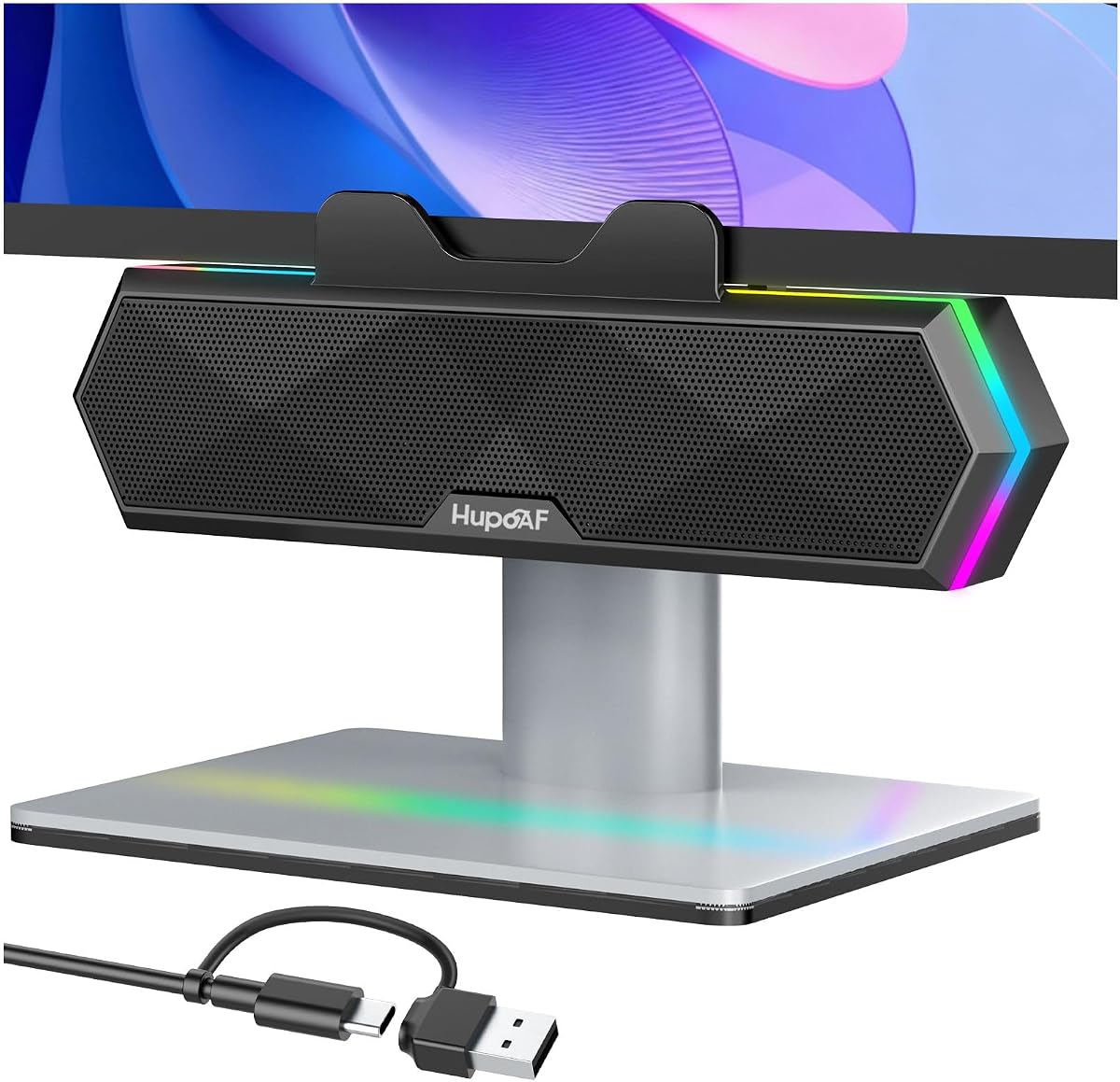
This clip-on speaker offers a unique solution for MacBook users seeking to save desk space. It supports USB-C and provides clear audio for everyday tasks.
We may earn a commission when you buy through this link, at no additional cost to you.
Its adaptive channel switching ensures stereo separation regardless of mounting position. The dual drivers deliver sufficient volume for video calls and media.
While it lacks a standalone base, its convenience outweighs this for small workspaces. Bass response is modest but adequate for speech.
Ideal for MacBook owners prioritizing compactness and easy installation. Choose it if desk real is your primary concern.
The clip mount frees your desk surface completely.
Built-in USB-C adapter ensures modern MacBook compatibility.
We may earn a commission when you buy through this link, at no additional cost to you.
Affordability defines this Amazon Basics model. It offers reliable stereo sound for MacBooks without breaking the bank.
We may earn a commission when you buy through this link, at no additional cost to you.
USB power eliminates the need for extra outlets. The 3.5mm aux input allows flexibility for non-USB sources.
Sound quality is decent for casual listening but lacks depth. Build quality is basic plastic.
Perfect for budget-conscious buyers needing essential audio. It meets core needs without extra features.
Great entry-level option for new MacBook users.
USB port provides both power and signal.
We may earn a commission when you buy through this link, at no additional cost to you.
This Logitech model balances wireless convenience and wired reliability. It pairs seamlessly with MacBooks for flexible audio streaming.
We may earn a commission when you buy through this link, at no additional cost to you.
Easy-Switch tech allows quick transitions between devices. Passive radiators enhance bass for a fuller sound.
Bluetooth 4.2 is functional but not cutting-edge. Sound quality remains consistent across use cases.
Best for MacBook users valuing wireless versatility. It handles both work and leisure needs well.
Stream music or calls without cable clutter.
Switch between devices by pausing one source.
We may earn a commission when you buy through this link, at no additional cost to you.
The Creative Pebble V3 is tailored for modern USB-C MacBooks. It offers plug-and-play simplicity and robust connectivity.
We may earn a commission when you buy through this link, at no additional cost to you.
45-degree tilted drivers direct sound to ear level. Bluetooth 5.0 ensures stable wireless audio streams.
Dialog processing enhances speech clarity. Gain switch adds volume flexibility but needs compatible ports.
Ideal for MacBook users seeking sleek design. Its performance exceeds expectations for its size.
Elevated drivers focus audio where needed.
USB-C and Bluetooth offer dual connection modes.
We may earn a commission when you buy through this link, at no additional cost to you.
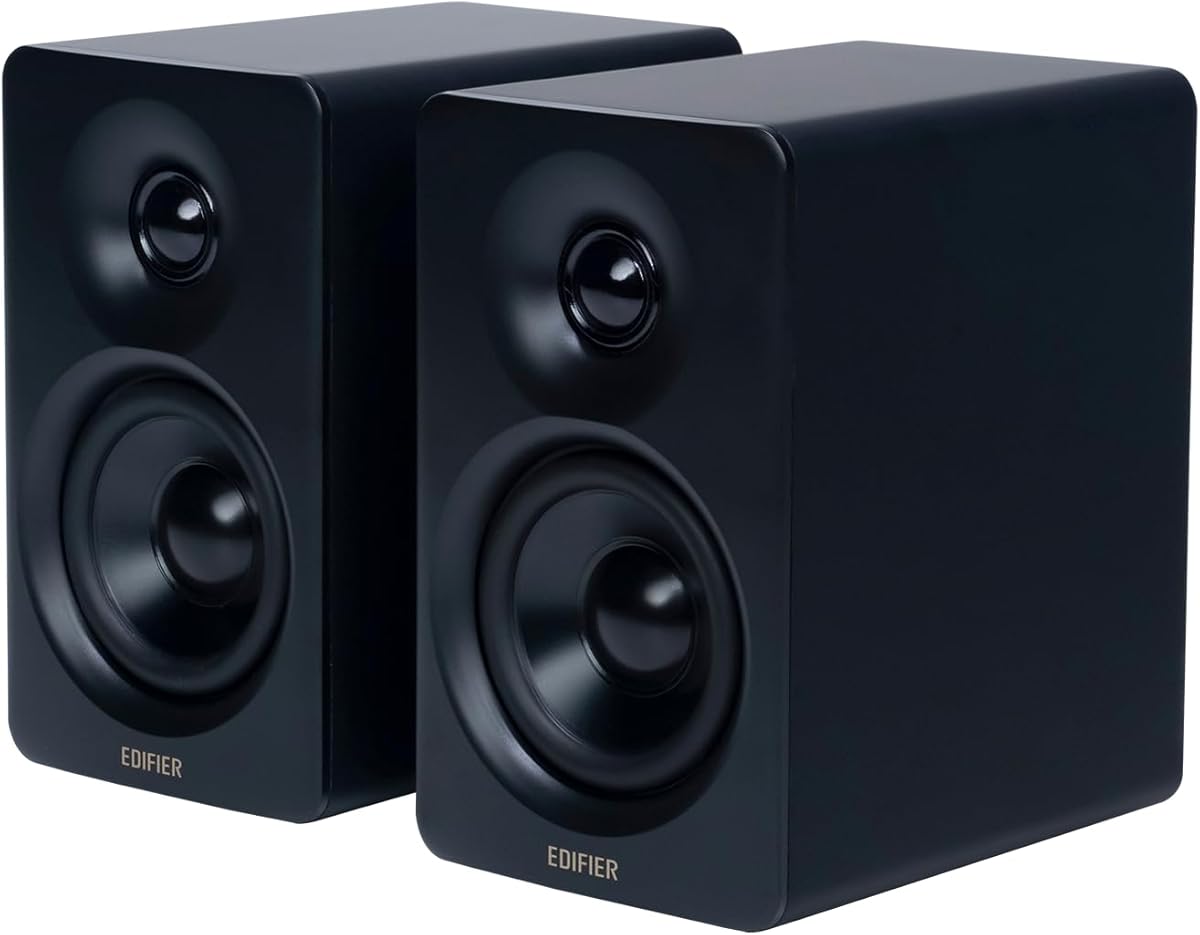
This Edifier model delivers premium audio fidelity. Its 66W output and Hi-Res certification ensure exceptional sound quality for MacBooks.
We may earn a commission when you buy through this link, at no additional cost to you.
Touch controls offer intuitive operation. LDAC Bluetooth support allows high-bitrate streaming.
The price point is high but justified by quality. Touch panels require some adaptation.
Best for audiophiles with MacBooks. It elevates your audio setup significantly.
Hi-Res certification guarantees rich audio detail.
Touch panel adds modern interaction convenience.
We may earn a commission when you buy through this link, at no additional cost to you.
Designed for accuracy, this Edifier model suits creative professionals. Its flat response aids precise audio editing on MacBooks.
We may earn a commission when you buy through this link, at no additional cost to you.
Customizable sound modes offer flexibility. Multiple inputs allow multi-device setups.
MDF cabinet reduces distortion. However, size requires ample desk space.
Best for content creators using MacBooks. Accuracy outweighs compactness here.
Flat frequency response aids creative work.
TRS and AUX inputs expand connectivity.
We may earn a commission when you buy through this link, at no additional cost to you.
This speaker delivers straightforward audio without setup hassle. It works with MacBooks via USB directly.
We may earn a commission when you buy through this link, at no additional cost to you.
Dual drivers ensure loud playback. Passive radiator adds bass punch.
Lacks aux input for flexibility. Design is functional but unremarkable.
Ideal for simple MacBook setups. It prioritizes ease over features.
Just plug in and start listening.
High excursion drivers deliver strong sound.
We may earn a commission when you buy through this link, at no additional cost to you.
This FUNLOGY speaker uses a 30-degree tilt for directed sound. It fits well on MacBook desks.
We may earn a commission when you buy through this link, at no additional cost to you.
Gold-plated aux reduces noise. Volume dial is precise.
Compact size limits sound dispersion. Still effective for near-field use.
Best for minimalist MacBook setups. It balances quality and footprint.
Tilt ensures sound reaches ears directly.
Award-winning design offers reliable durability.
We may earn a commission when you buy through this link, at no additional cost to you.
This Dell speakerphone optimizes your MacBook for conferencing. It offers dual-duplex audio and call controls.
We may earn a commission when you buy through this link, at no additional cost to you.
LED indicators show call status clearly. Mute buttons add convenience.
Audio is clear but tuned for speech. Music performance is secondary.
Best for MacBook professionals on calls. It streamlines meeting tech.
Certified for Teams and Zoom integration.
LED lights provide intuitive status updates.
We may earn a commission when you buy through this link, at no additional cost to you.
This model combines audio and aesthetic RGB lighting. It clips onto MacBook monitors for easy access.
We may earn a commission when you buy through this link, at no additional cost to you.
Deep bass and crisp highs impress. Six lighting modes customize the setup.
Lighting can distract during work. Volume is decent for its size.
Best for gamers or users valuing RGB. It enhances visual ambiance.
RGB modes match gaming or moods.
Clamp holds firmly without scratching.
We may earn a commission when you buy through this link, at no additional cost to you.
Selecting the right speakers involves evaluating connectivity, power, design, and audio quality tailored to your MacBook model and usage needs.
MacBooks often lack standard aux ports, so prioritize speakers with USB-C, Bluetooth, or adapters. USB-C ensures seamless power and signal transfer for newer models.
Choose USB-C or Bluetooth to match your MacBook's ports effectively.
Higher RMS ratings generally mean louder, richer sound. Look for at least 10W for decent bass and volume in small rooms.
Aim for at least 10W RMS for adequate volume.
Compact speakers save desk space, while monitors offer better audio fidelity. Consider clip-on designs if you need to maximize monitor surface area.
Select clip-on or compact models to save desk space.
Drivers and passive radiators shape sound depth. Ensure the speakers support Hi-Res Audio or clear dialogue processing for media consumption.
Prioritize drivers and processing for clear dialogue.
Physical dials or touch panels allow quick adjustments. Some models include remotes or app control for advanced settings.
Look for physical controls or app support.
Materials like metal or MDF cabinets reduce distortion. Check warranty coverage to ensure longevity and support.
Prefer durable materials for longer-lasting performance.
Set a budget based on your needs. Entry-level models suffice for calls, while premium speakers suit high-fidelity music.
Align price with your specific audio requirements.
Ensure compatibility with macOS audio settings. Some speakers may require specific drivers for optimal performance on older MacBooks.
Verify macOS compatibility before purchasing.
Connect your speakers via USB-C, Bluetooth, or auxiliary cable. Select the output device in macOS System Preferences to route audio correctly.
Position speakers at ear level to optimize sound quality. Avoid placing them near walls to reduce distortion.
Regularly clean dust from grilles and vents using a soft cloth. Store them in a dry place to prevent moisture damage.
Yes, most USB speakers are compatible with MacBooks via USB-A or USB-C. Some may require adapters for older models but work seamlessly with current devices.
Models like the Logitech Z207 and Creative Pebble V3 support Bluetooth. Pair them through Bluetooth settings for wireless streaming.
Most speakers work plug-and-play without drivers. Exceptions exist for advanced models with proprietary software apps.
A speakerphone like the Dell SP3022 offers noise cancellation and mic support for clear calls on MacBooks.
Yes, clip-on or compact models save desk space. Mounting on your monitor frees up work surfaces effectively.
Premium models like the Edifier M60 support Hi-Res Audio. Check certifications to ensure your desired quality level.
Most USB and Bluetooth speakers work across macOS, Windows, and Linux. Verify OS compatibility before purchase.
Adjust volume via macOS Sound settings or physical dials on the speakers. Some offer touch controls for convenience.
We reviewed ten top external speakers, highlighting the Logitech Z207 for wireless ease and the Edifier M60 for premium audio.
Prioritize connectivity and sound quality based on your specific MacBook model and usage needs.
Check current listings for pricing updates before buying to ensure the best deal available.